Troubleshooting
Problems and Possible Solutions 7 - 17
7
When I record audio, and the Sound
Blaster Audio system environment
(Blaster Experience) is configured in
Gaming mode, the playback contains an
echo sound.
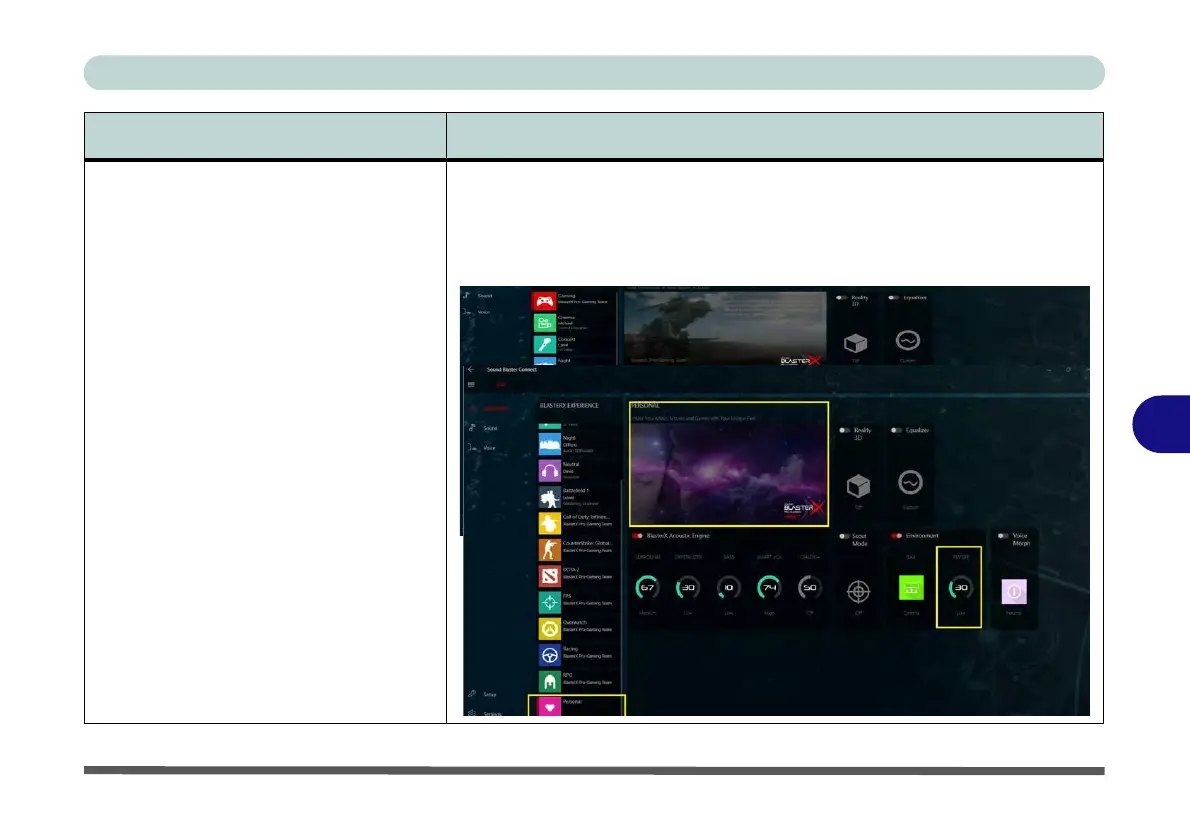
You will need to reduce the reverb level in the Blaster Experience mode in the
Sound Blaster AP:
1. Select Gaming from the Blaster Experience (Dashboard).
2. Lower the Reverb level from the default setting under Environment.
3. The setting will be saved in Personal mode to be reused in future.
Problem Possible Cause - Solution
Personal
Reverb
Environment



 To Next Page