RX-A4A
29
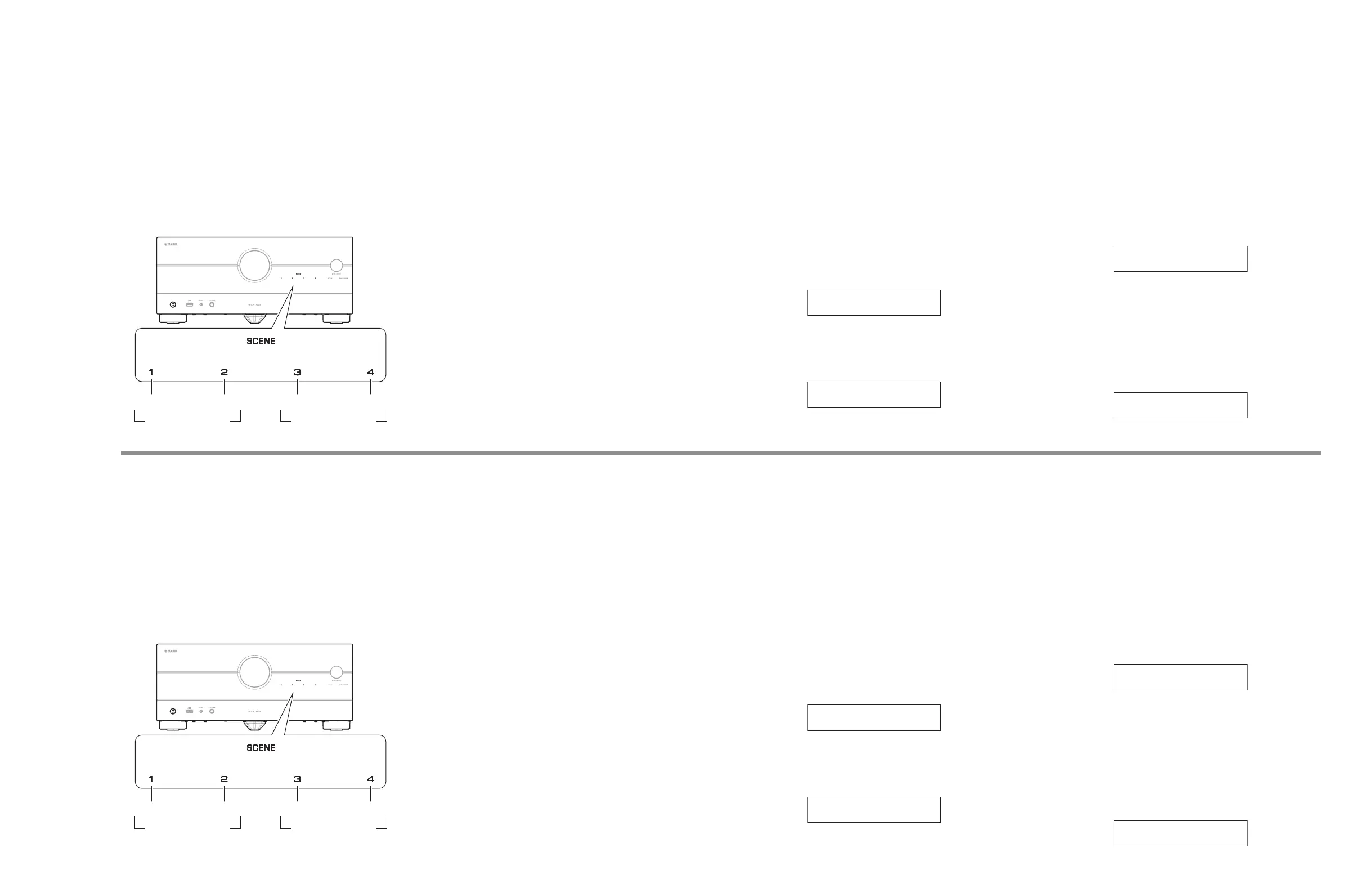
● メインメニューとサブメニューの操作
ダイアグには項目別にメインメニューがあり、そのそれぞれ
にサブメニューがあります。
メインメニューの選択
SCENE 2(順送り)、SCENE 1(逆送り)キーで選択します。
サブメニューの選択
SCENE 4(順送り)、SCENE 3(逆送り)キーで選択します。
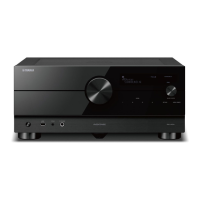
本機キー
メインメニュー
の選択
サブメニュー
の選択
逆送り 順送り 逆送り 順送り
● ダイアグ中の機能
ダイアグメニューの他に、以下の機能が動作します。
• 電源 オン/オフ
• マスターボリューム
• ミュート
• インプットセレクト
• ゾーンコントロール
※ チューナー関連、セットメニュー関連は機能しません。
● ダイアグ開始時の初期設定
ダイアグ開始時に以下のような設定になります。
• マスターボリューム:
−
20dB(ZONE ボリューム:
−
3.5dB)
• インプット:
HDMI 1(ZONE インプット:AUDIO 1)
• メインメニュー: A1-1. DSP THROUGH
• スピーカー設定: LARGE(すべてのチャンネル)
• HDMI コントロール: Off
※ ダイアグ解除時にはダイアグ開始前の状態に戻ります。
● ダイアグメニュー詳細
A1. DSP AUDIO
DSP を経由する音声信号の経路をチェックします。
A1-1. DSP THROUGH
音声信号が DSP を経由してヘッドマージンを含ん
で出力されます。
※ 2ch 信号入力時、以下のように信号が振り分け
られて出力されます。
Front L: Front L、Center、Surround L、
Surround Back L、Front presence L
Front R: Front R、Surround R、Surround Back R,
Front presence R
Front L +10 dB: Subwoofer
A1-1
DSP THROUGH
A1-2. PLL OFF
音声信号が DSP を経由して PLL(Phase Lock
Loop)をオフにして出力されます。
A1-2
PLL=OFF
A2. CH AUDIO
PURE DIRECT モードの音声信号の経路をチェックしま
す。
A2-1. CH AUDIO:VH
アナログ入力の音声信号が PURE DIRECT モードで
FRONT L/R へ出力されます。
VH:Voltage High、
AMPPOWER P.C.B. の RY301:Off
※ RY301:パワーアンプ電源電圧の H/L を切り
替えるリレー
A2-1
CH AUDIO:VH
A2-2. CH AUDIO:VL
アナログ入力の音声信号が PURE DIRECT モードで
FRONT L/R へ出力されます。
VL:Voltage Low、
AMPPOWER P.C.B. の RY301:On
※ RY301:パワーアンプ電源電圧の H/L を切り
替えるリレー
A2-2
CH AUDIO:VL
● Operation procedure of Main menu and
Sub-menu
Each item has a main menu, each of which has sub-menu items.
Main menu selection
Select the main menu using SCENE 2 (forward) and SCENE1
(reverse) keys.
Sub-menu selection
Select the sub-menu using SCENE 4 (forward) and SCENE3
(reverse) keys.
Keys of this unit
Main menu
selection
Sub-menu
selection
Reverse Forward Reverse Forward
● Functions in Self-Diagnostic Function
mode
In addition to the self-diagnostic function menu items,
functions listed below are available.
• Power ON/OFF
• Master volume
• Muting
• Input selection
• Zone control
* Functions related to the tuner and the set menu are not
available.
● Initial settings when Self-Diagnostic
Function started
The following initial settings are used when self-diagnostic
function is started.
• Master volume:
−
20 dB (Zone volume:
−
3.5dB)
• Input: HDMI1 (Zone input: AUDIO 1)
• Main menu: A1-1. DSP THROUGH
• Speaker setting: LARGE (All channels)
• HDMI Control: Off
* When self-diagnostic function is canceled, these settings
are restored to those before starting self-diagnostic
function.
● Details of Self-Diagnostic Function menu
A1. DSP AUDIO
This menu is used to check audio signal route via DSP.
A1-1. DSP THROUGH
The audio signal is output including the head
margin via DSP.
* When input source is stereo, signal is assigned
as below.
Front L: Front L, Center, Surround L, Surround
Back L, Front presence L
Front R: Front R, Surround R, Surround Back R,
Front presence R
Front L +10 dB: Subwoofer
A1-1
DSP THROUGH
A1-2. PLL OFF
The audio signal is output with the PLL (Phase Lock
Loop) (IC966) turned off via DSP.
A1-2
PLL=OFF
A2. CH AUDIO
This menu is used to check audio signal route of PURE
DIRECT mode.
A2-1. CH AUDIO:VH
The analog input audio signal is output to FRONT
L/R in PURE DIRECT mode.
VH: Voltage High,
RY301 on AMPPOWER P.C.B.: Off
* RY301: Power amp power voltage H/L
switching relay
A2-1
CH AUDIO:VH
A2-2. CH AUDIO:VL
The analog input audio signal is output to FRONT
L/R in PURE DIRECT mode.
VL: Voltage Low,
RY301 on AMPPOWER P.C.B.: On
* RY301: Power amp power voltage H/L
switching relay
A2-2
CH AUDIO:VL



 To Next Page