RX-A4A
35
N1-3. LINE NOISE 100 MDI
ラインノイズを測定します。(100 BaseTx 固定、MDI)
MENU (CONNECT) キーで測定を実行します。
N1-3
LN MDI 100
N1-4. LINE NOISE 100 MDIX
ラインノイズを測定します。(100 BaseTx 固定、MDIX)
MENU (CONNECT) キーで測定を実行します。
N1-4
LN MDIX 100
N1-5 LINE NOISE 10 MDI
ラインノイズを測定します。(10 BaseT 固定、MDI)
MENU (CONNECT) キーで測定を実行します。
N1-5
LN MDI 10
N1-6 LINE NOISE 10 MDIX
ラインノイズを測定します。(10 BaseT 固定、MDIX)
MENU (CONNECT) キーで測定を実行します。
N1-6
LN MDIX 10
N1-7. LINK CHECK
ブロードバンドルーターが正しく接続されている
ことをチェックします。
OK: 接続
NG: 通信不能/接続が切れている
N1-7
LINK CHK:OK
N1-8. EXT TEST
NETWORK ポートの送受信テストを行います。
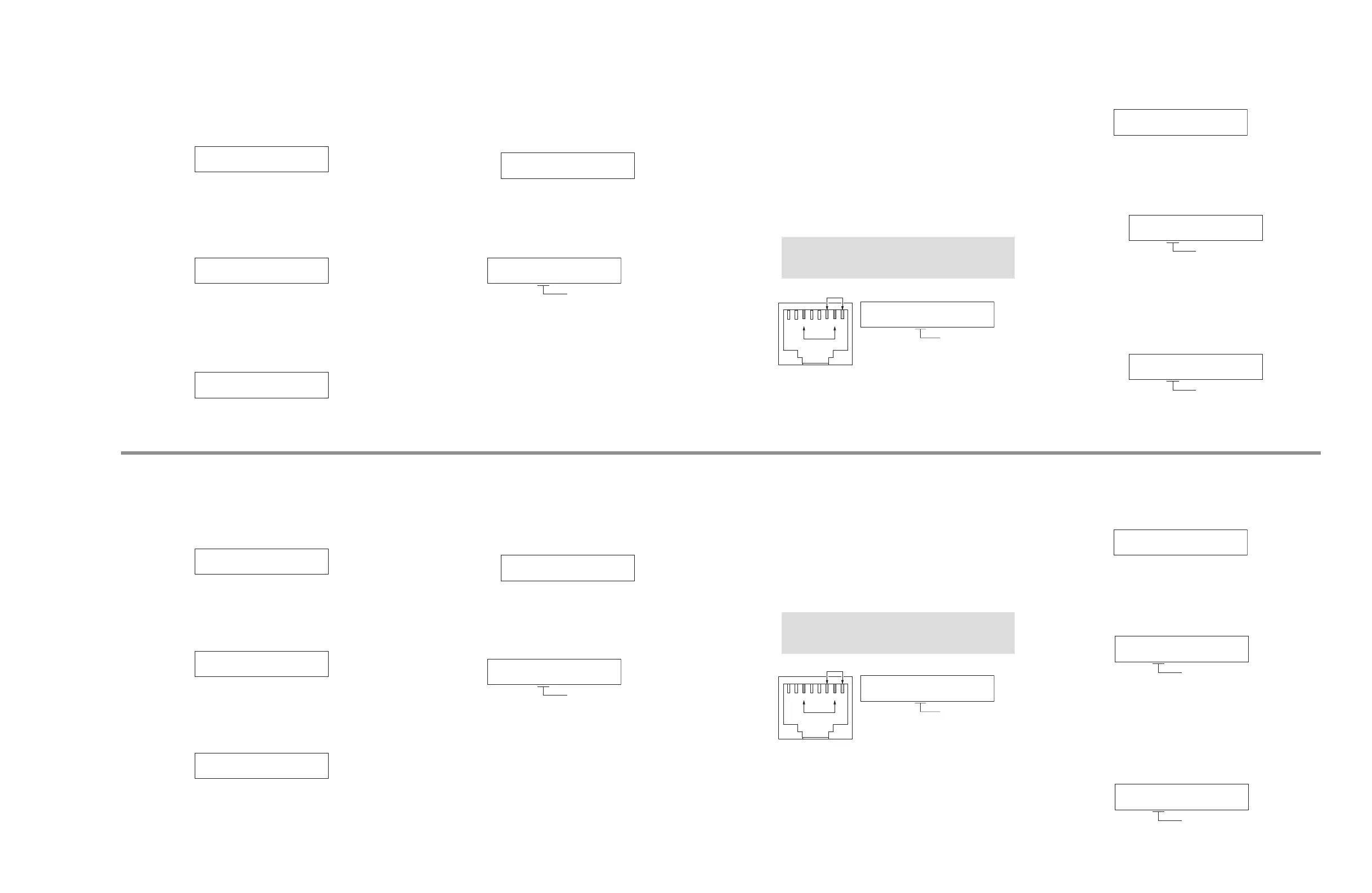
電源を切った状態で、下図のように NETWORK 端
子のピンをショートさせます。
ダイアグを起動して本メニューを選択します。
MENU キーで送受信テストを行い、その結果が表
示されます。
注意:
検査後、ショートしたピンを必ず元の状態に戻し
てください。
12345678
N1-8
EXT TEST:OK
OK: 正常
NG: 異常
--: チェック中
N1-9. ETHER MAC ADDRESS
レシーバーの MAC アドレスが表示されます。
N1-9
ECF4514DCE7C
N1-10. PING 1
PING コマンドを送信してネットワークの接続を
チェックします。
MENU (CONNECT) キーでコマンドを送信を実行し
ます。
OK: 接続
NG: エラー
--: チェック中
N1-10
PING 1:OK
N1-11. PING 2
PING second コマンドを送信してネットワークの
接続をチェックします。
MENU (CONNECT) キーでコマンドを送信を実行し
ます。
OK: 接続
NG: エラー
--: チェック中
N1-11
PING 2:OK
N1-3. LINE NOISE 100 MDI
Line noise is measured. (Fix at 100 BaseTx, MDI)
Touch the MENU (CONNECT) key to start the
measurement.
N1-3
LN MDI 100
N1-4. LINE NOISE 100 MDIX
Line noise is measured. (Fix at 100 BaseTx, MDIX)
Touch the
MENU (CONNECT)
key to start the
measurement.
。
N1-4
LN MDIX 100
N1-5 LINE NOISE 10 MDI
Line noise is measured. (Fix at 10 BaseT, MDI)
Touch the MENU (CONNECT) key to start the
measurement.
N1-5
LN MDI 10
N1-6 LINE NOISE 10 MDIX
Line noise is measured. (Fix at 10 BaseT, MDIX)
Touch the MENU (CONNECT) key to start the
measurement.
N1-6
LN MDIX 10
N1-7. LINK CHECK
This menu is used to check that the broadband
router is connected correctly.
OK: Connected
NG: No traffic / Disconnected
N1-7
LINK CHK:OK
N1-8. EXT TEST
Transmission/reception of the NETWORK port is
checked.
With the power turned off, short the pins of the
NETWORK jack as shown in the figure below.
Start up the self-diagnostic function and select this
menu.
Transmission/reception test is executed by
pressing MENU (CONNECT) key, and then its result
is displayed.
Note:
Be sure to return the shorted pins to their
original condition after executing this test.
12345678
N1-8
EXT TEST:OK
OK: Normal
NG: Abnormal
--: Checking
N1-9. ETHER MAC ADDRESS
MAC address of the receiver is displayed.
N1-9
ECF4514DCE7C
N1-10. PING 1
Check the network connection by sending a PING
command.
Touch the MENU (CONNECT) key to start command
sending.
OK: Connected
NG: Error
--: Checking
N1-10
PING 1:OK
N1-11. PING 2
Check the network connection by sending a PING
second command.
Touch the MENU (CONNECT) key to start command
sending.
OK: Connected
NG: Error
--: Checking
N1-11
PING 2:OK



 To Next Page