EasyManua.ls Logo

Yamaha RX5 - Page 23

Yamaha RX5
81 pages
Print Icon
To Next Page IconTo Next Page
To Previous Page IconTo Previous Page
Loading...
NOTE:
Long
attacks
create
“looping”.
Refer
to
EDIT
VOICE
JOB
#03
for
comments
about
this.
3.
As
soon
as
you
change
this
parameter
value,
it
will
start
flashing
on
the
LCD.
Press
START
to
enter
the
new
value.
The
parameter
value
will
then
stop
flashing.
4.
You
can
now
select
another
parameter
for
editing,
or
exit
the
Pattern
edit
Mode
by
pressing
STOP/CONTINUE.
The
LCD
will
return
to
the
Select
pattern
display
PARAMETER
4:
DECAY
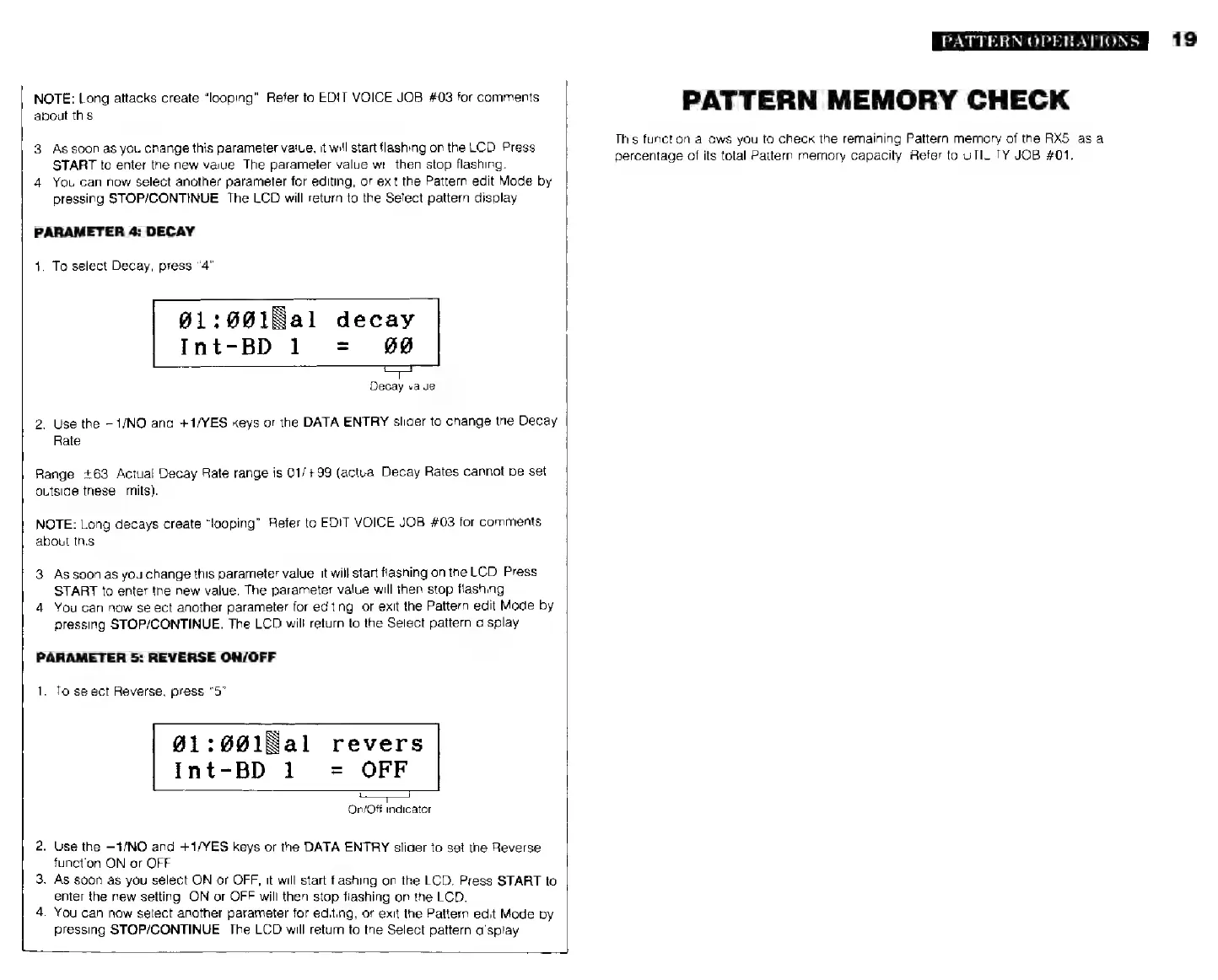
1.
To
select
Decay,
press
“4”.
901:0018al
decay
Int-BD
1
=
#0
Decay
value
2.
Use
the
—1/NO
and
+1/YES
keys
or
the
DATA
ENTRY
slider
to
change
the
Decay
Rate
Range:
+63.
Actual
Decay
Rate
range
is
01/+99
(actual
Decay
Rates
cannot
be
set
outside
these
limits).
NOTE:
Long
decays
create
“looping”.
Refer
to
EDIT
VOICE
JOB
#03
for
comments
about
this.
3.
As
soon
as
you
change
this
parameter
value,
it
will
start
flashing
on
the
LCD.
Press
START
to
enter
the
new
value.
The
parameter
value
will
ihen
stop
flashing
4.
You
can
now
select
another
parameter
for
editing,
or
exit
the
Pattern
edit
Mode
by
pressing
STOP/CONTINUE.
The
LCD
will
return
to
the
Select
pattern
display
PARAMETER
5:
REVERSE
ON/OFF
1.
To
select
Reverse,
press
"5".
g1:001Bal
revers
Int-BD
1
=
OFF
On/Off
indicator
2.
Use
the
—1/NO
and
+1/YES
keys
or
the
DATA
ENTRY
slider
to
set
the
Reverse
function
ON
or
OFF.
3.
As
soon
as
you
select
ON
or
OFF,
it
will
start
flashing
on
the
LCD.
Press
START
to
enter
the
new
setting.
ON
or
OFF
will
then
stop
flashing
on
the
LCD.
4.
You
can
now
select
another
parameter
for
editing,
or
exit
the
Pattern
edit
Mode
by
pressing
STOP/CONTINUE.
The
LCD
will
return
to
the
Select
pattern
display.
PATTERN
OPERATIONS
PATTERN
MEMORY
CHECK
This
function
allows
you
to
check
the
remaining
Pattern
memory
of
the
RX5,
as
a
percentage
of
its
total
Pattern
memory
capacity.
Aefer
to
UTILITY
JOB
#01.
19