EasyManua.ls Logo

Yamaha RX5 - Page 43

Yamaha RX5
81 pages
Print Icon
To Next Page IconTo Next Page
To Previous Page IconTo Previous Page
Loading...
EDIE
VOICE
MODE
JOB
#09:
RECALL
EDIT
eDIT
VOICE
:keyA
FUNCTION
то
recall!
the
tast
voice
that
was
in
the
Voice
Edit
buffer.
Voice:Int-BD
1
This
function
uses
a
second
memory
as
a
“back-up”
function.
It
is
used
only
while
you
are
actually
editing,
BEFORE
storing
a
voice
and
exiting
the
Edit
Mode.
It
covers
you
in
You
can
now
continue
editing,
or
store
the
recalled
voice
(refer
to
Job
#07).
three
possible
situations.
1.
You
were
editing
a
voice,
then
accidentally
selected
another
voice
for
editing
`
EDIT
COMPARE
BEFORE
storing
the
first
voice.
You
can
use
this
Job
to
recall
the
first
voice.
2.
You
had
already
edited
and
stored
a
voice.
You
then
edited
it
again,
but
decided
FUNCTION
To
compare
an
edited
voice
with
its
previously
selected
state.
that
you
wanted
to
return
to
the
first
edited
version.
BEFORE
storing
the
newly
edited
version,
you
can
use
this
Job
to
restore
the
voice
to
its
previously
edited
state
(as
This
function
allows
you
to
instantly
compare
a
voice
that
is
being
edited
with
the
state
opposed
to
restoring
it
to
its
original
state,
which
is
done
by
using
the
Initialize
it
was
in
when
you
selected
it
for
editing
(the
compared
state
may
not
be
the
same
as
function
refer
to
Job
#08).
the
initial
version
of
the
voice,
as
it
may
already
have
been
edited
and
stored).
3.
You
had
already
edited
and
stored
a
voice.
You
then
selected
it
for
editing
again,
It
can
only
be
used
when
the
RX5
is
in
the
Edit
Mode.
You
can
use
it
at
any
time
during
and
initialized
it,
but
decided
that
you
did
want
the
previously
edited
version.
BEFORE
editing
a
convenient
way
to
check
both
aurally
and
visually
(by
reading
parameter
storing
the
newly
initialized
voice,
you
can
use
this
Job
to
restore
the
voice
to
its
values)
the
effect
of
your
editing.
previously
edited
state.
-
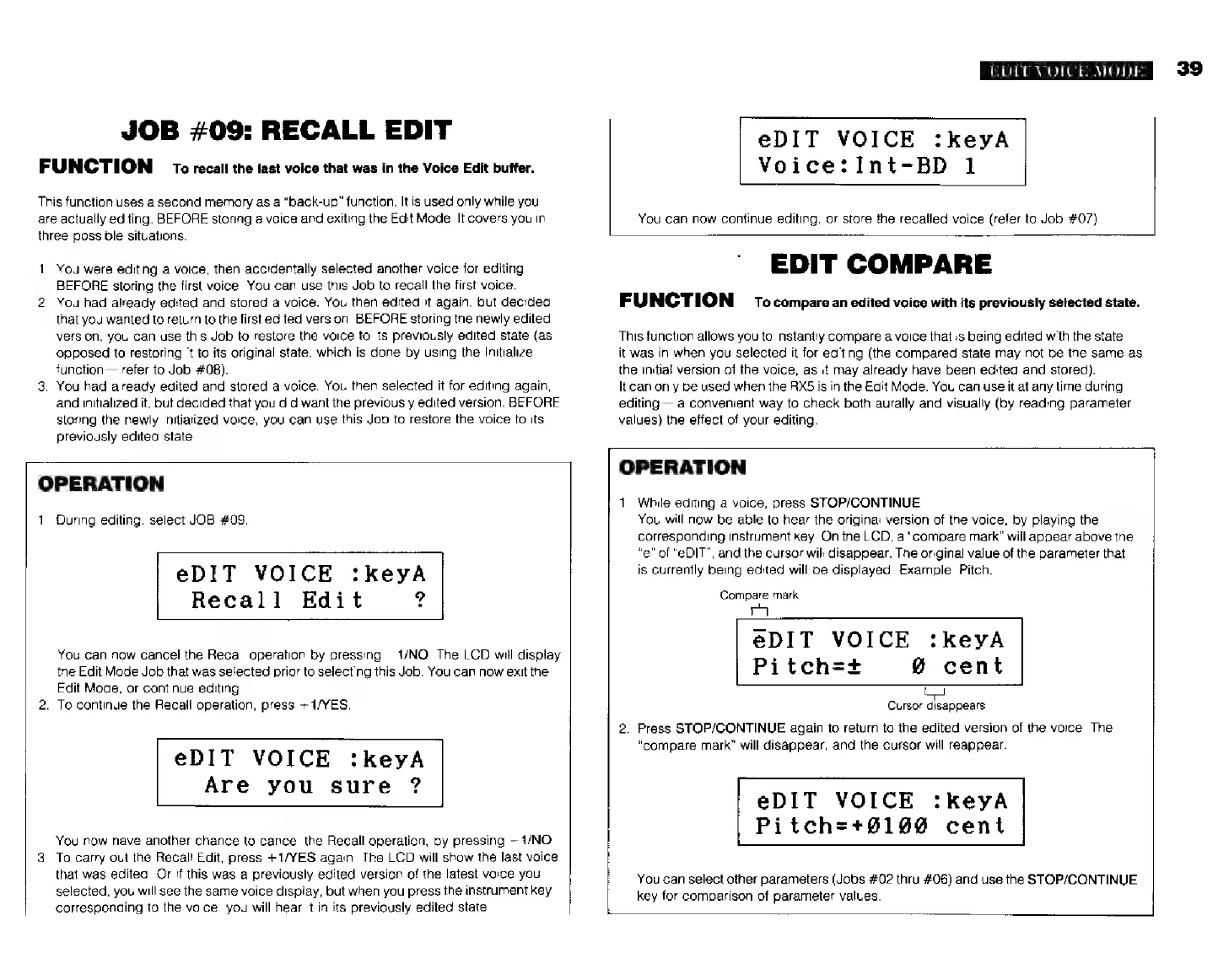
OPERATION
OPERATION
1.
While
editing
a
voice,
press
STOP/CONTINUE.
1.
During
editing,
select
JOB
#09.
You
will
now
be
able
to
hear
the
original
version
of
the
voice,
by
playing
the
corresponding
instrument
key.
On
the
LCD,
a
“compare
mark"
will
appear
above
the
"e"
of
“eDIT”,
and
the
cursor
will
disappear.
The
original
value
of
the
parameter
that
ер
1
Т
VO
I
CE
:
k
e
УА
is
currently
being
edited
will
be
displayed.
Example:
Pitch.
Recall
Edit
?
compare
так
eDIT
VOICE
:keyA
You
can
now
cancel
the
Recall
operation
by
pressing
—1/NO.
The
LCD
will
display
the
Edit
Mode
Job
that
was
selected
prior
to
selecting
this
Job.
You
can
now
exit
the
Pitch=+
@
cent
Edit
Mode,
or
continue
editing.
2.
To
continue
the
Recall
operation,
press
+
1/YES.
Cursor
disappears
2.
Press
STOP/CONTINUE
again
to
return
to
the
edited
version
of
the
voice.
The
“compare
mark”
will
disappear,
and
the
cursor
will
reappear.
еріт
VOICE
:keyA
Are
you
sure
?
еріт
VOICE
:keyA
Pitchz*01980
cent
You
now
have
another
chance
to
cancel
the
Recall
operation,
by
pressing
—1/МО.
3.
To
carry
out
the
Recall
Edit,
press
+1/YES
again.
The
LCD
will
show
the
last
voice
that
was
edited.
Or
if
this
was
a
previously
edited
version
of
the
latest
voice
you
You
can
select
other
parameters
(Jobs
#02
thru
#06)
and
use
the
STOP/CONTINUE
selected,
you
will
see
the
same
voice
display,
but
when
you
press
the
instrument
key
key
for
comparison
of
parameter
values.
corresponding
to
the
voice,
you
will
hear
it
in
its
previously
edited
state.