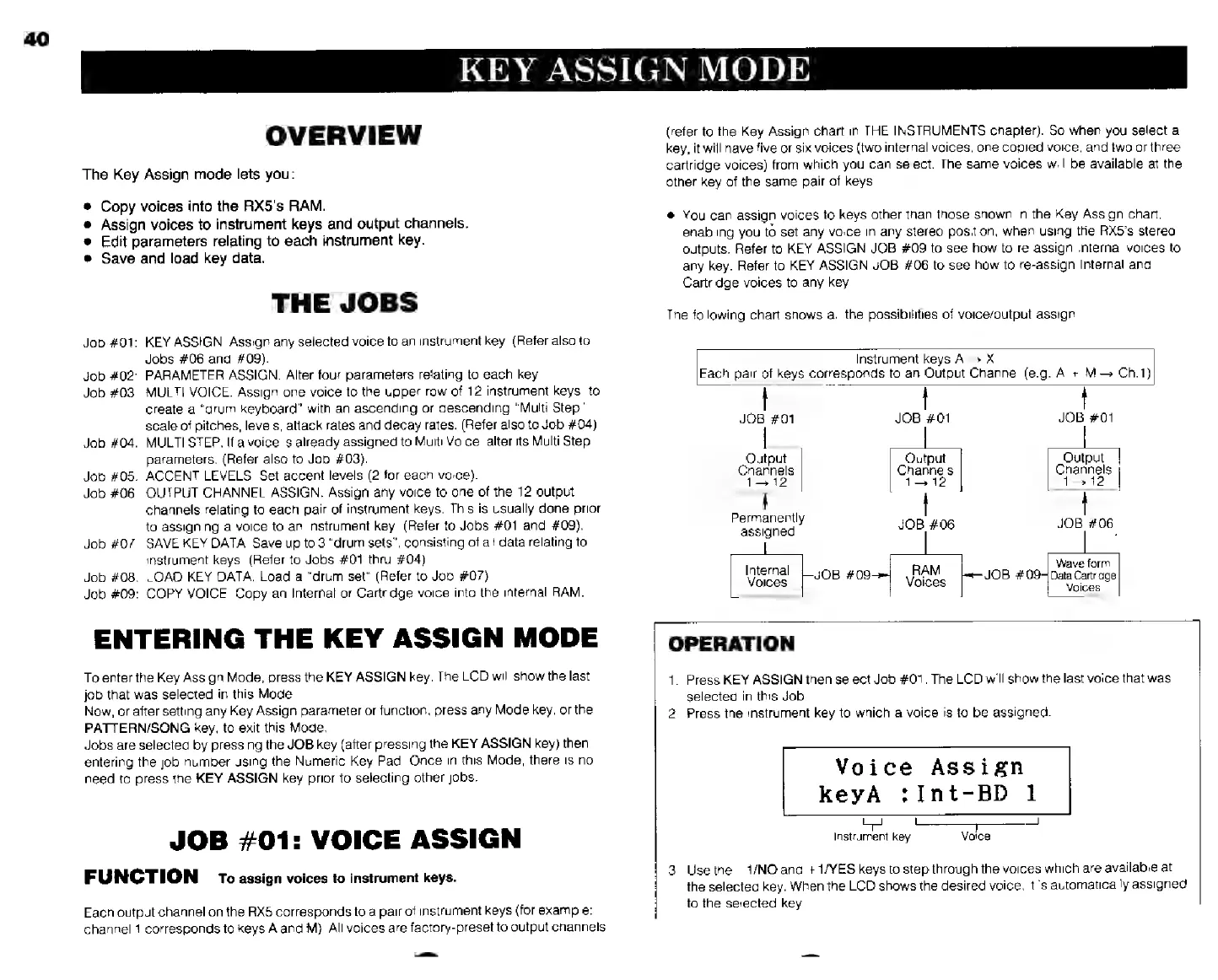
EasyManua.ls Logo

Yamaha RX5 - Page 44

Yamaha RX5
81 pages
Print Icon
To Next Page IconTo Next Page
To Previous Page IconTo Previous Page
Loading...
40
KEY
ASSIGN
MODE
OVERVIEW
The
Key
Assign
mode
lets
you:
Copy
voices
inte
the
RX5's
RAM.
Assign
voices
to
instrument
keys
and
output
channels.
Edit
parameters
relating
to
each
instrument
key.
Save
and
load
key
data.
THE
JOBS
Job
#01:
KEY
ASSIGN.
Assign
any
selected
voice
to
an
instrument
key.
(Refer
also
to
Jobs
#06
and
#09).
Job
#02:
PARAMETER
ASSIGN.
Alter
four
parameters
relating
to
each
key.
Job
#03:
MULTI
VOICE.
Assign
one
voice
to
the
upper
row
of
12
instrument
keys,
to
create
a
“drum
keyboard”
with
an
ascending
or
descending
“Multi
Step"
scale
of
pitches,
levels,
attack
rates
and
decay
rates.
(Refer
also
to
Job
#04),
Job
#04:
MULTI
STEP.
If
a
voice
is
already
assigned
to
Multi
Voice,
alter
its
Multi
Step
parameters.
(Refer
also
to
Job
#03).
Job
#05:
ACCENT
LEVELS.
Set
accent
levels
(2
for
each
voice).
Job
#06:
OUTPUT
CHANNEL
ASSIGN.
Assign
any
voice
to
one
of
the
12
output
channels
relating
to
each
pair
of
instrument
keys.
This
is
usually
done
prior
to
assigning
a
voice
to
an
instrument
key.
(Refer
to
Jobs
#01
and
#09),
Job
#07:
SAVE
KEY
DATA.
Save
up
to
3
"drum
sets",
consisting
of
all
data
relating
to
instrument
keys.
(Refer
to
Jobs
#01
thru
#04)
Job
#08:
LOAD
KEY
DATA.
Load
a
“drum
set"
(Refer
to
Job
#07).
Job
#09:
COPY
VOICE.
Copy
an
Internal
or
Cartridge
voice
into
the
internal
RAM.
ENTERING
THE
KEY
ASSIGN
MODE
To
enter
the
Key
Assign
Mode,
press
the
KEY
ASSIGN
key.
The
LCD
will
show
the
last
job
that
was
selected
in
this
Mode
Now,
or
after
setting
any
Key
Assign
parameter
or
function,
press
any
Mode
key,
orthe
PATTERN/SONG
key,
to
exit
this
Mode.
Jobs
are
selected
by
pressing
the
JOB
key
(after
pressing
the
KEY
ASSIGN
key)
then
entering
the
job
number
using
the
Numeric
Key
Pad.
Once
in
this
Mode,
there
is
no
need
to
press
the
KEY
ASSIGN
key
prior
to
selecting
other
jobs.
JOB
#01:
VOICE
ASSIGN
FUNCTION
To
assign
voices
to
instrument
keys.
Each
output
channel
on
the
RX5
corresponds
to
a
pair
of
instrument
keys
(for
example:
channel
1
corresponds
to
keys
А
and
М).
All
voices
are
factory-preset
to
output
channels
2
(refer
to
the
Key
Assign
chart
in
THE
INSTRUMENTS
chapter).
So
when
you
select
a
key,
it
will
have
five
or
six
voices
(two
internal
voices,
one
copied
voice,
and
two
orthree
cartridge
voices)
from
which
you
can
select.
The
same
voices
will
be
available
at
the
other
key
of
the
same
pair
of
keys.
*
You
can
assign
voices
to
keys
other
than
those
shown
in
the
Key
Assign
chart,
enabling
you
set
any
voice
in
any
stereo
position,
when
using
the
RX5's
stereo
outputs.
Refer
to
KEY
ASSIGN
JOB
#09
to
see
how
to
re-assign
Internal
voices
to
any
key.
Refer
to
KEY
ASSIGN
JOB
#06
to
see
how
to
re-assign
Internal
and
Cartridge
voices
to
any
key.
The
following
chart
shows
all
the
possibilities
of
voice/output
assign
Instrument
keys
A
X
Each
pair
of
keys
corresponds
to
an
Output
Channel
(e.g.
А
+
M
Ch.1)
|
|
JOB
#01
JOB
#01
JOB
#01
“Output
Output
Output
Channels
Channels
Channels
1312
_
1—
12
1—12
р
Permanently
JOB
#06
JOB
#06
assigned
Internal
Voices
Wave
form
RAM
Voces
fe
#09
Data
Cartridge
OPERATION
1.
Press
KEY
ASSIGN
then
select
Job
#01.
The
LCD
will
show
the
last
voice
that
was
selected
in
this
Job.
2.
Press
the
instrument
key
to
which
a
voice
is
to
be
assigned.
Voice
Assign
keyA
:Int-BD
1
T
|
Instrument
key
Vaice
3.
Use
the
1/NO
and
+
1/YES
keys
to
step
through
the
voices
which
are
available
at
the
selected
key.
When
the
LCD
shows
the
desired
voice,
itis
automatically
assigned
to
the
selected
key