EasyManua.ls Logo

Yamaha V50 - Page 65

Yamaha V50
81 pages
Print Icon
To Next Page IconTo Next Page
To Previous Page IconTo Previous Page
Loading...
REALTIME
RECORDING
seen
E
TE
ERS
To
record
a
pattern
in
realtime,
use
the
following
pro-
cedure.
(1)
Press
to
enter
pattern
play
mode.
(There
is
no
need
to
do
this
if
you
are
already
in
pattern
play
mode.)
If
you
enter
song
play
mode
instead,
press
the
[_]
below
“>toPTN”
in
the
display.
The
display
will
show
as
follows.
1o
pFattern
Time
Bars
Tae
4eo4
1
You
can
press
the
[__]
below
“>
EXIT”
in
the
display
to
return
to
the
previous
display.
(3)
Make
settings
for
the
following
six
recording
con-
ditions.
Record
mode
..
Select
“Real”
(realtime
recording)
or
“Step”
(step
recording).
In
this
example
we
will
select
“Real”.
PTNieh
estecinnss
Select
the
pattern
(100-199
or
P00
P99)
you
want
to
record.
Timesiin
Select
a
time
signature
from
1/4—
8/4,
1/8—
16/8,
1/16—32/16.
However,
if
you
are
recording
an
already
existing
pattern,
you
will
not
be
able
to
change
the
time
sig-
nature.
R
Bar
Set
the
length
of
the
pattern
(1—4
measures,
i.e.,
“bars”).
However
if
you
are
recording
into
an
already
existing
pattern,
you
will
not
be
able
to
change
the
pattern
length.
Tempo
.........0
Set
the
tempo
of
the
pattern
(30
240
quarter
notes
per
minute).
Tempo
can
be
changed
after
you
start
to
record.
..
Specify
quantization.
Quantization
automatically
corrects
minor
errors
in
timing.
Select
from
1/4,
1/6,
1/8,
1/12,
1/16,
1/24,
1/32,
or
“off”.
When
“off”
is
selected.
quantization
will
not
be
used.
(Notes
will
be
re-
corded
with
an
accuracy
of
1/48th
of
a
quarter
note.)
Quantization
can
be
changed
after
you
start
to
record,
allowing
you
to
use
different
quan-
tization
settings
when
recording
each
sound.
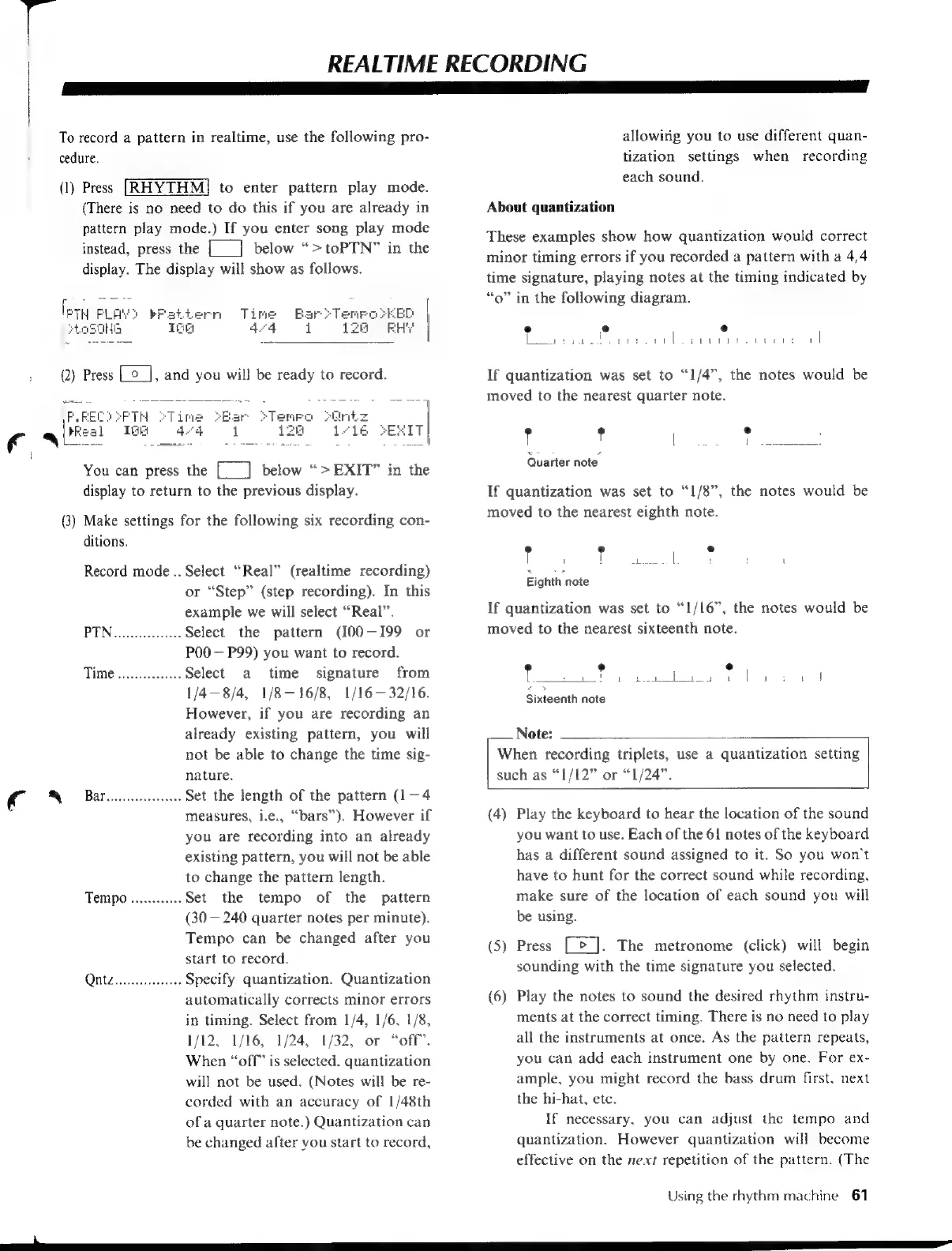
About
quantization
These
examples
show
how
quantization
would
correct
minor
timing
errors
if
you
recorded
a
pattern
with
a
4/4
time
signature,
playing
notes
at
the
timing
indicated
by
“o”
in
the
following
diagram.
e
eo
e
Ca
a
ina
ie
deere
a
A
l
If
quantization
was
set
to
“1/4”,
the
notes
would
be
moved
to
the
nearest
quarter
note.
?
°
[eles
ce
iene
«
>
Quarter
note
If
quantization
was
set
to
“1/8”,
the
notes
would
be
moved
to
the
nearest
eighth
note.
(3
e
'
|
a
Sees
|
:
L
Eighth
note
If
quantization
was
set
to
“1/16”,
the
notes
would
be
moved
to
the
nearest
sixteenth
note.
è
,
°
|
eee:
E
etek
Ae
ls
ase,
Fa
Meh
Sixteenth
note
Note:
When
recording
triplets,
use
a
quantization
setting
such
as
“1/12”
or
“1/24”.
(4)
Play
the
keyboard
to
hear
the
location
of
the
sound
you
want
to
use.
Each
of
the
61
notes
of
the
keyboard
has
a
different
sound
assigned
to
it.
So
you
won't
have
to
hunt
for
the
correct
sound
while
recording,
make
sure
of
the
location
of
each
sound
you
will
be
using.
(5)
Press
[>].
The
metronome
(click)
will
begin
sounding
with
the
time
signature
you
selected.
(6)
Play
the
notes
to
sound
the
desired
rhythm
instru-
ments
at
the
correct
timing.
There
is
no
need
to
play
all
the
instruments
at
once.
As
the
pattern
repeats,
you
can
add
each
instrument
one
by
one.
For
ex-
ample,
you
might
record
the
bass
drum
first,
next
the
hi-hat,
etc.
If
necessary,
you
can
adjust
the
tempo
and
quantization.
However
quantization
will
become
effective
on
the
nexr
repetition
of
the
pattern.
(The
Using
the
rhythm
machine
61
mm
ee

Table of Contents

Other manuals for Yamaha V50

Related product manuals