EasyManua.ls Logo

Yamaha V50 - Page 73

Yamaha V50
81 pages
Print Icon
To Next Page IconTo Next Page
To Previous Page IconTo Previous Page
Loading...
E
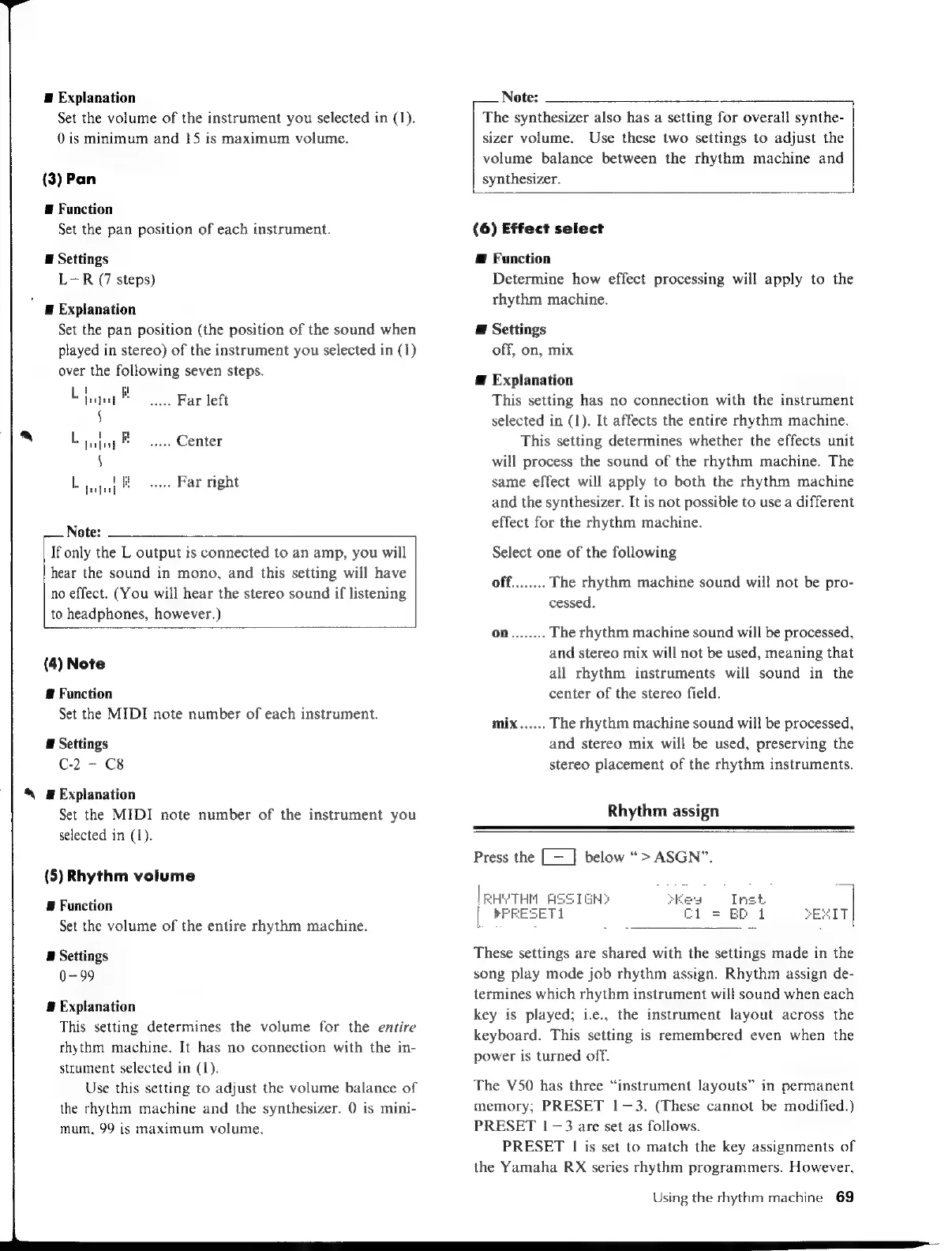
Explanation
Set
the
volume
of
the
instrument
you
selected
in
(1).
0
is
minimum
and
15
is
maximum
volume.
(3)
Pan
E
Function
Set
the
pan
position
of
each
instrument.
E
Settings
L-R
(7
steps)
Ë
Explanation
Set
the
pan
position
(the
position
of
the
sound
when
played
in
stereo)
of
the
instrument
you
selected
in
(1)
over
the
following
seven
steps.
ee
Far
left
$
bajol
R
Center
f
L
ial
ata
Far
right
Note:
If
only
the
L
output
is
connected
to
an
amp,
you
will
hear
the
sound
in
mono,
and
this
setting
will
have
no
effect.
(You
will
hear
the
stereo
sound
if
listening
to
headphones,
however.)
(4)
Note
8
Function
Set
the
MIDI
note
number
of
each
instrument.
E
Settings
C-2
-
C8
S
Explanation
Set
the
MIDI
note
number
of
the
instrument
you
selected
in
(1).
(5)
Rhythm
volume
E
Function
Set
the
volume
of
the
entire
rhythm
machine.
E
Settings
0-99
#
Explanation
This
setting
determines
the
volume
for
the
entire
rhythm
machine.
It
has
no
connection
with
the
in-
strument
selected
in
(1).
Use
this
setting
to
adjust
the
volume
balance
of
the
rhythm
machine
and
the
synthesizer.
0
is
mini-
mum,
99
is
maximum
volume.
Note:
The
synthesizer
also
has
a
setting
for
overall
synthe-
sizer
volume.
Use
these
two
settings
to
adjust
the
volume
balance
between
the
rhythm
machine
and
synthesizer.
(6)
Effect
select
Æ
Function
Determine
how
effect
processing
will
apply
to
the
rhythm
machine.
@
Settings
off,
on,
mix
Æ
Explanation
This
setting
has
no
connection
with
the
instrument
selected
in
(1).
It
affects
the
entire
rhythm
machine.
This
setting
determines
whether
the
effects
unit
will
process
the
sound
of
the
rhythm
machine.
The
same
effect
will
apply
to
both
the
rhythm
machine
and
the
synthesizer.
It is
not
possible
to
use
a
different
effect
for
the
rhythm
machine.
Select
one
of
the
following
off........
The
rhythm
machine
sound
will
not
be
pro-
cessed.
On........
The
rhythm
machine
sound
will
be
processed,
and
stereo
mix
will
not
be
used,
meaning
that
all
rhythm
instruments
will
sound
in
the
center
of
the
stereo
field.
mix......
The
rhythm
machine
sound
will
be
processed,
and
stereo
mix
will
be
used,
preserving
the
stereo
placement
of
the
rhythm
instruments.
Rhythm
assign
Press
the
[=
|
below
>
ASGN”.
|EHYTHM
ASSIGNS
|
PFEESETI
C
Inet
|
BD
1
SEITI
These
settings
are
shared
with
the
settings
made
in
the
song
play
mode
job
rhythm
assign.
Rhythm
assign
de-
termines
which
rhythm
instrument
will
sound
when
each
key
is
played;
i.e.,
the
instrument
layout
across
the
keyboard.
This
setting
is
remembered
even
when
the
power
is
turned
off.
The
V50
has
three
“instrument
layouts”
in
permanent
memory;
PRESET
1—3.
(These
cannot
be
modified.)
PRESET
|
—3
are
set
as
follows.
PRESET
|
is
set
to
match
the
key
assignments
of
the
Yamaha
RX
series
rhythm
programmers.
However,
Using
the
rhythm
machine
69

Table of Contents

Other manuals for Yamaha V50

Related product manuals