EasyManua.ls Logo

Yamaha V50 - SONG JOB FUNCTIONS; Song and Pattern Editing Jobs

Yamaha V50
81 pages
Print Icon
To Next Page IconTo Next Page
To Previous Page IconTo Previous Page
Loading...
CREATING
RHYTHM
SONGS
a
Te
First
we
will
explain
some
important
points
to
remember
when
creating
rhythm
songs.
Parts
and
patterns
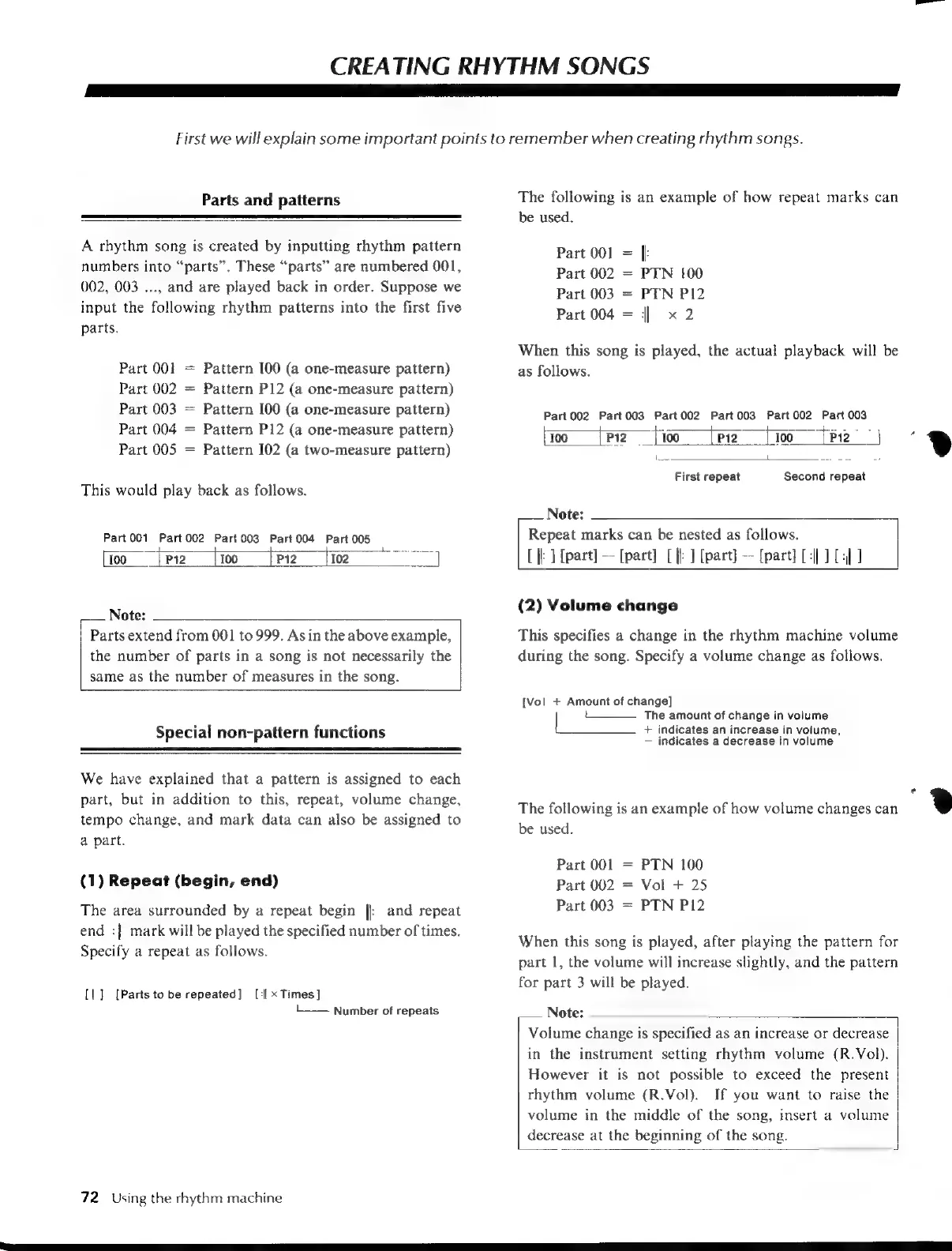
A
rhythm
song
is
created
by
inputting
rhythm
pattern
numbers
into
“parts”.
These
“parts”
are
numbered
001,
002,
003
...,
and
are
played
back
in
order.
Suppose
we
input
the
following
rhythm
patterns
into
the
first
five
parts.
Part
001
=
Pattern
[00
(a
one-measure
pattern)
Part
002
=
Pattern
P12
(a
one-measure
pattern)
Part
003
=
Pattern
[00
(a
one-measure
pattern)
Part
004
=
Pattern
P12
(a
one-measure
pattern)
Part
005
Pattern
I02
(a
two-measure
pattern)
|
ll
This
would
play
back
as
follows.
Part
001
Part002
Part
003
Part
004
Part
005
100
p2
[oo
{Pz
fioo
Note:
Parts
extend
from
001
to
999.
As
in
the
above
example,
the
number
of
parts
in
a
song
is
not
necessarily
the
same
as
the
number
of
measures
in
the
song.
Special
non-pattern
functions
We
have
explained
that
a
pattern
is
assigned
to
each
part,
but
in
addition
to
this,
repeat,
volume
change,
tempo
change,
and
mark
data
can
also
be
assigned
to
a
part.
(1)
Repeat
(begin,
end)
The
area
surrounded
by
a
repeat
begin
||
and
repeat
end
:||
mark
will
be
played
the
specified
number
of
times.
Specify
a
repeat
as
follows.
[l:]
[Parts
to
be
repeated]
[i| x
Times]
L—
Number
of
repeats
72
Using
the
rhythm
machine
The
following
is
an
example
of
how
repeat
marks
can
be
used.
Part
001
=
|:
Part
002
=
PTN
100
Part
003
=
PTN
P12
Part
004
=
||
x
2
When
this
song
is
played,
the
actual
playback
will
be
as
follows.
Part
002
Part003 Part002
Part
003
Part002
Part
003
pa
OE
a,
(joo
{P2
jio
fen
{00
fP)
is
L
Seed,
2
First
repeat
Second
repeat
Note:
Repeat
marks
can
be
nested
as
follows.
[ik]
[part]
--
[part]
[
|:
]
[part]
[part]
DII
E]
(2)
Volume
change
This
specifies
a
change
in
the
rhythm
machine
volume
during
the
song.
Specify
a
volume
change
as
follows.
[Vol
+
Amount
of
change]
t
The
amount
of
change
in
volume
+
indicates
an
increase
in
volume,
indicates
a
decrease
in
volume
The
following
is
an
example
of
how
volume
changes
can
be
used.
Part
001
=
PTN
100
Part
002
=
Vol
+
25
Part
003
=
PTN
P12
When
this
song
is
played,
after
playing
the
pattern
for
part
1,
the
volume
will
increase
slightly,
and
the
pattern
for
part
3
will
be
played.
Note:
Volume
change
is
specified
as
an
increase
or
decrease
in
the
instrument
setting
rhythm
volume
(R.Vol).
However
it
is
not
possible
to
exceed
the
present
rhythm
volume
(R.Vol).
If
you
want
to
raise
the
volume
in
the
middle
of
the
song,
insert
a
volume
decrease
at
the
beginning
of
the
song.
"2

Table of Contents

Other manuals for Yamaha V50

Related product manuals