EasyManua.ls Logo

Yamaha V50 - Page 75

Yamaha V50
81 pages
Print Icon
To Next Page IconTo Next Page
To Previous Page IconTo Previous Page
Loading...
n
PLAYING
RHYTHM
SONGS
This
section
explains
how
to
play
a
rhythm
song.
Note:
When
the
power
is
turned
on,
the
rhythm
song
me-
mory
isempty.
To
play
a
rhythm
song,
you
must
create
a
rhythm
song
or
load
an
existing
rhythm
song
from
card
or
disk.
Page
72
explains
how
to
create
a
rhythm
song.
To
load
rhythm
data,
see
page
98
(from
card)
or
page
105
(from
disk).
Here
we
will
explain
the
procedure
for
playing
a
song
from
the
beginning.
If
you
want
to
play
a
rhythm
song
from
a
measure
other
than
the
beginning,
you
can
specify
the
starting
measure
while
making
settings
for
steps
(2)—(4).
(Move
the
cursor
to
“>Meas”
and
specify
the
starting
measure,
or
press
to
specify
the
starting
measure.)
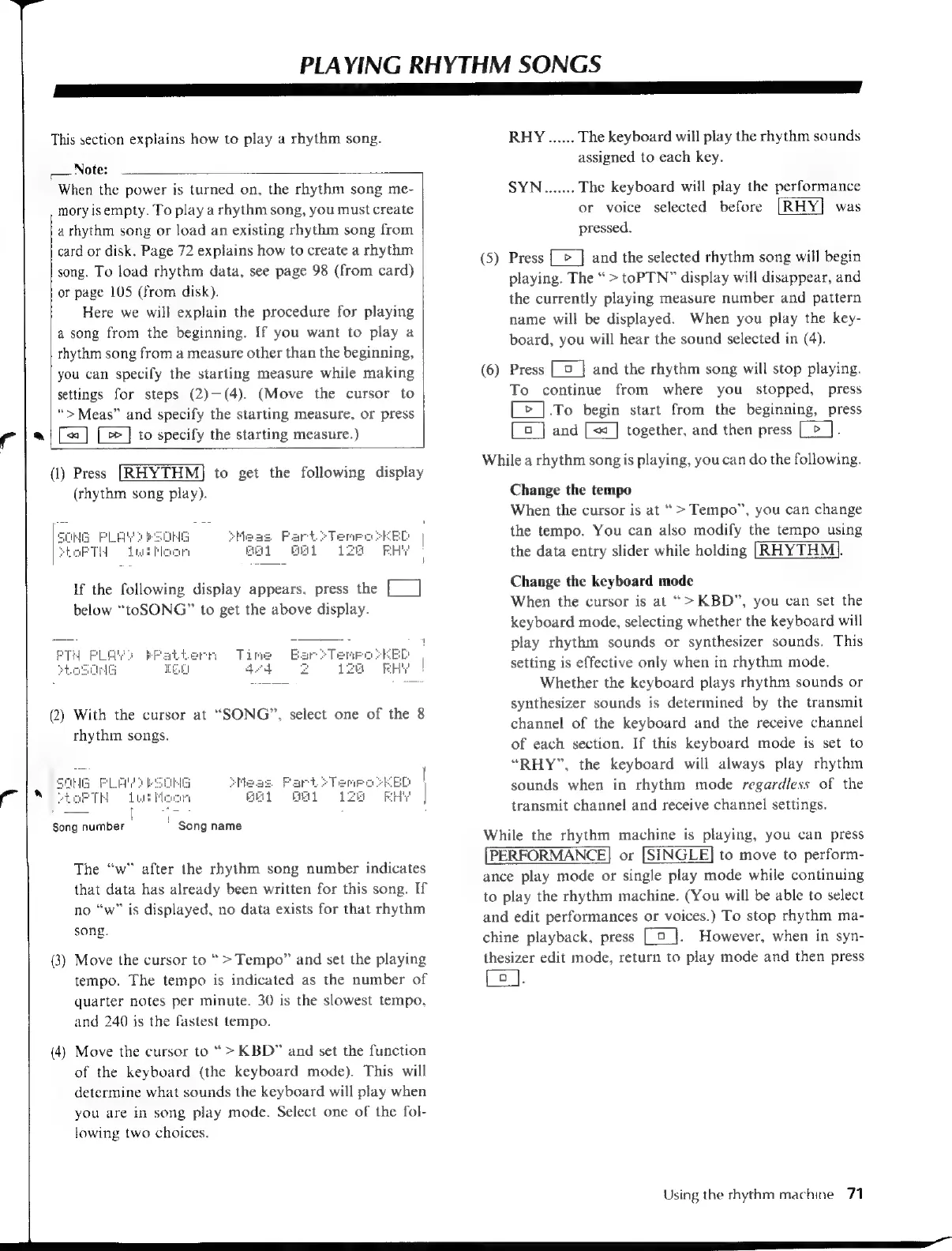
(1)
Press
[RHYTHM]
to
get
the
following
display
(rhythm
song
play).
If
the
following
display
appears.
press
the
[___]
below
“toSONG”
to
get
the
above
display.
(2)
With
the
cursor
at
“SONG”,
select
one
of
the
8
rhythm
songs.
Song
number
i
-Song
name
The
“w”
after
the
rhythm
song
number
indicates
that
data
has
already
been
written
for
this
song.
If
no
“w”
is
displayed,
no
data
exists
for
that
rhythm
song.
(3)
Move
the
cursor
to
>
Tempo”
and
set
the
playing
tempo.
The
tempo
is
indicated
as
the
number
of
quarter
notes
per
minute.
30
is
the
slowest
tempo,
and
240
is
the
fastest
tempo.
(4)
Move
the
cursor
to
“>
KBD”
and
set
the
function
of
the
keyboard
(the
keyboard
mode).
This
will
determine
what
sounds
the
keyboard
will
play
when
you
are
in
song
play
mode.
Select
one
of
the
fol-
lowing
two
choices.
(5)
(6)
RHY
......
The
keyboard
will
play
the
rhythm
sounds
assigned
to
each
key.
SYN...
The
keyboard
will
play
the
performance
or
voice
selected
before
was
pressed.
Press
[
>
]
and
the
selected
rhythm
song
will
begin
playing.
The
>
toPTN”
display
will
disappear,
and
the
currently
playing
measure
number
and
pattern
name
will
be
displayed.
When
you
play
the
key-
board,
you
will
hear
the
sound
selected
in
(4).
Press
|
and
the
rhythm
song
will
stop
playing.
To
continue
from
where
you
stopped,
press
[>
].To
begin
start
from
the
beginning,
press
[E]
and
[=
]
together,
and
then
press
[_>_].
While
a
rhythm
song
is
playing,
you
can
do
the
following.
Change
the
tempo
When
the
cursor
is
at
>
Tempo”,
you
can
change
the
tempo.
You
can
also
modify
the
tempo
using
the
data
entry
slider
while
holding
[RHYTHM
|}.
Change
the
keyboard
mode
When
the
cursor
is
at
“>KBD”,
you
can
set
the
keyboard
mode,
selecting
whether
the
keyboard
will
play
rhythm
sounds
or
synthesizer
sounds.
This
setting
is
effective
only
when
in
rhythm
mode.
Whether
the
keyboard
plays
rhythm
sounds
or
synthesizer
sounds
is
determined
by
the
transmit
channel
of
the
keyboard
and
the
receive
channel
of
each
section.
If
this
keyboard
mode
is
set
to
“RHY”,
the
keyboard
will
always
play
rhythm
sounds
when
in
rhythm
mode
regardless
of
the
transmit
channel
and
receive
channel
settings.
While
the
rhythm
machine
is
playing,
you
can
press
[PERFORMANCE]
or
[SINGLE]
to
move
to
perform-
ance
play
mode
or
single
play
mode
while
continuing
to
play
the
rhythm
machine.
(You
will
be
able
to
select
and
edit
performances
or
voices.)
To
stop
rhythm
ma-
chine
playback,
press
[9
_].
However,
when
in
syn-
thesizer
edit
mode,
return
to
play
mode
and
then
press
Ce].
Using
the
rhythm
machine
71

Table of Contents

Other manuals for Yamaha V50

Related product manuals