EasyManua.ls Logo

Yamaha V50 - Page 78

Yamaha V50
81 pages
Print Icon
To Next Page IconTo Next Page
To Previous Page IconTo Previous Page
Loading...
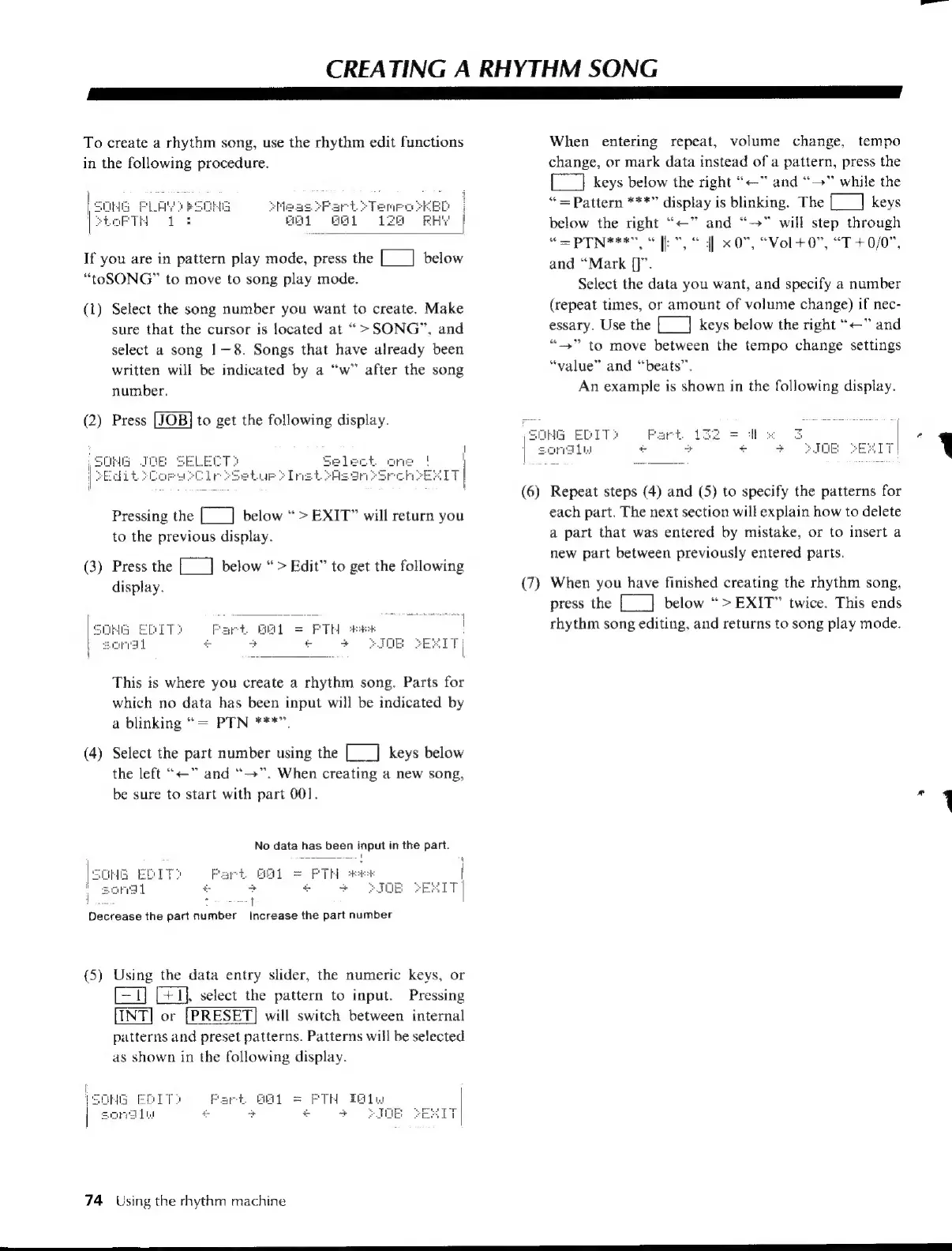
CREATING
A
RHYTHM
SONG
I
AT
I
GT
To
create
a
rhythm
song,
use
the
rhythm
edit
functions
in
the
following
procedure.
If
you
are
in
pattern
play
mode,
press
the
[___]
below
“toSONG”
to
move
to
song
play
mode.
(1)
Select
the
song
number
you
want
to
create.
Make
sure
that
the
cursor
is
located
at
>
SONG”,
and
select
a
song
1—8.
Songs
that
have
already
been
written
will
be
indicated
by
a
“w”
after
the
song
number.
(2)
Press
to
get
the
following
display.
Pressing
the
[___]
below
>
EXIT”
will
return
you
to
the
previous
display.
(3)
Press
the
[___]
below
“>
Edit”
to
get
the
following
display.
This
is
where
you
create
a
rhythm
song.
Parts
for
which
no
data
has
been
input
will
be
indicated
by
a
blinking
“=
PTN
***”.
(4)
Select
the
part
number
using
the
[___]
keys
below
the
left
“=”
and
“-»”.
When
creating
a
new
song,
be
sure
to
start
with
part
001.
No
data
has
been
input
in
the
part.
i
=p
a
y
-
:
j
d
|
Decrease
the
part
number
Increase
the
part
number
(5)
Using
the
data
entry
slider,
the
numeric
keys,
or
=T]
[41],
select
the
pattern
to
input.
Pressing
[INT]
or
[PRESET]
will
switch
between
internal
patterns
and
preset
patterns.
Patterns
will
be
selected
as
shown
in
the
following
display.
Fart
Bai
=
PTH
Teliw
+
+
+
+
JOE
SEs
74
Using
the
rhythm
machine
When
entering
repeat,
volume
change,
tempo
change,
or
mark
data
instead
of
a
pattern,
press
the
{__]
keys
below
the
right
“<—”
and
“—”
while
the
=
Pattern
***”
display
is
blinking.
The
[___|
keys
below
the
right
“<<”
and
“>”
will
step
through
“=
PTN**
|
xO",
“Vol
+0”,
“T
+0/0",
and
“Mark
{]”.
Select
the
data
you
want,
and
specify
a
number
(repeat
times,
or
amount
of
volume
change)
if
nec-
essary.
Use
the
[__]
keys
below
the
right
“<<”
and
“+”
to
move
between
the
tempo
change
settings
“value”
and
“beats”.
An
example
is
shown
in
the
following
display.
(6)
Repeat
steps
(4)
and
(5)
to
specify
the
patterns
for
each
part.
The
next
section
will
explain
how
to
delete
a
part
that
was
entered
by
mistake,
or
to
insert
a
new
part
between
previously
entered
parts.
(7)
When
you
have
finished
creating
the
rhythm
song,
press
the
[___]
below
“>EXIT”
twice.
This ends
rhythm
song
editing,
and
returns
to
song
play
mode.
a
eeEOEOeeeeeeee———EOEeee

Table of Contents

Other manuals for Yamaha V50

Related product manuals