EasyManua.ls Logo

Yamaha V50 - Page 79

Yamaha V50
81 pages
Print Icon
To Next Page IconTo Next Page
To Previous Page IconTo Previous Page
Loading...
EDITING
A
RHYTHM
SONG
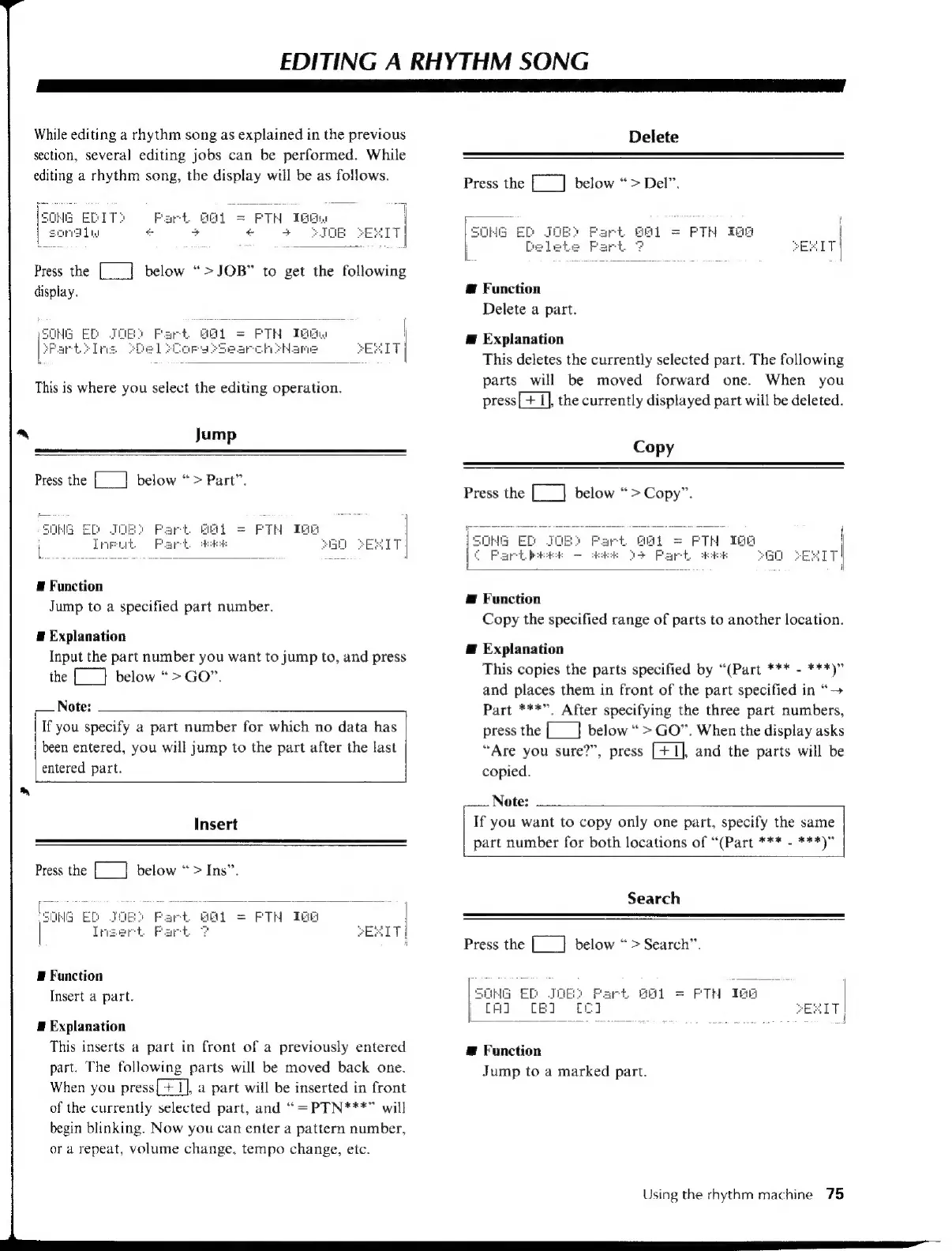
While
editing
a
rhythm
song
as
explained
in
the
previous
section,
several
editing
jobs
can
be
performed.
While
editing
a
rhythm
song,
the
display
will
be
as
follows.
Part
GAI
=
FTH
IGE
+
+
ka
+
i
Press
the
[___]
below
“>JOB”
to
get
the
following
display.
This
is
where
you
select
the
editing
operation.
Jump
Press
the
[___]
below
“>
Part”.
50
HG
ED
[anA
tN
E
Function
Jump
to
a
specified
part
number.
E
Explanation
Input
the
part
number
you
want
to
jump
to,
and
press
the
[_]
below
“>
GO”.
Note:
If
you
specify
a
part
number
for
which
no
data
has
been
entered,
you
will
jump
to
the
part
after
the
last
entered
part.
Insert
Press
the
[___]
below
“>
Ins”.
(SONG
Ei
aT
j
=
PTH
Tee
|
Insert
Part
F
PESIT
i
E
Function
Insert
a
part.
E
Explanation
This
inserts
a
part
in
front
of
a
previously
entered
part.
The
following
parts
will
be
moved
back
one.
When
you
press[+
1],
a
part
will
be
inserted
in
front
of
the
currently
selected
part,
and
“=PTN***”
will
begin
blinking.
Now
you
can
enter
a
pattern
number,
or
a
repeat,
volume
change,
tempo
change,
etc.
Delete
Press
the
[__]
below
“>
Del”.
one
ED
JOB)
Part.
S61
=
PTH
IGA
L.
E
Function
Delete
a
part.
Æ
Explanation
This
deletes
the
currently
selected
part.
The
following
parts
will
be
moved
forward
one.
When
you
press[+
I],
the
currently
displayed
part
will
be
deleted.
Copy
Press
the
[___]
below
“>Copy”.
ee
FTH
TGs
Lo
aek
“AO
EKITI
Æ
Function
Copy
the
specified
range
of
parts
to
another
location.
Æ
Explanation
This
copies
the
parts
specified
by
“(Part
***
-
***)”
and
places
them
in
front
of
the
part
specified
in
“—>
Part
***”,
After
specifying
the
three
part
numbers,
press
the
[__}
below
>
GO”.
When
the
display
asks
“Are
you
sure?”,
press
[+1],
and
the
parts
will
be
copied.
Note:
If
you
want
to
copy
only
one
part,
specify
the
same
part
number
for
both
locations
of
“(Part
***
-
***)”
Search
Press
the
[__]
below
>
Search”.
BE
ED
J
‘fart
BEL
=
PTH
Tae
|
[A] CEI
EXIT
acre
E
ER
ee
J
E
Function
Jump
to
a
marked
part.
Using
the
rhythm
machine
75

Table of Contents

Other manuals for Yamaha V50

Related product manuals