EasyManua.ls Logo

Yamaha V50 - Page 80

Yamaha V50
81 pages
Print Icon
To Next Page IconTo Next Page
To Previous Page IconTo Previous Page
Loading...
E
Explanation
This
jumps
directly
to
a
part
you
specified
using
a
mark.
Marks
will
be
displayed
in
the
lower
line.
Press
the
[__]
below
the
mark
to
which
you
want
to
jump.
The
display
will
immediately
show
the
part
that
contains
the
mark.
Note:
If
no
marks
have
been
entered,
you
will
not
be
able
to
use
the
Search
function.
Song
name
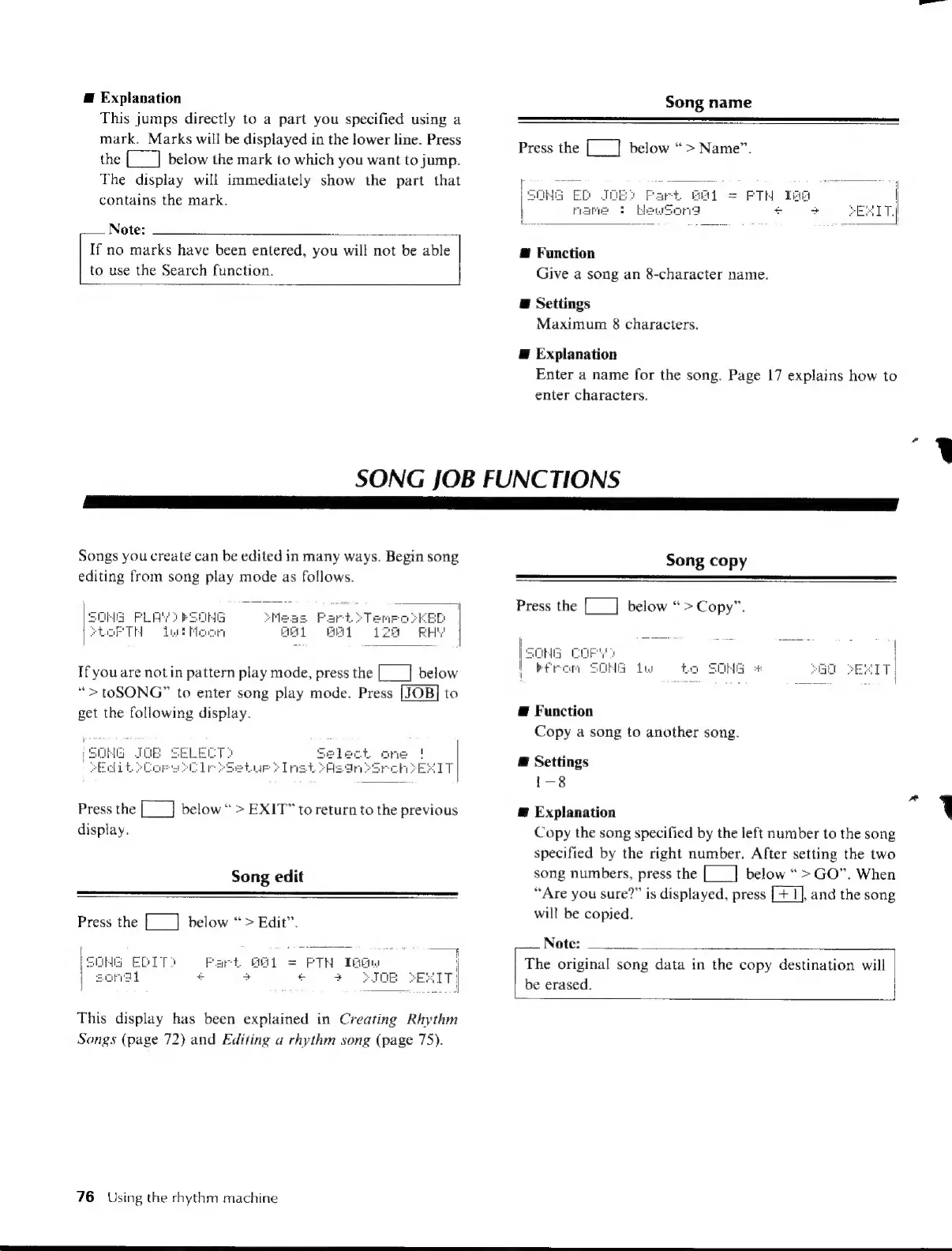
Press
the
[___]
below
“>
Name”.
@
Function
Give
a
song
an
8-character
name.
E
Settings
Maximum
8
characters.
E
Explanation
Enter
a
name
for
the
song.
Page
17
explains
how
to
enter
characters.
SONG
JOB
FUNCTIONS
a
8
M
a]
Songs
you
create
can
be
edited
in
many
ways.
Begin
song
editing
from
song
play
mode
as
follows.
If
you
are
notin
pattern
play
mode,
press
the
[__]
below
“>
toSONG”
to
enter
song
play
mode.
Press
to
get
the
following
display.
HG
Press
the
below
>
EXIT”
to
return
to
the
previous
display.
Song
edit
Press
the
[__]
below
“>
Edit”.
Song
copy
Press
the
[___]
below
“>Copy”.
z
aii
ş
y
SC
Ia
Lu
to
SOME
#
Æ
Function
Copy
a
song
to
another
song.
@
Settings
1-8
Æ
Explanation
Copy
the
song
specified
by
the
left
number
to
the
song
specified
by
the
right
number.
After
setting
the
two
song
numbers,
press
the
[___]
below
“>
GO”.
When
“Are
you
sure?”
is
displayed,
press
[+
I],
and
the
song
will
be
copied.
Note:
|
PSOMG
EDITO
|
ongi
+
This
display
has
been
explained
in
Creating
Rhythm
Songs
(page
72)
and
Editing
a
rhythm
song
(page
75).
76
Using
the
rhythm
machine
The
original
song
data
in
the
copy
destination
will
be
erased.

Table of Contents

Other manuals for Yamaha V50

Related product manuals