EasyManua.ls Logo

Yamaha V50 - Page 81

Yamaha V50
81 pages
Print Icon
To Previous Page IconTo Previous Page
Loading...
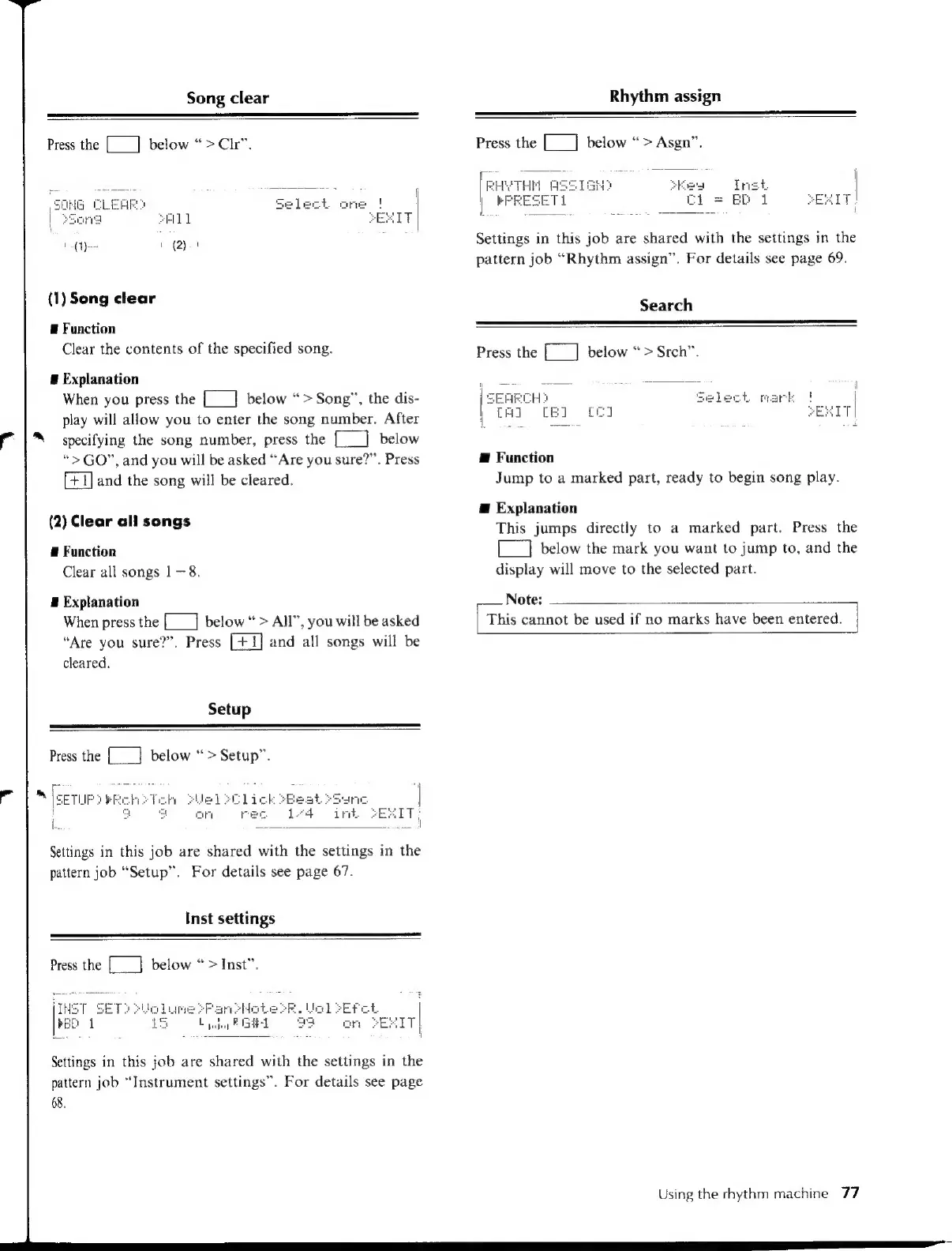
Song
clear
Press
the
[___]
below
“>Ctr”.
8
(1)
Song
clear
E
Function
Clear
the
contents
of
the
specified
song.
a
Explanation
When
you
press
the
[___]
below
“>
Song”,
the
dis-
play
will
allow
you
to
enter
the
song
number.
After
f
|
specifying
the
song
number,
press
the
[___]
below
“>GO”,
and
you
will
be
asked
“Are
you
sure?”.
Press
and
the
song
will
be
cleared.
(2)
Clear
all
songs
E
Function
Clear
all
songs
|
—8.
E
Explanation
When
press
the
[__]
below
>
All”,
you
will
be
asked
“Are
you
sure?”.
Press
and
all
songs
will
be
cleared.
Setup
Press
the
[__]
below
“>
Setup”.
Settings
in
this
job
are
shared
with
the
settings
in
the
pattern
job
“Setup”.
For
details
see
page
67.
Inst
settings
Press
the
[__]
below
“>
Inst”.
rier
SET:
eo
Settings
in
this
job
are
shared
with
the
settings
in
the
pattern
job
“Instrument
settings”.
For
details
see
page
68.
Rhythm
assign
Press
the
[__]
below
“>
Asgn”.
[Revere
ASSIGN]
Eea
|
KFRESETL
Ci
=
BP
i
SEIT,
Settings
in
this
job
are
shared
with
the
settings
in
the
pattern
job
“Rhythm
assign”.
For
details
see
page
69.
Search
Press
the
[___]
below
“>
Srch”.
Æ
Function
Jump
to
a
marked
part,
ready
to
begin
song
play.
Æ
Explanation
This
jumps
directly
to
a
marked
part.
Press
the
[__]
below
the
mark
you
want
to
jump
to,
and
the
display
will
move
to
the
selected
part.
Note:
|
This
cannot
be
used
if
no
marks
have
been
entered.
Using
the
rhythm
machine
77

Table of Contents

Other manuals for Yamaha V50

Related product manuals