125
YORK INTERNATIONAL
FORM 150.52-NM2 (1001)
SUMMARY OF SETTINGS
The following table provides a summary of Modes (dis-
played messages) which can be selected using the Open
and Closed positions for each of the eight SW1 Dip
Switches.
SWITCH
SWITCH “OPEN” SWITCH “CLOSED”
SETTING SETTING
1 Water Cooling Brine Cooling
2
Standard Ambient Low Ambient
Control Control
3 Refrigerant R-407C Refrigerant R-22
4 Spare Spare
5 Spare Spare
6 Spare Spare
7 Spare Spare
8 Spare Spare
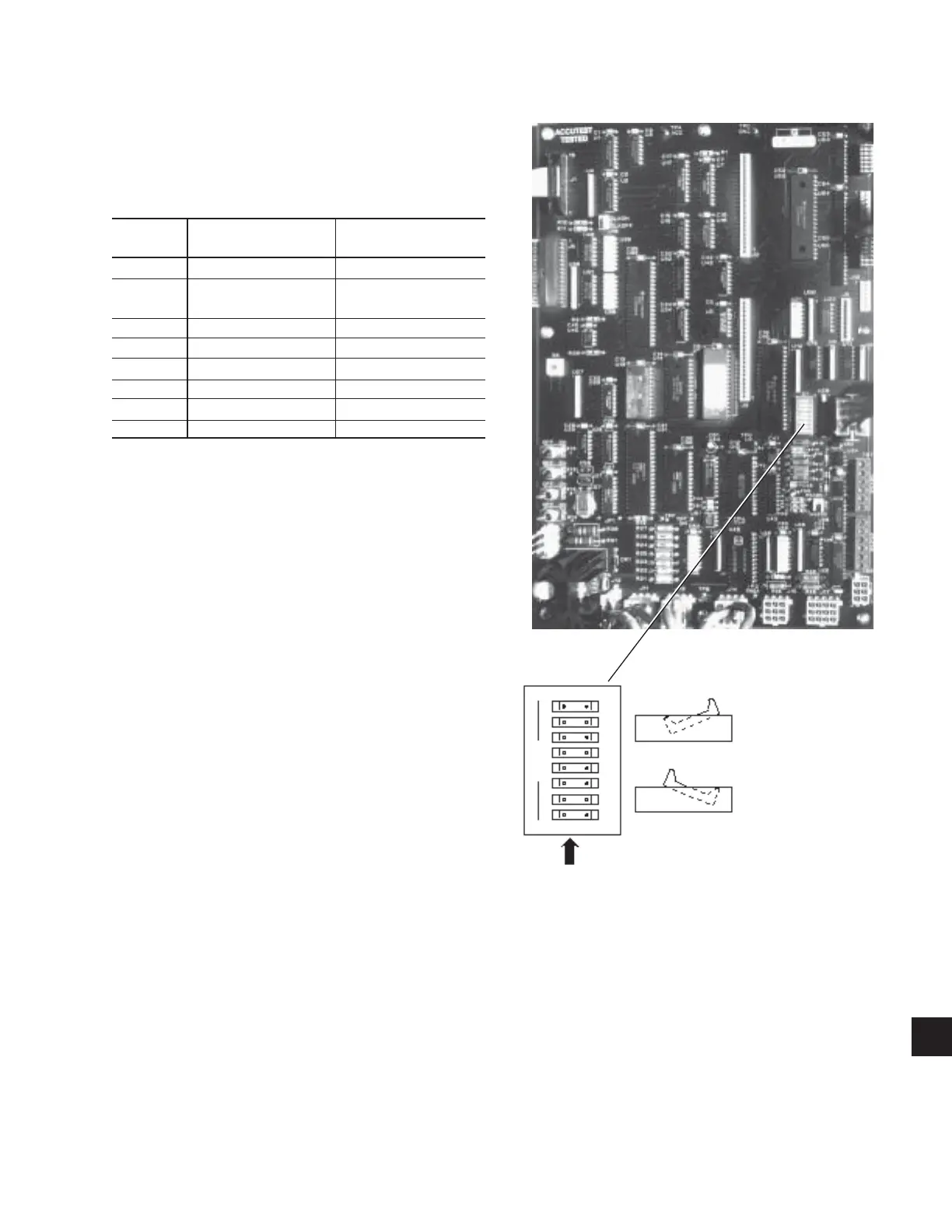
Dip Switch Physical Location and Setting:
FIG. 39 – ENLARGED PHOTOGRAPH OF DIP
SWITCHES ON MICROPROCESSOR
BOARD
LD03511A
LD03511B
“OPEN” Position:
Left side of switch
pushed in
“CLOSED” Position:
Right side of switch
pushed in
3.8 FUNCTION KEY
Pressing the Function key only displays the same message
as pressing the Status key. Pressing the Function key
followed by another display key will scroll through all
the data available under that key once. E.g., pressing
the Function key followed by the System 1 Data key
will result in scrolling through the 5 displays shown in
Section 9 (3.3) without the need to press the System 1
Data key to scroll to the next display. After scrolling
through the data, the display returns to the status
message.
The following keys can be scrolled using the Function
Key: Chilled Liquid Temps, System # Data, Motor
Current and Options.
9



 To Next Page
 Loading...