126
YORK INTERNATIONAL
FORM 150.52-NM2 (1001)
00407VIP
Information available using the Operating Data key is de-
scribed in the following sections. In example displays “#”
is used to indicate system number where appropriate.
4.3 OPERATING DATA –
LOCAL DISPLAY MESSAGES
YCAR 2-System Models:
When the Operating Data key is pressed, the following
message appears:
Repetitively pressing the
keys will scroll through
the following Common (whole chiller) Data and indi-
vidual System Data information displays.
Common Data:
This message shows the time remaining on the Load
Timer and the Unload Timer. These Timers constantly
recycle and are used in conjunction with “rate control”
and “temperature deviation from setpoint” to determine
when loading should occur.
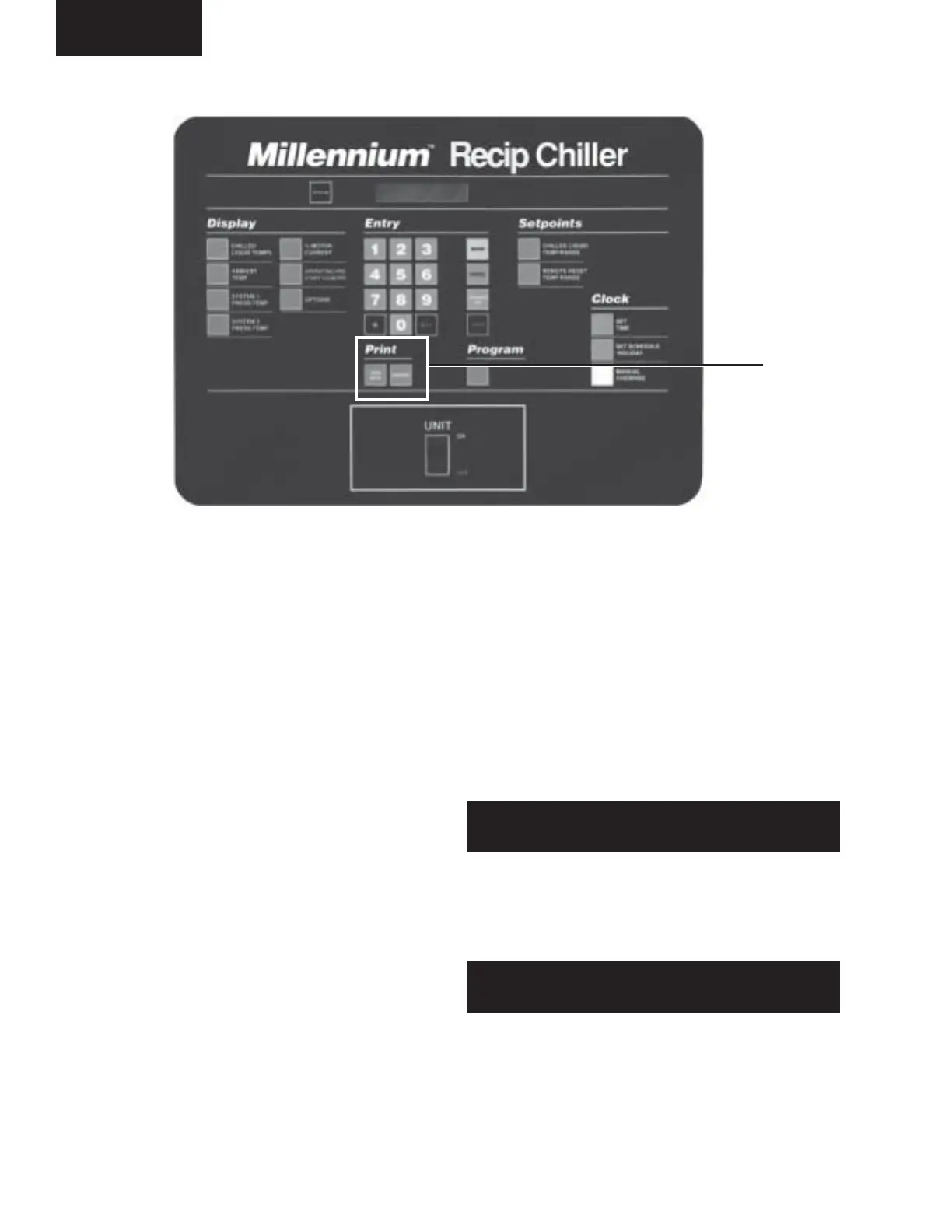
4. PRINT KEYS
4.1 GENERAL
The Print keys provide access to two sets of informa-
tion either locally on the panel display or, if an optional
printer is connected, remotely as hard copy printouts.
The Operating Data (Oper Data) key provides a real-
time list of system operating data and programmed set-
tings. The History key provides a comprehensive list of
operating data and programmed settings “at the instant
of fault” on each of the last six faults (local display) or
three faults (remote printout) which occurred on the
chiller.
4.2 OPER DATA KEY
If a remote printer is not connected, pressing the Oper-
ating Data key allows the user to scroll through infor-
mation, on the 40 character display, which is not directly
available from the Display keys on the panel.
If a remote printer is connected, pressing the Operating
Data key causes a snapshot to be taken of system oper-
ating conditions and of the user programming selections.
The data is stored in temporary memory, then transmit-
ted from the microprocessor to the remote printer. As
the data is transmitted it is erased from the memory.
OPERAT I NG DATA
DISPLAYS
LOAD T IMER 10 SEC
UNLOAD TIMER 0 SEC
PRINT
KEYS
Micro Panel



 To Next Page
 Loading...