133
YORK INTERNATIONAL
FORM 150.52-NM2 (1001)
00407VIP
5. ENTRY KEYS
5.1 GENERAL
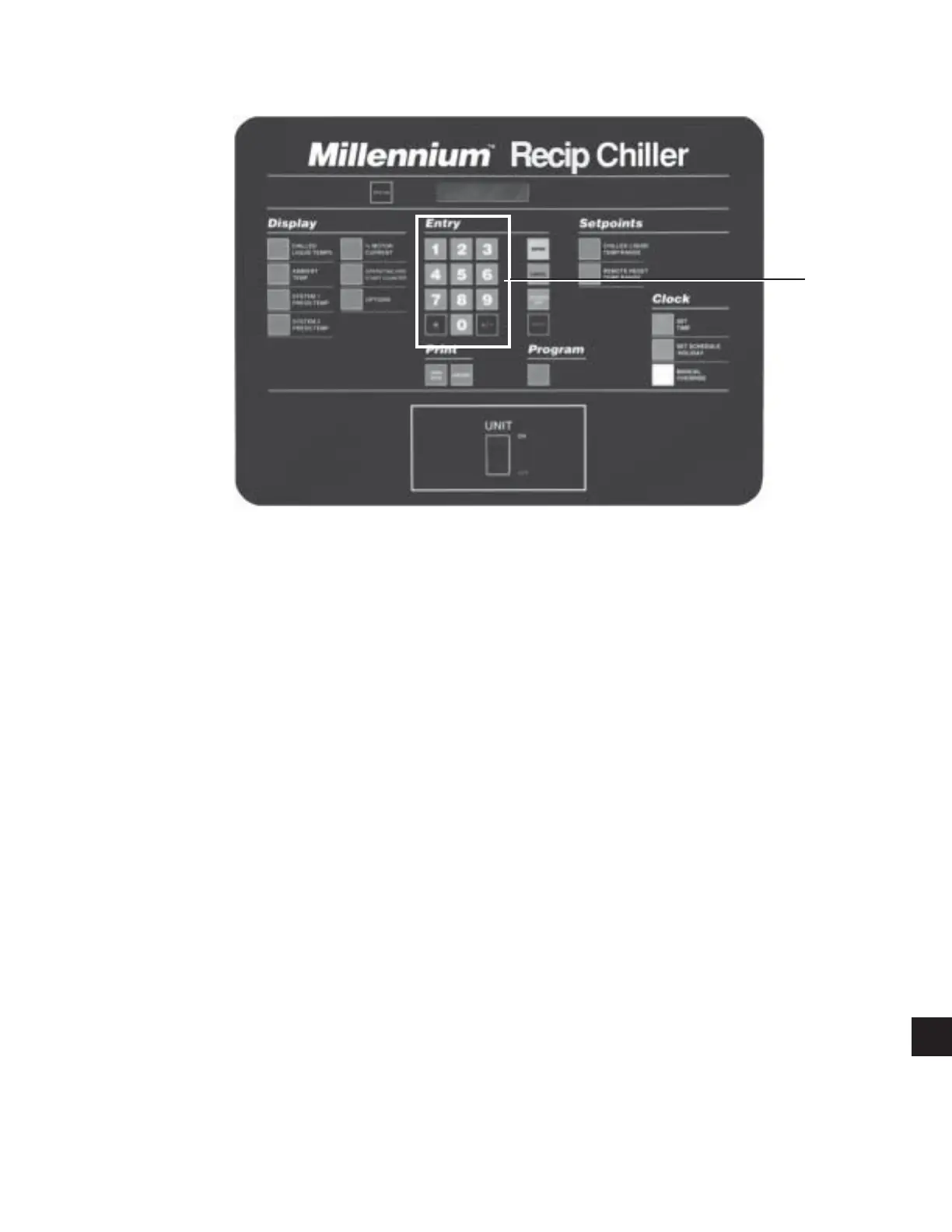
The Entry keys allow the user to change numerical
values programmed in as chiller setpoints, cutouts,
clock, etc.
5.2 NUMERICAL KEYPAD
The Numerical keypad provides all keys necessary to
program numerical values into the micro panel.
The “ * ” key is used to designate holidays when pro-
gramming special start/stop times for designated holi-
days in the SET SCHEDULE/HOLIDAY program
mode.
The “+/-” key allows programming -C setpoints and
cutouts in the metric display mode.
5.3 ENTER KEY
The Enter key must be pushed after any change is made
to setpoints, cutouts, or system clock. Pressing this key
tells the micro to accept new values into memory. If
this is not done, the new values entered will be lost and
the original values will be returned.
The Enter key is also used to scroll through available
data when using the Program or Set Schedule/Holiday
keys.
5.4 CANCEL KEY
When the Cancel key is pressed, the cursor will always
return to the first character to be programmed in the
display message. This allows the operator to begin re-
programming, if an error is made. When the Cancel key
is pressed, the values already keyed in will be erased
and the original or internally programmed default values
will appear. In other instances the display will remain
the same and the only reaction will be the cursor re-
turning to the first character.
5.5
KEYS
The
keys allow the user to scroll through data
under the OPER DATA and HISTORY Key and to se-
lect the correct day of the week and the correct month
when programming the micro with the correct time and
date. The
key also operates as a toggle AM/PM key
if the cursor is over “AM” or “PM” on the display. For
example, pressing the
key when the cursor is on “PM”
changes it to “AM”.
ENTRY
KEYS
9



 To Next Page
 Loading...