139
YORK INTERNATIONAL
FORM 150.52-NM2 (1001)
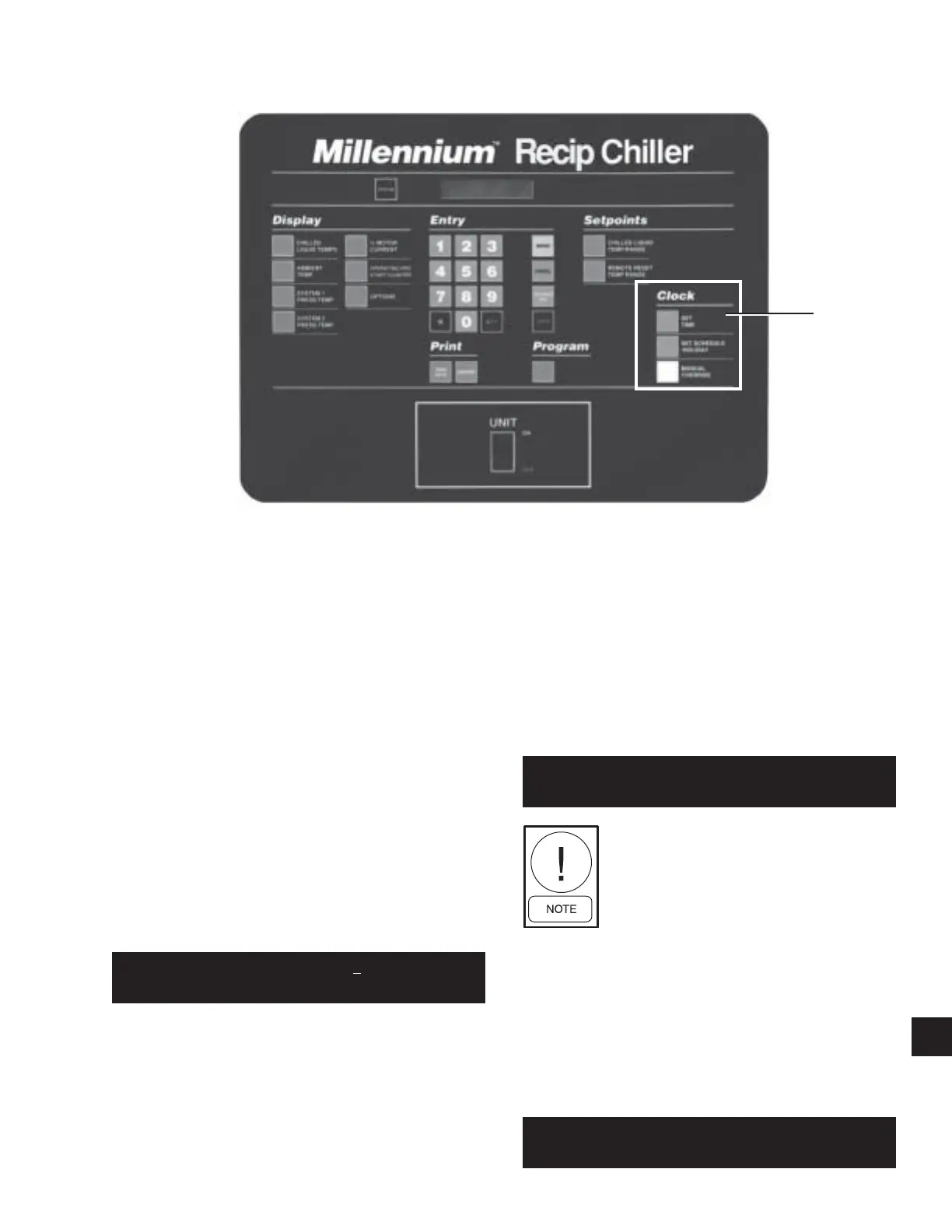
7.1 GENERAL
The microprocessor features a continuously running in-
ternal Clock and calendar and can display actual time
as well as the day of the week and the date. An auto-
matic schedule feature is provided for starting and stop-
ping the chiller on individual days of the week, eliminat-
ing the need for an external time clock. Also provided
are a Holiday feature, allowing special start/stop times
to be set for designated holidays, and a Manual Over-
ride feature to aid servicing. If the automatic schedule
feature is not required, the micro can be programmed to
run the chiller on demand as long as the Chiller ON/
OFF and System switches are in the ON position.
Programming of the internal clock/calendar and operat-
ing schedule are described below:
7.2 SET TIME/DATE KEY
When the Set Time/Date key is pressed, a message
showing the day, time and date will be displayed with
the cursor below the first digit of the time as shown:
First, press the
or
key until the proper day ap-
pears. Press ENTER to move on to the hour part of the
display. Next, key in the time (hours/minutes) using a
leading “0” for times before 10 o’clock. e.g. 08:31. The
cursor will then advance to the AM/PM designation. If
necessary press the
or
key to change to the oppo-
site time period. Press ENTER to advance to the day of
the month.
Key in the day of the month. The cursor will then skip
to the month. Press the
or
keys to select the month
and press the ENTER key. Next, key in the year. ( Al-
ways use two digits for the day and the year, using a
leading “0” for days 1-9; e.g. 23 SEPT 01. Once the
desired information is keyed in, it must be stored into
memory by pressing the ENTER key.
Any valid time or date will be accepted. If an out of
range value is entered, the following message will be
displayed for 3 seconds, then revert back to the Set
Time display message for reprogramming:
Pressing the Set Time key once enters
the “programming” mode in which the
displayed time does not update. Press-
ing the Set Time key a second time en-
ters “display” mode in which the cur-
sor will disappear and the “live” clock
will be displayed.
7.3 SET SCHEDULE / HOLIDAY KEY
Messages showing each week day and the holiday start/
stop schedule, as shown below, can be displayed using
the Set Schedule / Holiday key:
00407VIP
7. CLOCK KEYS
OUT OF RANGE -
TRY AGAI N!
TODAY I S MON 11 :12AM
23 SEPT 2001
CLOCK
KEY
MON START = 0 6 : 0 0 AM
STOP = 05 :30 PM
9



 To Next Page
 Loading...