1
31
5.1 Cab Command
Electronics and wiring
Scheduled Maintenance Menu
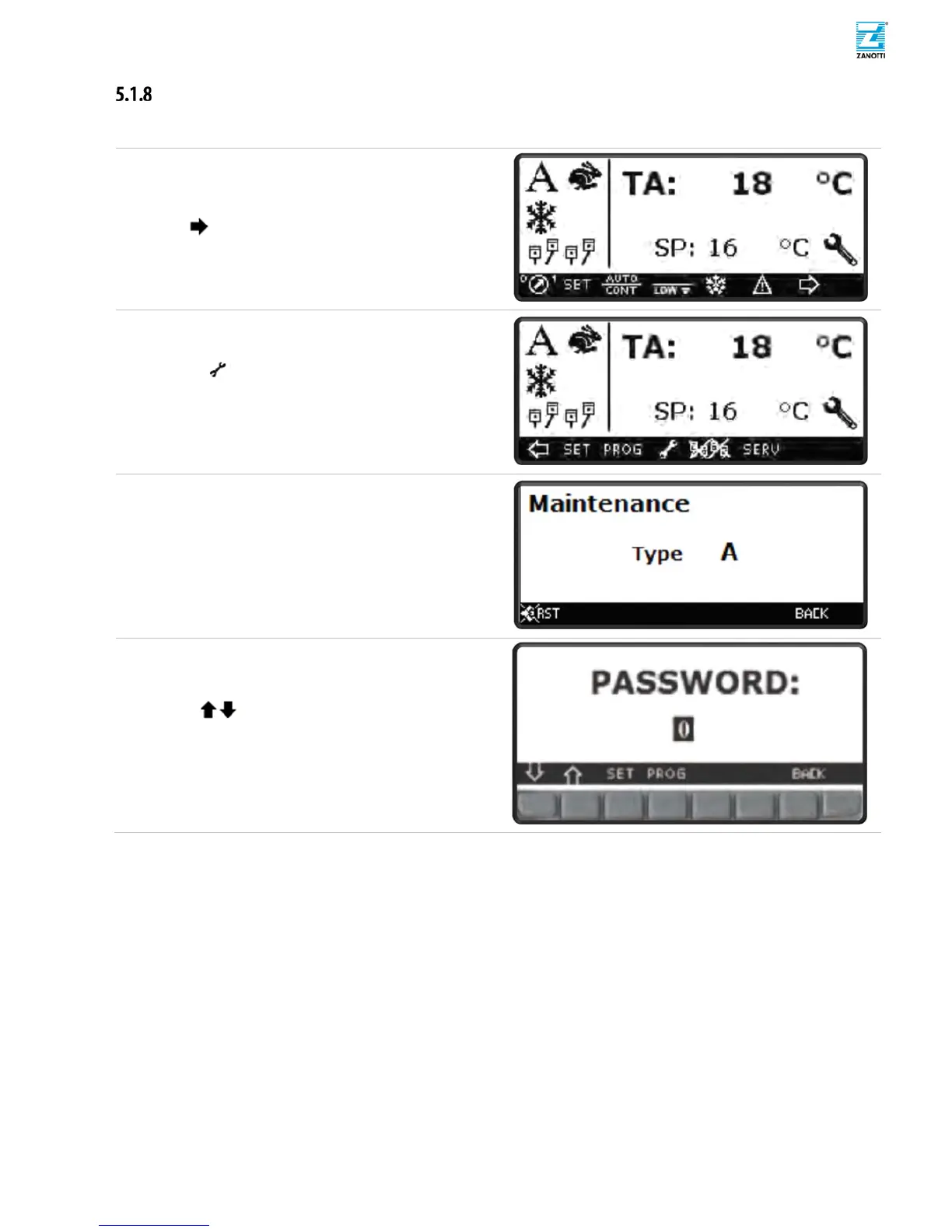
This menu gives information about required scheduled maintenance procedure and countdown reset for operators after up-
keeping operation.
(zz)
Press button to slide Menu.
(aaa)
Press for Programming Menu.
This Menu gives information about required scheduled
maintenance.
(bbb)
After Maintenance procedure press RST to reset
scheduled maintenance countdown (programming
password is required).Otherwise press BACK displaying
home page.
(ccc)
Press SET button to enable password input.
(ddd)
Use buttons to select 11 (Programming
Password).
(eee)
Press SET button to confirm.
(fff)
Press PROG to execute maintenance countdown reset.



 To Next Page