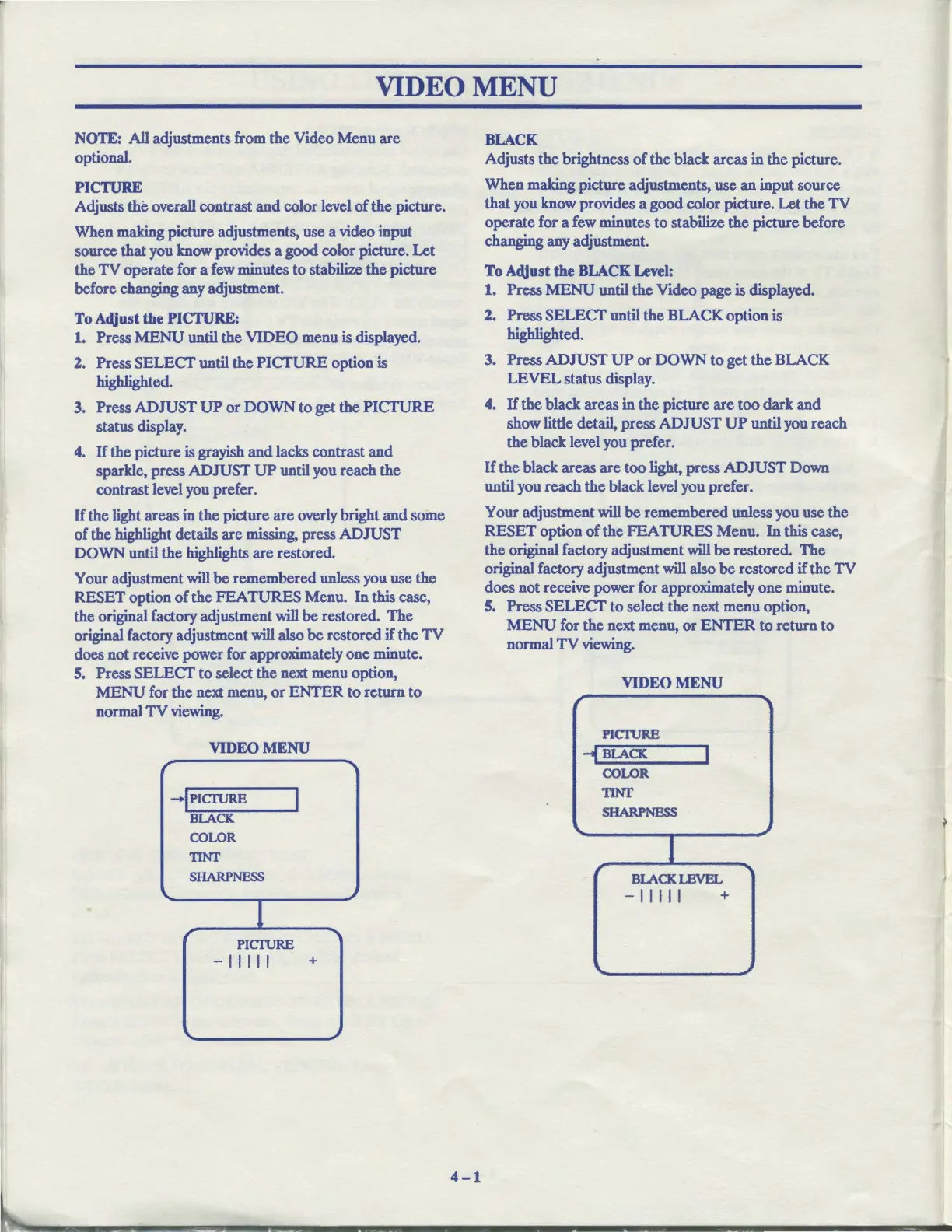
VIDEO MENU
NOTE: All adjustments from the Video Menu
are
optional.
PICTURE
Adjusts the overall contrast
and
color level
of
the picture.
When making picture adjustments, use a video input
source that you know provides a good color picture. Let
the
TV
operate for a few minutes to stabilize
the
picture
before changing any adjustment.
To
Adjust
the
PICTURE:
1. Press
MENU
until the
VIDEO
menu
is
displayed.
2. Press
SELECT
until
the
PICTURE
option is
highlighted.
3. Press
ADJUST
UP
or
DOWN
to get the
PICTURE
status display.
4.
If
the picture
is
grayish
and
lacks contrast
and
sparkle, press
ADJUST
UP
until you reach the
contrast level you prefer.
If
the light areas in
the
picture are overly bright
and
some
of
the highlight details are missing, press
ADJUST
DOWN
until the highlights are restored.
Your adjustment
will
be
remembered unless you use the
RESET
option
of
the
FEATURES
Menu.
In
this case,
the original factory adjustment
will
be
restored. The
original factory adjustment
will
also
be
restored
if
the
TV
does not receive power for approximately one minute.
5. Press
SELECT
to select the next menu option,
MENU
for the next menu,
or
ENTER
to
return to
normal
TV
viewing.
VIDEO
MENU
,
--,
-IPICI"URE
I
BLACK
COLOR
TINr
SHARPNESS
\.
~
1
"I
PICI1JRE
-11111
+
,
4-1
BLACK
Adjusts the brightness
of
the black areas in the picture.
When making picture adjustments, use
an
input source
that you know provides a good color picture.
Let
the
TV
operate for a few minutes
to
stabilize the picture before
changing any adjustment.
To
Adjust the
BLACK
Level:
1. Press
MENU
until
the
Video page
is
displayed.
2. Press
SELECT
until the BLACK option
is
highlighted.
3. Press
ADJUST
UP
or
DOWN
to
get the BLACK
LEVEL
status display.
4.
If
the black areas in the picture
are
too dark and
show little detail, press
ADJUST
UP
until you reach
the black level you prefer.
If
the
black areas
are
too light, press
ADJUST
Down
until you reach
the
black level you prefer.
Your adjustment
will
be
remembered unless you use the
RESET
option
of
the
FEATURES
Menu.
In
this case,
the original factory adjustment
will
be
restored. The
original factory adjustment
will
also
be
restored
if
the
TV
does not receive power for approximately one minute.
5. Press
SELECT
to select
the
next menu option,
MENU
for the next menu,
or
ENTER
to return to
normal
TV
viewing.
VIDEO
MENU
,
---,
PICTURB
-tf
BLACK
I
COLOR
TINT
SHARPNESS
I
r
....
BLACKLBVBL
-11111
+
,



 To Next Page