SETUP MENU
AUTO
(Automatic)
SEARCH
The list
of
channels that will
be
displayed when you
operate the
CHANNEL
Up/Down controls was
progratflmed in
at
the factory.
This
list may include
channels not available in your area,
or
exclude channels
that are.
The
Auto
Search feature will find all available
channels
and
store them in memory for access by the
CHANNEL
Up/Down control.
It
will delete invalid
or
"empty" channels.
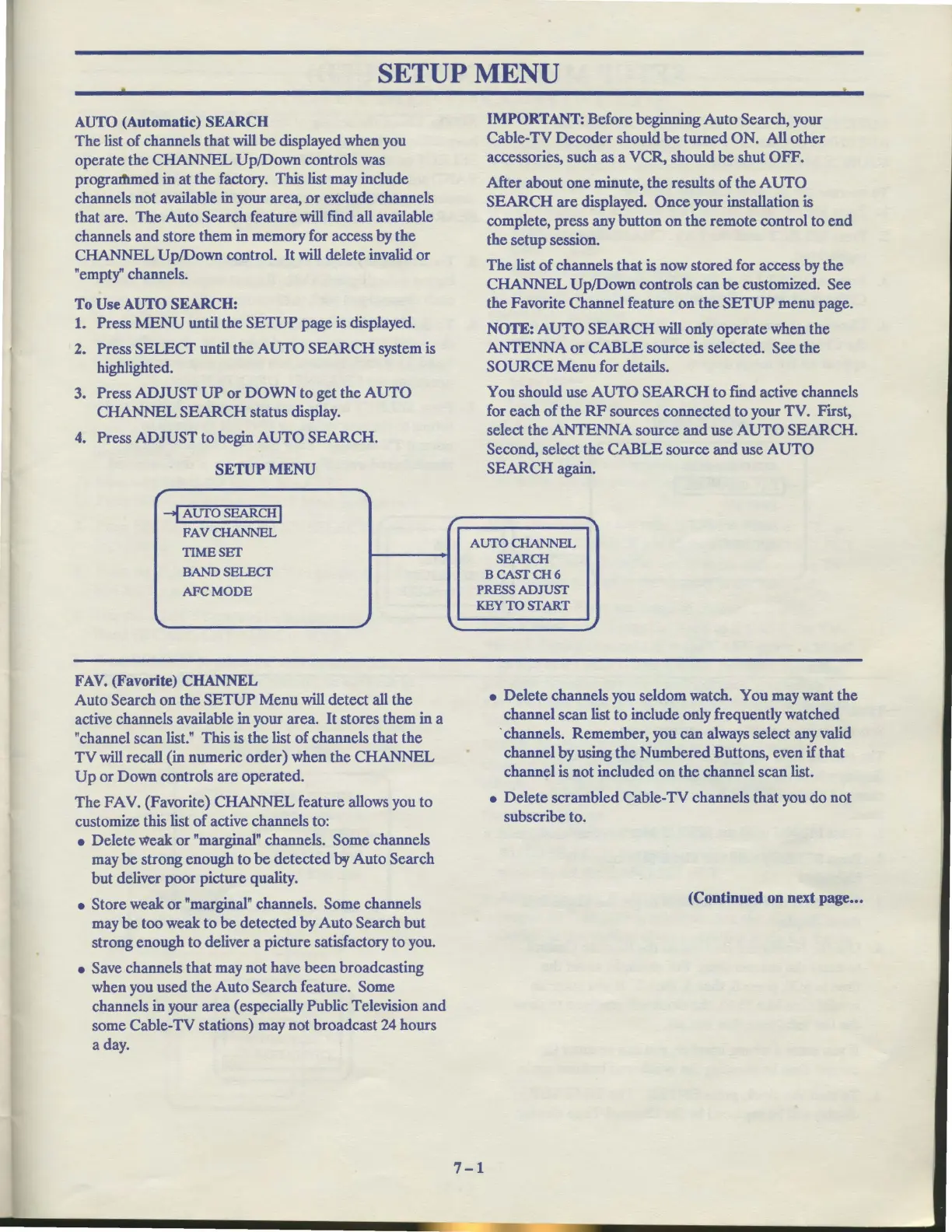
To
Use
AUTO
SEARCH:
1. Press
MENU
until the
SETUP
page is displayed.
2. Press
SELECT
until the
AUTO
SEARCH
system is
highlighted.
3. Press
ADJUST
UP
or
DOWN
to get the
AUTO
CHANNEL
SEARCH
status display.
4. Press
ADJUST
to begin
AUTO
SEARCH.
SETUP
MENU
r
--I
AUTO SEARCH I
FAVCHANNEL
TIMESET
BAND SELECT
AFCMODE
""
..
FA
V.
(Favorite)
CHANNEL
Auto Search
on
the
SETUP
Menu
will detect all the
active channels available in your area.
It
stores them in a
"channel scan list."
This
is the list
of
channels that the
TV
will recall (in numeric order) when the
CHANNEL
Up
or
Down controls
are
operated.
The
FA
V. (Favorite)
CHANNEL
feature allows you to
customize this list
of
active channels to:
• Delete weak
or
"marginal" channels. Some channels
may
be
strong enough
to
be
detected by Auto Search
but
deliver poor picture quality.
• Store weak
or
"marginal" channels. Some channels
may
be
too weak to
be
detected by
Auto
Search
but
strong enough to deliver a picture satisfactory to you.
• Save channels that may not have been broadcasting
when you used the
Auto
Search feature. Some
channels in your area (especially Public Television
and
some Cable-TV stations) may not broadcast 24 hours
a day.
/
....
IMPORTANT:
Before beginning
Auto
Search, your
Cable-TV
Decoder
should
be
turned
ON. All other
accessories, such as a VCR, should
be
shut OFF.
After about one minute,
the
results
of
the
AUTO
SEARCH
are
displayed.
Once
your installation is
complete, press any button
on
the
remote control
to
end
the setup session.
The
list
of
channels that is now stored for access by the
CHANNEL
Up/Down controls can
be
customized. See
the Favorite Channel feature
on
the
SETUP
menu page.
NOTE:
AUTO
SEARCH
will only operate when the
ANTENNA
or
CABLE
source is selected. See the
SOURCE
Menu
for details.
You should use
AUTO
SEARCH
to find active channels
for each
of
the
RF
sources connected
to
your TV.
F"trst,
select the
ANTENNA
source
and
use
AUTO
SEARCH.
Second, select
the
CABLE
source
and
use
AUTO
SEARCH
again.
....
AUTO CHANNEL
SEARCH
BCASfCH6
PRESS
ADJUSf
KEYTOSfART
-
..
• Delete channels you seldom watch. You may want the
channel scan list
to
include only frequently watched
· channels. Remember, you can always select any valid
channel by using the Numbered Buttons, even if that
channel is not included
on
the channel scan list.
• Delete scrambled Cable-TV channels that you
do
not
subscribe to.
(Continued
on
next
page
...
7-1



 To Next Page