AUDIO MENU (CONTINUED)
BALANCE
Allows you to adjust the BALANCE
of
sound between
the left and right speakers.
To
Adjust the
BALANCE:
1. Press
MENU
until the
AUDIO
Menu is displayed.
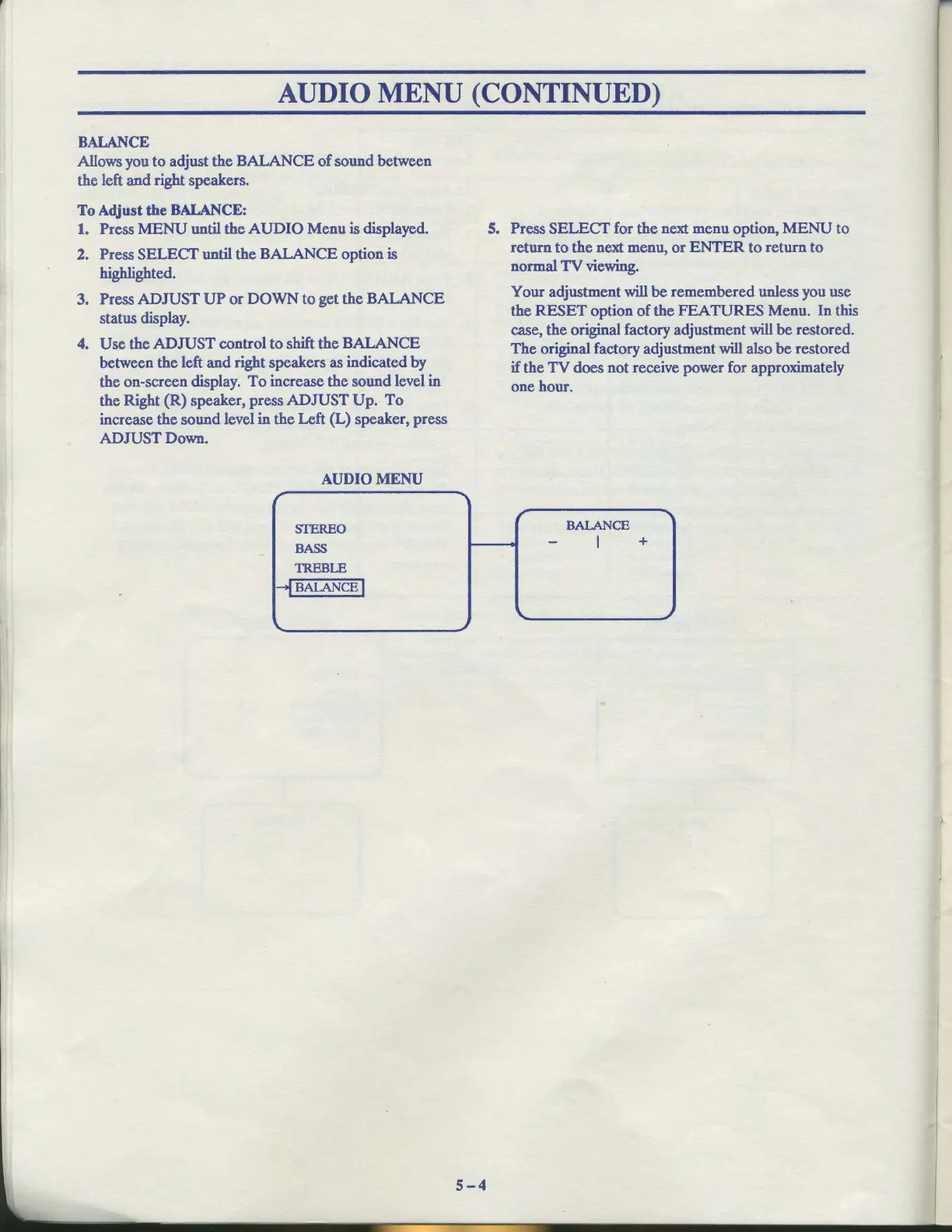
2. Press SELECT until the BALANCE option is
highlighted.
3. Press ADJUST
UP
or
DOWN
to get the BALANCE
status display.
4.
Use the ADJUST control to shift the BALANCE
between the left
and
right speakers as indicated by
the on-screen display.
To
increase the sound level in
the Right (R) speaker, press ADJUST Up.
To
increase the sound level in the Left (L) speaker, press
ADJUST Down.
AUDIO
MENU
r
SfEREO
BASS
TREBLE
--!BALANCE
I
\.
'I
~
5-4
5. Press
SELECT
for the next menu option,
MENU
to
return to the next menu,
or
ENTER
to
return
to
normal
TV
viewing.
Your adjustment will
be
remembered unless you use
the
RESET
option
of
the
FEATURES
Menu. In this
case, the original factory adjustment will
be
restored.
The
original factory adjustment will also
be
restored
if the
TV
does not receive power for approximately
one hour.
r
'I
BALANCE
-
I
+
...
~



 To Next Page