SETUP MENU (CONTINUED)
AFC
MODE
The
AFC
(Automatic Frequency Control) circuit lets
your
TV
compensate for variations in broadcast
frequencies.
The
AFC
has two basic functions:
• it tunes to the exact broadcast signal.
• once tuned
to
the
broadcast signal, it "locks" onto it
and, if
need
be, follows the signal should it drift.
The
AFC
MODE
contains two options,
ON
and
OFF.
Use the
ON
Mode
to receive over-the-air
TV
stations.
You can
also
use the
ON
Mode
with many Cable-TV
(CATV) channels.
NOTE:
Before setting the
AFC
Mode
to ON, use a video
source that you know provides a good color picture.
Let
the
TV
operate for a few minutes to stabilize the picture
before changing any adjustment.
NOTE:
The
AFC
MODE
can only
be
changed when the
ANTENNA
or
CABLE
source is selected. See the
SOURCE
Menu
for details.
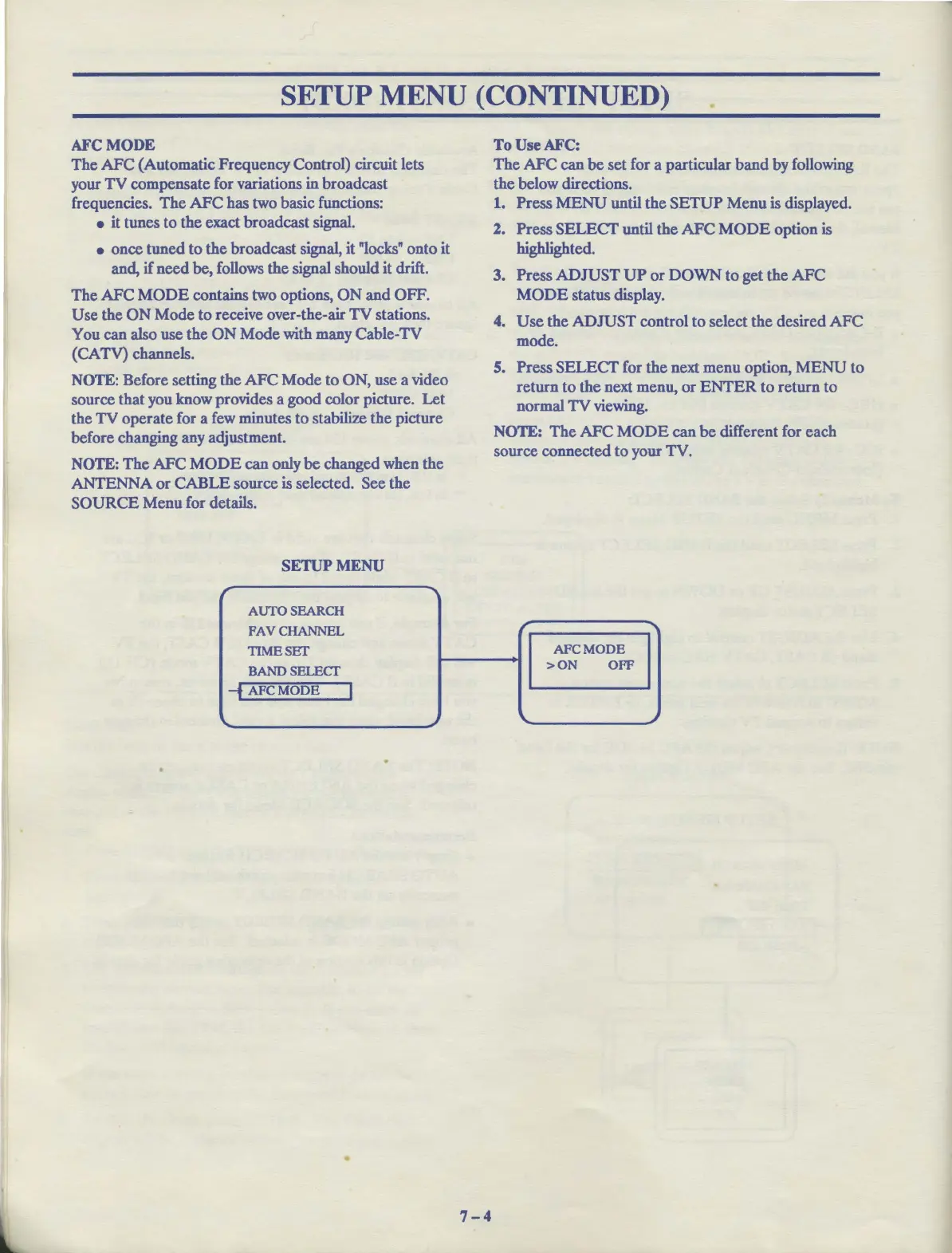
SETUP
MENU
r "I
AUTOSEARCH
FAY CHANNEL
TIMESET
BANDSELECT
-f
AFC
MODE
I
'lo..
~
•
7-4
To
Use
AFC:
The
AFC
can
be
set for a particular
band
by following
the below directions.
1.
Press
MENU
until
the
SETUP
Menu
is displayed.
2. Press
SELECT
until
the
AFC
MODE
option is
highlighted.
3. Press
ADJUST
UP
or
DOWN
to
get the
AFC
MODE
status display.
4.
Use
the
ADJUST
control
to
select
the
desired
AFC
mode.
S.
Press
SELECT
for
the
next menu option,
MENU
to
return
to
the
next menu,
or
ENTER
to
return
to
normal
TV
viewing.
NOTE:
The
AFC
MODE
can
be
different for each
source connected to your TV.
r
"
AFCMODE
>ON
OFF
'lo..
~



 To Next Page