AUDIO MENU
STEREO
Your
TV
is equipped to receive Multi-channel Television
Sound (MTS) when available in your area. It can also
receive a Second Audio Program (SAP), that is, a
program broadcast with two audio portions (such as two
languages).
The
following modes
of
operation are
available.
Enhanced
Electronically changes the audio separation between the
speakers so that you hear an "enhanced," more spacious
stereo sound effect. Enhanced Stereo is available when a
Stereo broadcast is being received or from auxiliary
stereo inputs.
Stereo
Directs the sound into the left
and
right speakers as
supplied by the program source (broadcast TV station,
VCR,etc.)
Monaural (MONO)
Directs the same sound to both left and right speakers.
With the Monaural Mode selected, the same sound will
be directed to both speakers even if the source being
received is in stereo.
Second Audio Program (SAP or
2nd
AUDIO)
Directs the sound for the Second Audio Program
(typically a second language) to both the left and right
speakers. SAP sound is always monaural.
NOTE: Your
TV
has an automatic stereo sound mode
selection feature. This feature can
be
used instead
of
the
manual sound mode selection described below.
For
automatic sound mode selection, keep the
TV
in the
STEREO
Mode
at
all times.
If
a program is being
broadcast in monaural, the
TV
automatically switches to
monaural sound (the stereo indicator light on the front
of
the TV will go off).
If
a program is subsequently
broadcast in stereo, the
TV
will automatically switch
back to the
STEREO
Mode (Stereo indicator will come
backon).
To
Receive SAP broadcasts, however, the
TV
must
be
in
the 2ND
AUDIO
Mode.
If
there is no SAP broadcast,
the TV switches automatically to
STEREO
or
MONO
mode
of
operation.
To
use a monaural VCR input (not Channel 3
or
4 RF),
the Stereo Mode must
be
set to Monaural.
In
this case,
use the SOURCES Menu
to
select the A-V VCR Source.
Then return to the
AUDIO
Menu, and set the
STEREO
Mode
to
Monaural.
5-1
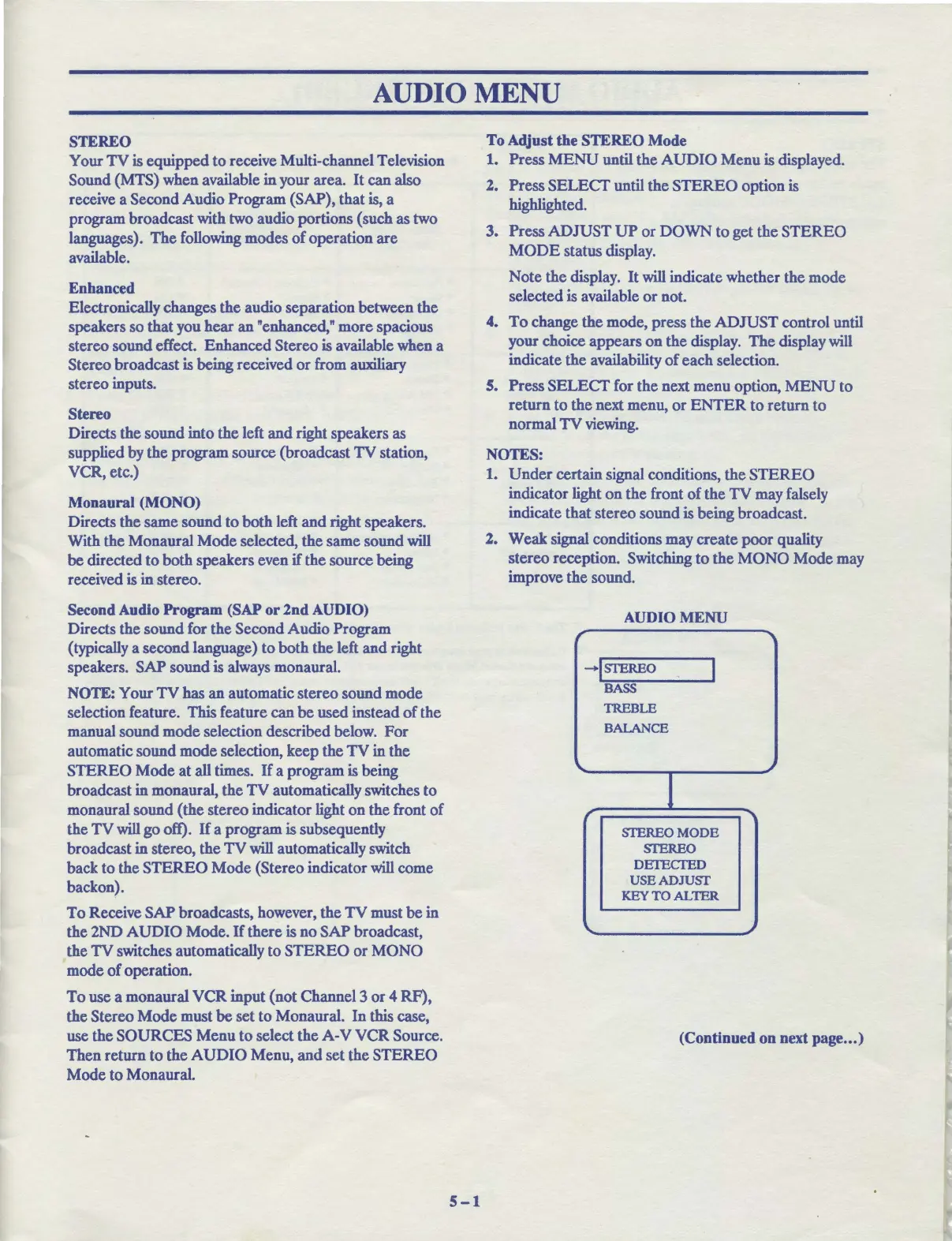
To Adjust the STEREO Mode
1.
Press
MENU
until the
AUDIO
Menu is displayed.
2. Press SELECT until the
STEREO
option is
highlighted.
3. Press
ADJUST
UP
or
DOWN
to get the
STEREO
MODE
status display.
Note the display. It will indicate whether the mode
selected is available
or
not.
4.
To
change the mode, press the
ADJUST
control until
your choice appears
on
the display.
The
display will
indicate the availability
of
each selection.
5. Press
SELECT
for the next menu option,
MENU
to
return
to
the next menu,
or
ENTER
to
return to
normal
TV
viewing.
NOTES:
1.
Under
certain signal conditions, the
STEREO
indicator light
on
the front
of
the TV may falsely
indicate that stereo sound is being broadcast.
2.
Weak
signal conditions may create poor quality
stereo reception. Switching
to
the
MONO
Mode may
improve the sound.
AUDIO MENU
-+!STEREO
BASS
TREBLE
BALANCE
SIEREOMODE
SIEREO
DETECTED
USEADJUSf
KEYTOALTER
(Continued on next page
...
)



 To Next Page