SETUP MENU (CONTINUED)
NOTE: Favorite Channel will only operate when the
ANTENNA
or
CABLE source is selected. See the
SOURCE
Menu for details.
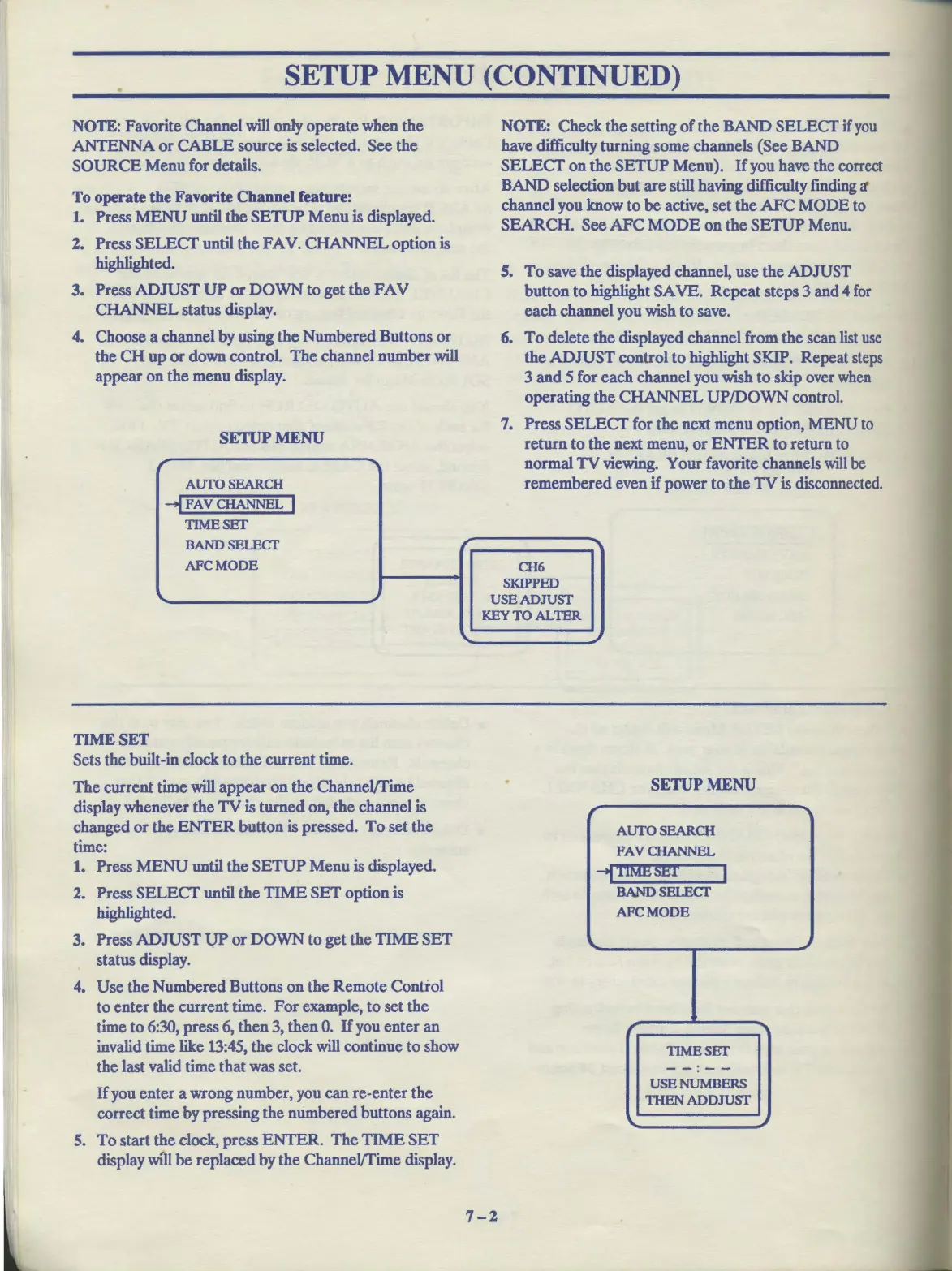
To operate the Favorite Channel feature:
1.
Press
MENU
until the
SETUP
Menu is displayed.
2. Press SELECT until the FAV.
CHANNEL
option is
highlighted.
3. Press ADJUST
UP
or
DOWN
to get the
FAV
CHANNEL status display.
4. Choose a channel by using the Numbered Buttons
or
the
CH
up
or
down control.
The
channel number will
appear on the menu display.
SETUP
MENU
,
AUfOSEARCH
--I
FAV CHANNEL I
TIMESET
BANDSELECT
AFCMODE
,
TIME
SET
Sets the built-in clock
to
the current time.
The
current time will appear
on
the ChanneVfime
display whenever the
TV
is turned on, the channel is
changed
or
the
ENTER
button is pressed.
To
set the
time:
1. Press
MENU
until the
SETUP
Menu is displayed.
2. Press SELECT until the
TIME
SET
option is
highlighted.
3. Press
ADJUST
UP
or
DOWN
to
get the
TIME
SET
status display.
4. Use the Numbered Buttons on the Remote Control
to enter the current time.
For
example, to set the
time to 6:30, press 6, then 3, then
0.
If
you enter an
invalid time like 13:45, the clock will continue
to
show
the last valid time that was set.
If
you enter a wrong number, you can re-enter the
correct time by pressing the numbered buttons
again.
S.
To
start the
clock,
press
ENTER.
The
TIME
SET
display will
be
replaced by the ChanneVfime display.
r
'\.
NOTE:
Check the setting
of
the BAND SELECT
if
you
have difficulty turning some channels (See BAND
SELECT
on the
SETUP
Menu).
If
you have the correct
BAND selection
but
are still having difficulty finding it
channel you know
to
be
active, set the
AFC
MODE to
SEARCH. See
AFC
MODE
on the
SETUP
Menu.
S.
To
save the displayed channel, use the ADJUST
button to highlight
SA
VE.
Repeat
steps 3 and 4
for
each channel you wish to save.
6.
To
delete the displayed channel from the scan
list
use
the
ADJUST
control
to
highlight SKIP. Repeat
steps
3 and 5 for each channel you wish
to
skip over
when
operating the
CHANNEL
UP/DOWN
control.
7. Press SELECT for the next menu option, MENU
to
return
to
the
next menu,
or
ENTER
to
return to
normal
TV
viewing. Your favorite channels
will
be
remembere d even if power to the
TV
is disconnected.
"I
CH6
SKIPPED
USEADJUSI'
KEYTOALTER
SETUP
MENU
r
AUTO SEARCH
PAVCHANNEL
-;DMB~J!T
I
BANDSELECT
AFCMODE
It,,.
~
r
TIMBSET
-
-:--
USENUMBERS
1HEN
ADDJUSI'
""
~
7-2



 To Next Page