FEATURES MENU
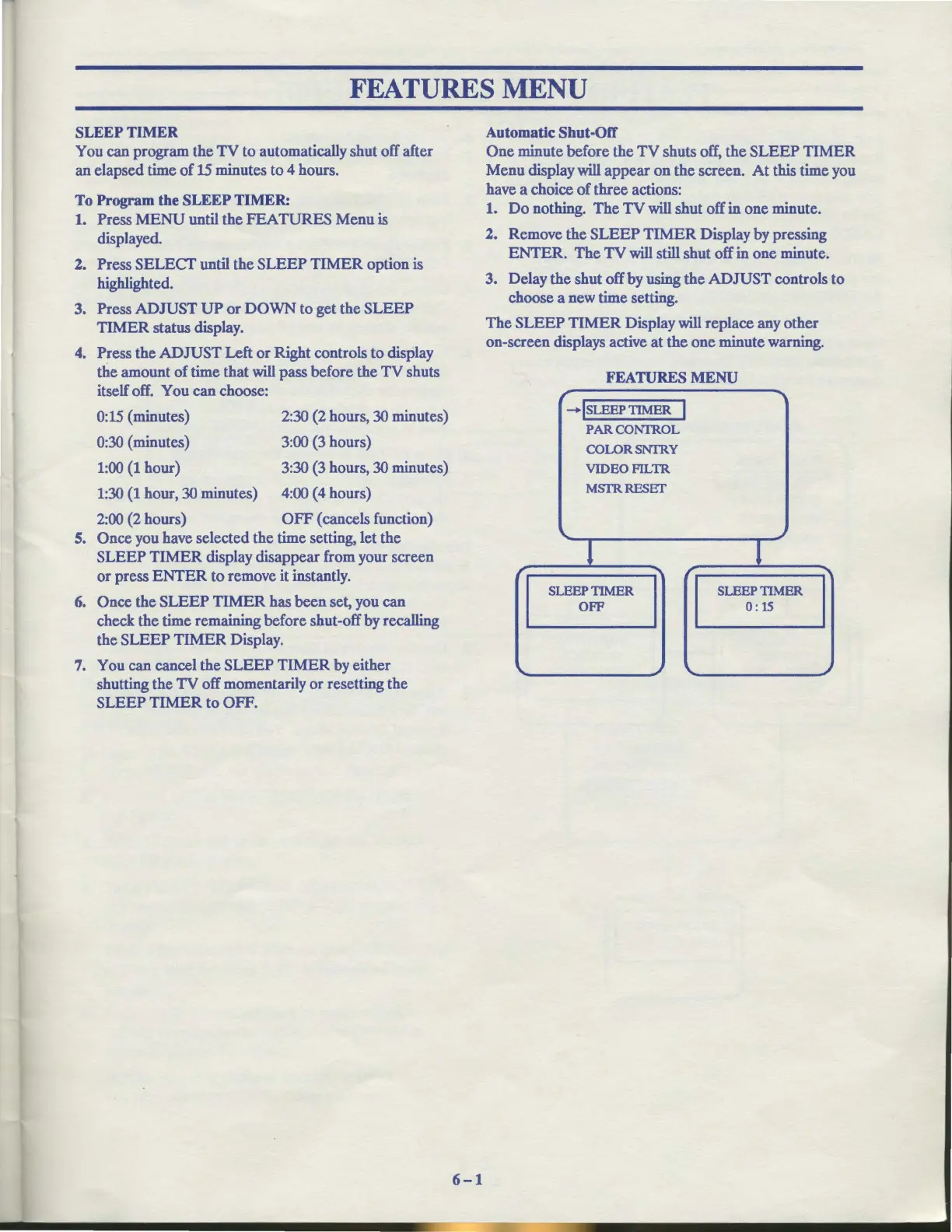
SLEEP TIMER
You can program the
TV
to automatically shut off after
an elapsed time
of
15
minutes to 4 hours.
To Program the SLEEP TIMER:
1.
Press
MENU
until the FEATURES Menu is
displayed.
2. Press SELECT until the SLEEP
TIMER
option is
highlighted.
3. Press ADJUST
UP
or
DOWN to get the SLEEP
TIMER status display.
4. Press the ADJUST Left or Right controls to display
the amount of time that
will
pass before the TV shuts
itself off. You can choose:
0:15
(minutes)
2:30
(2 hours, 30 minutes)
0:30
(minutes) 3:00
(3
hours)
1:00
(1
hour) 3:30 (3 hours, 30 minutes)
1:30
(1
hour, 30 minutes) 4:00 (4 hours)
2:00
(2 hours)
OFF
(cancels function)
5. Once you have selected the time setting, let the
SLEEP
TIMER
display disappear from your screen
or press
ENTER
to remove it instantly.
6.
Once the SLEEP
TIMER
has been set, you can
check the time remaining before shut-off by recalling
the SLEEP
TIMER
Display.
7.
You can cancel the SLEEP
TIMER
by either
shutting the
TV
off momentarily
or
resetting the
SLEEP
TIMER
to OFF.
6-1
Automatic Shut-Off
One minute before the
TV
shuts off, the SLEEP TIMER
Menu display will appear on the screen.
At
this time you
have a choice
of
three actions:
1.
Do
nothing. The
TV
will shut off in one minute.
2. Remove the
SLEEP
TIMER
Display by pressing
ENTER.
The
TV
will still shut off in one minute.
3. Delay the shut off by using the ADJUST controls to
choose a new time setting.
The SLEEP
TIMER
Display will replace any other
on-screen displays active at the one minute warning.
FEATURES
MENU
'I
-lsLEEP
TIMER
I
PARCONTROL
COLORSNTRY
VIDEOFILTR
MSfRRESET
..
l l
SLEEP TIMER SLEEPTIMER
OFF
0:
15
"'"



 To Next Page