Section 9.0
MAN 06–0017H
ZIEHM QUANTUM User’s Manual Page 130 of 220
9.6.2. IMAGE STOP/PLAY AND STEP
Press the Image LEFT/RIGHT Arrow
uttons to step through the
image sequence of the CINE run one at a time.
NOTE:
All Cine Image Acquisitions are protected. The ZIEHM QUANTUM protects all
sequential image acquisitions (Cine Studies) they are automatically stored to the Hard
Drive for immediate review of the image sequences images.
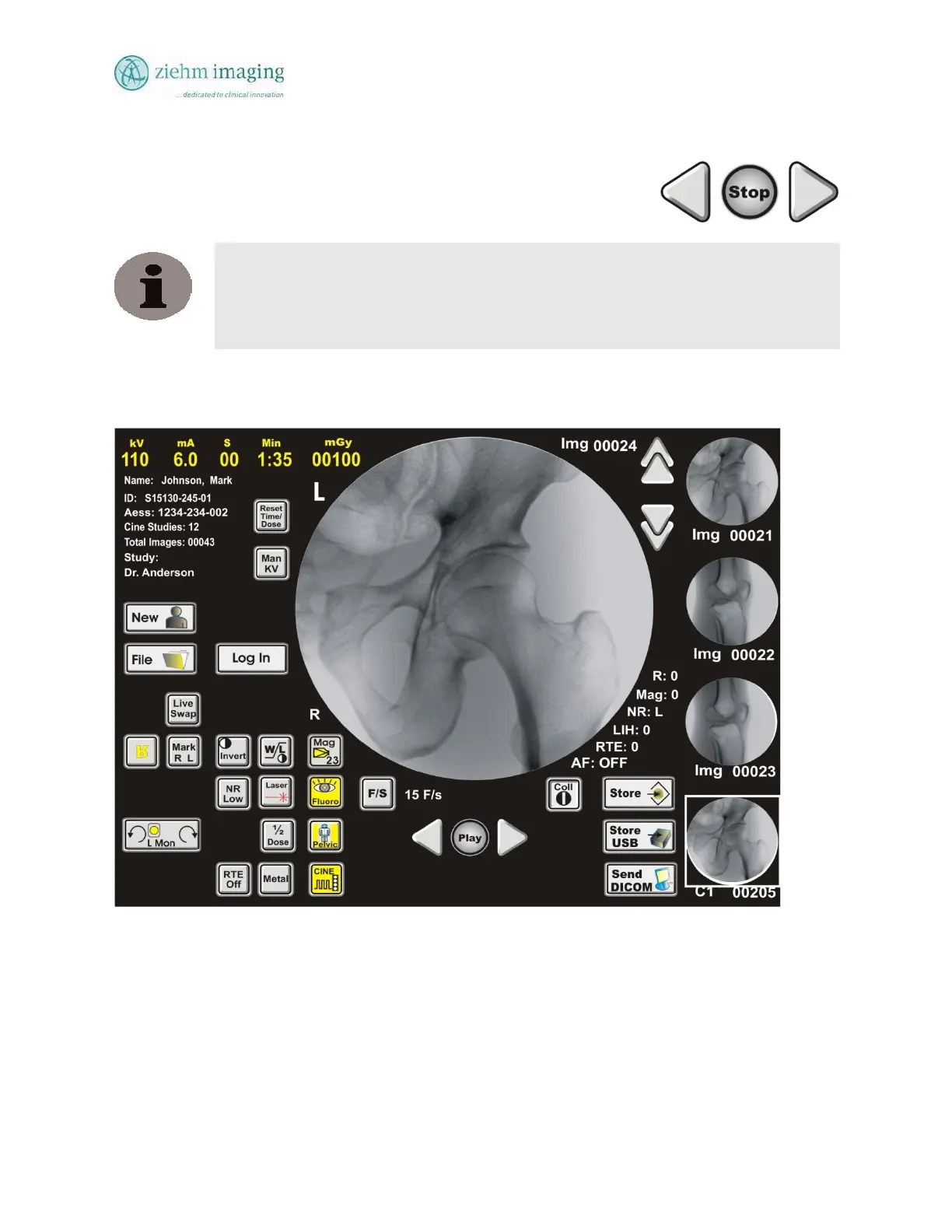
DeskView –Cine Operation Screen
Fig 9.3: Touch Screen Cine Select And Replay Back
9.7 PERFORMING CINE ACQUISITION
1. Position the C-Arm over the selected anatomical region and select the appropriate
Anatomical region button. Use fluoroscopy to verify optimum C-Arm positioning.
Press the CINE button on the DeskView Control Panel
2. Select the frame rate for dynamic image acquisition:


 To Next Page
 Loading...