Section 2.0
MAN 06–0017H ZIEHM QUANTUM User’s Manual Page 23 of 220
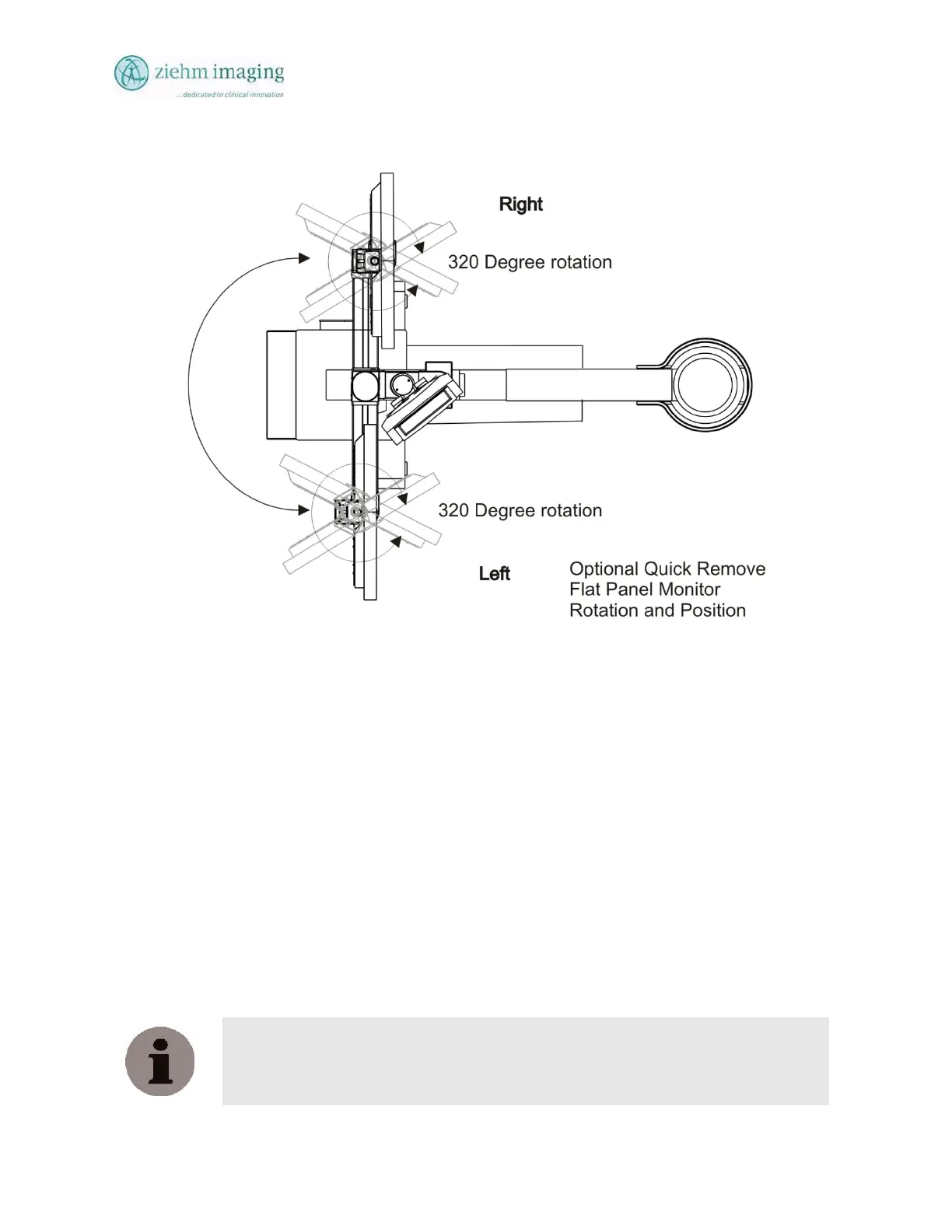
Fig 2-3b Optional Quick Release Monitor Pivot
2.5.4 DUAL FLAT PANEL LCD MONITORS
The default operation of the ZIEHM QUANTUM C-Arm;
Left monitor is the live monitor and the right monitor is the reference monitor.
During operation, the following images will be displayed on the screens:
- Live monitor: Live images and transferred images, Cine/DSA loops as full-screen
image.
- Reference monitor: The reference images are full-screen size, with a Thumbnail mosaic
on the lower part of the image display.
- Desk View Touch Screen: Displays live image in the center and thumbnails on right side
of the touch screen. The center image will always follow the image on the live monitor.
NOTE:
To avoid confusion, the neutral terms ‘live monitor’ and reference monitor’ are used
throughout this manual, regardless of your custom setting.


 To Next Page
 Loading...