MultiBio700- User Manual
eSSL Pvt. Ltd. Page 43
For example, the Wiegand26 can be customized as follows:
Definition of data bits: pssssssssccccccccccccccccp
Definition of parity bits: eeeeeeeeeeeeeooooooooooooo
Note: Wiegand26 consists of 26 bits. The first bit is the
even parity bit of bits 2 to 13; the 26th bit is the odd parity bit of
bits 14 to 25; the second to the ninth bits are the site code; the
10th to the 25th bits are the card number.
For details about the Wiegand protocol, see Appendix 3
Introduction of Wiegand.
To customize Wiegand format, proceed as follows:
(1) Select [Define Format] and the [Set] key is the n enabled.
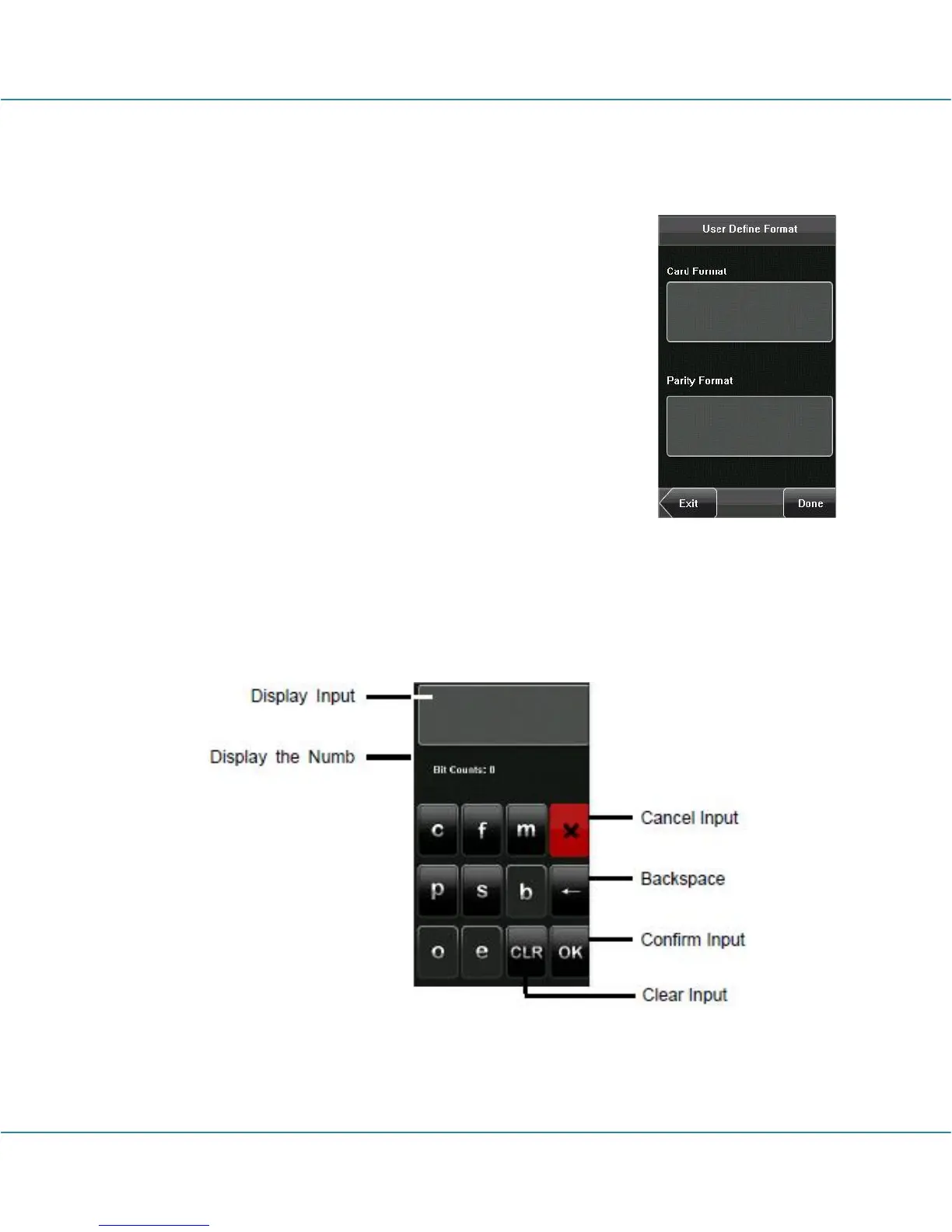
(2) Press [Set] to display the [User Define Format] interface, as shown in the following
figure:
(3) Click the entry box below “Card Format” to display the following interface:



 To Next Page