zmorph3d.com 27
10.2 Mounting toolheads
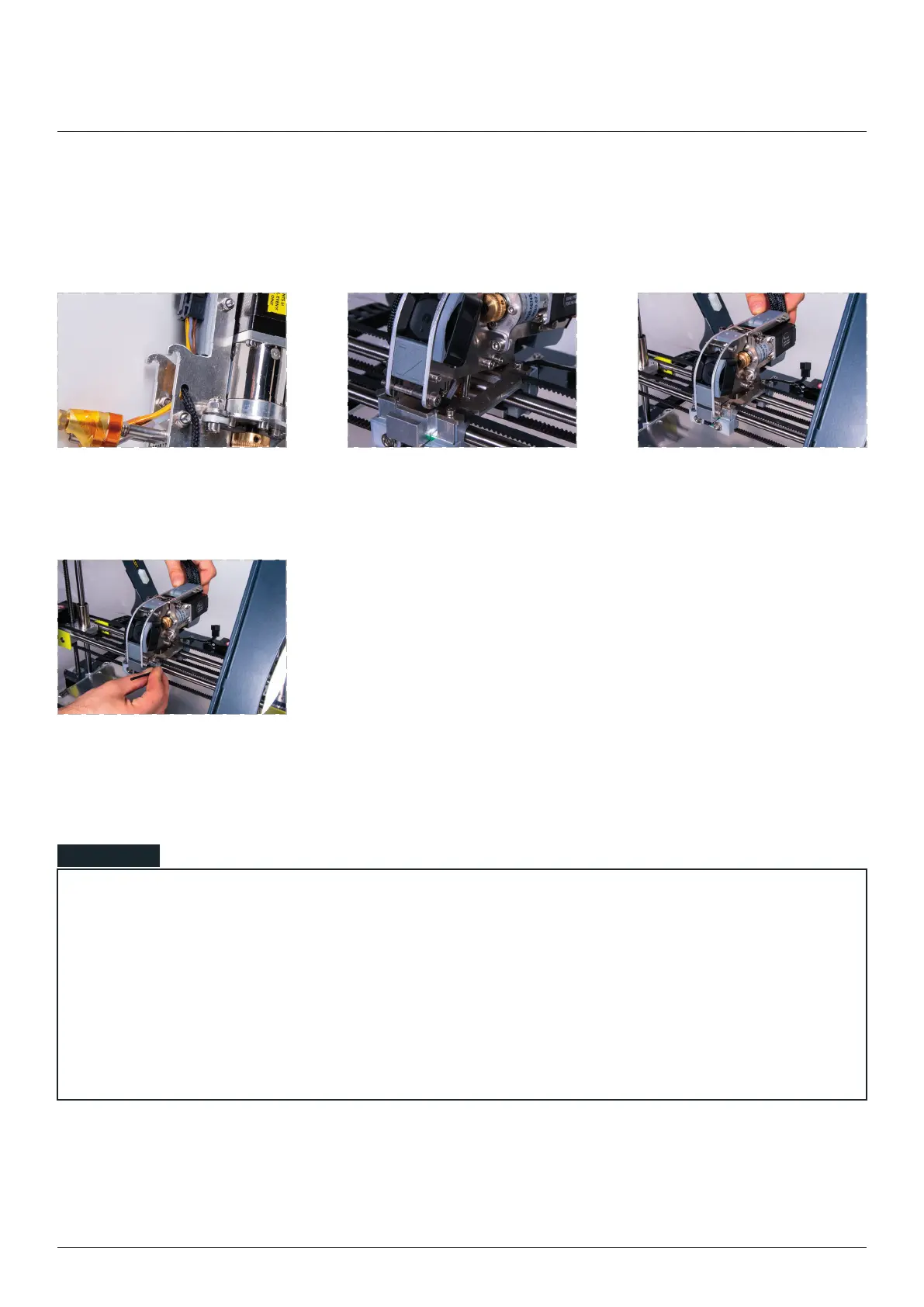
Tighten the mounting screw
while gently pushing the
toolhead forward.
Tightening the mounting screw without pushing the toolhead to the front might cause the connection be-
tween the toolhead and X carriage to be loose. This might cause further errors in calibrations and printing
processes.
Each time after changing the toolhead it is better to check if the connection is correct. Lift the back of the
toolhead and check if the rear hooks are not moving up and down. If yes loose the front mounting screw
and once again push and hold the toolhead forward and tighten the mounting screw.
NOTE
Toolhead change
Find the bottom hooks placed
on the back of the toolhead.
While placing the toolhead be
sure the hooks are in the right
place.
Gently mount new toolhead
placing it from the back to the
front in the X-carriage.



 To Next Page