Zmorph Fab - QUICK START GUIDE 20
9. Dual Extruder Toolhead
9.1 Loading the lament
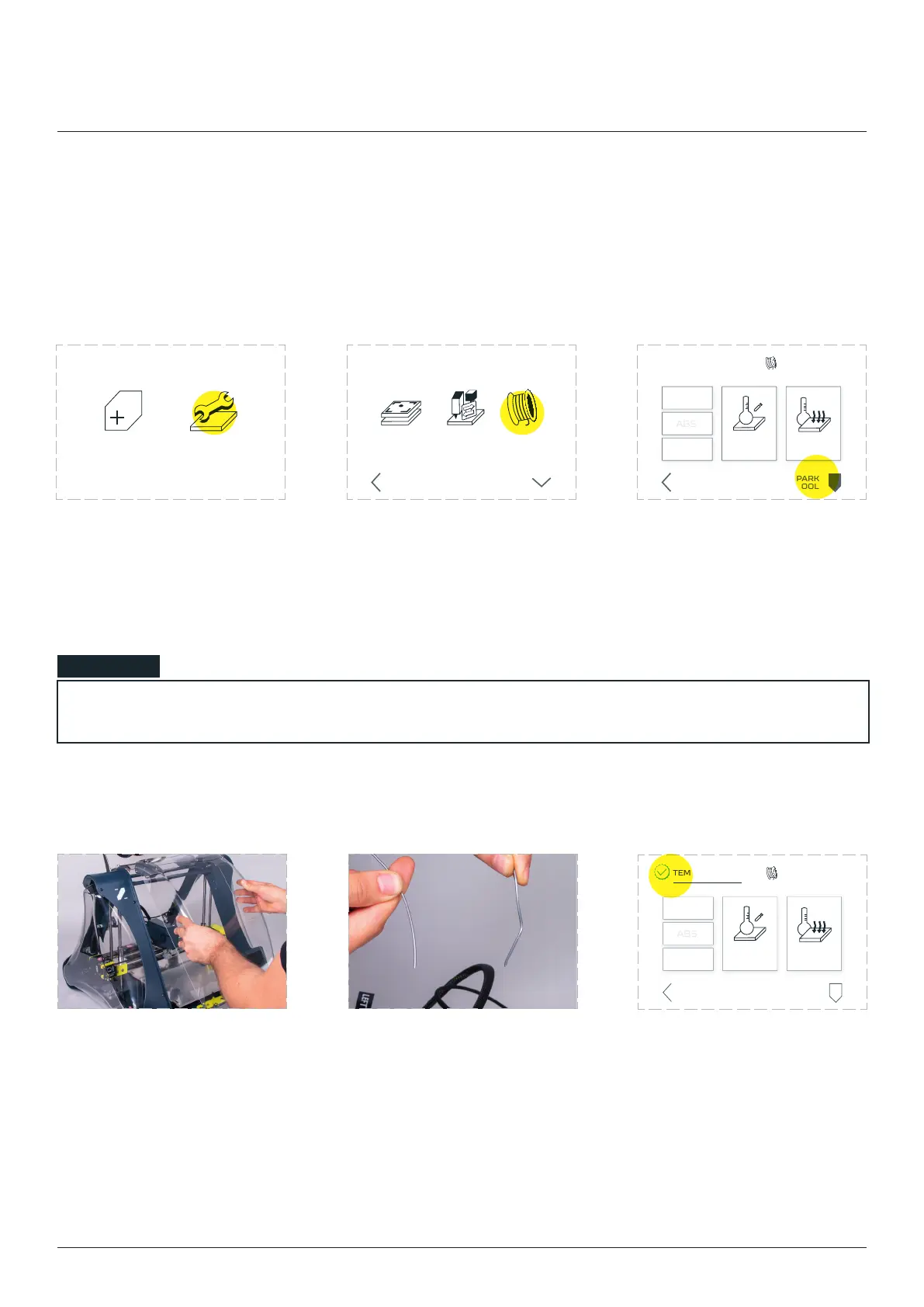
Choose the ‘MAINTENANCE’
from the LCD touchscreen
menu.
Choose ‘LOAD FILAMENT’.
the machine to position the
toolhead. When done, choose
NEW JOB MAINTENANCE
LOAD
FILAMENT
CHANGE
TOOL
CALIBRATE
3D PRINTING
BACK MORE
LOAD/UNLOAD
CUSTOM
TEMPERATURE
COOL
DOWN
TEMPERATURES
PARK
TOOL
BACK
Straighten the tip of
Wait till the extruder reaches the
proper temperature. The yellow
HEATING sign will change colour
from yellow to green.
LOAD/UNLOAD
PARK
TOOL
CUSTOM
TEMPERATURE
COOL
DOWN
TEMPERATURES
BACK
NOTE
Dual Extruder Toolhead



 To Next Page