Product Manual - ZMORPH i500 back to table of content
>>
53
Service instructions
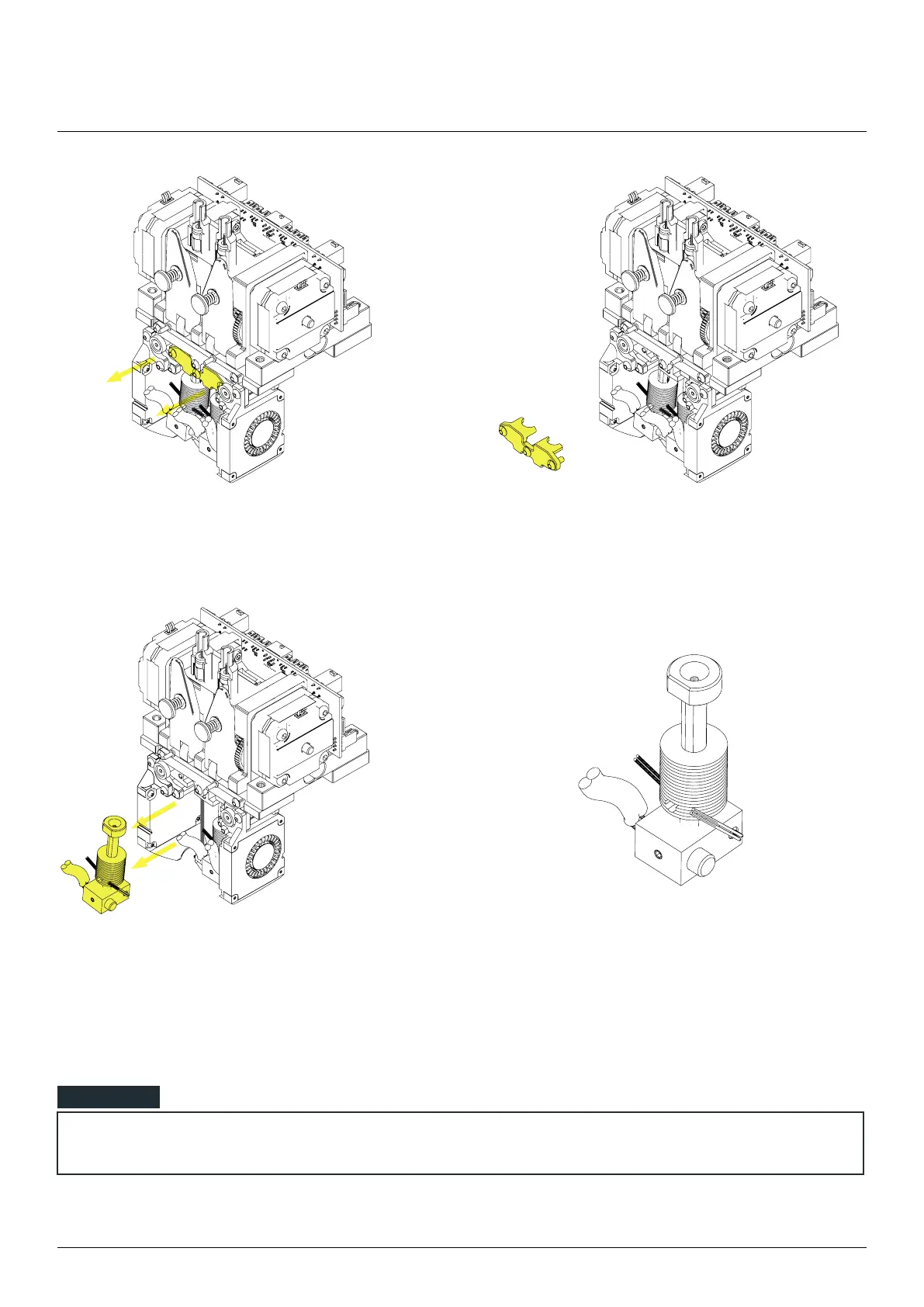
Unscrew the hotend holder and pull it out.
Remove the hotend part from extruder. Insert a new hotend part and install hotend holder.
Remember to connect the hotend wires.
Connect the cooling fan and connect the fan wires.
After replacing the hotend part remember to perform XY and Z oset calibration for the new hotend.
NOTE



 To Next Page