Product Manual - ZMORPH i500 back to table of content
>>
54
Service instructions
11.3.2 Cooling fans replacement
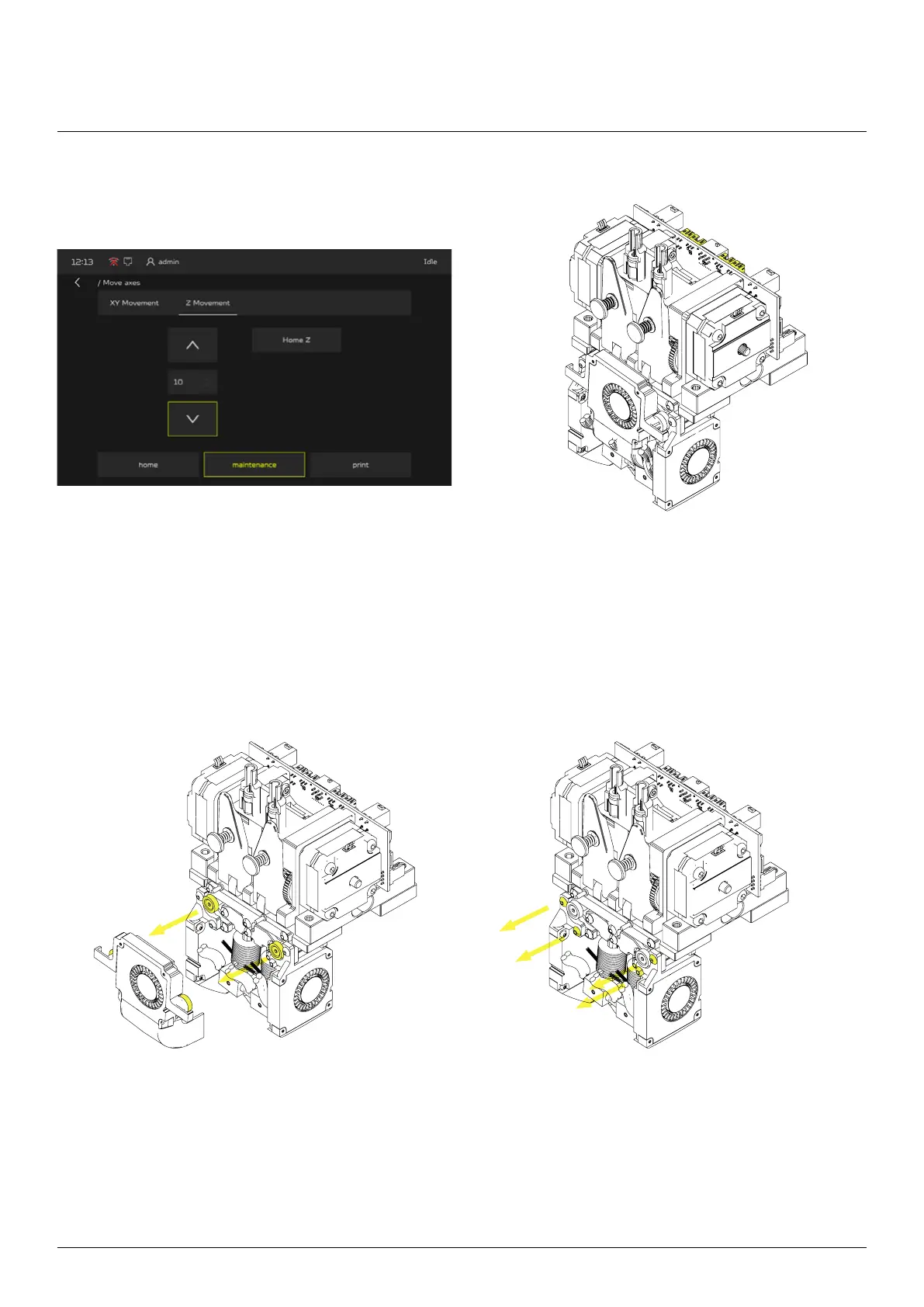
From the main menu go to the MAINTENANCE
screen, choose MOVE AXES menu and press
“Z movement”, park the heated bed at bottom posi-
tion and then turn o the machine.
Disconnect the cooling fan wires
from extruder module.
Detach the front cooling fan by pulling it
out (it is mounted by magnets).
Unscrew the left and right fan mounting.



 To Next Page