Connecting mics
Connecting mic capsules
1.
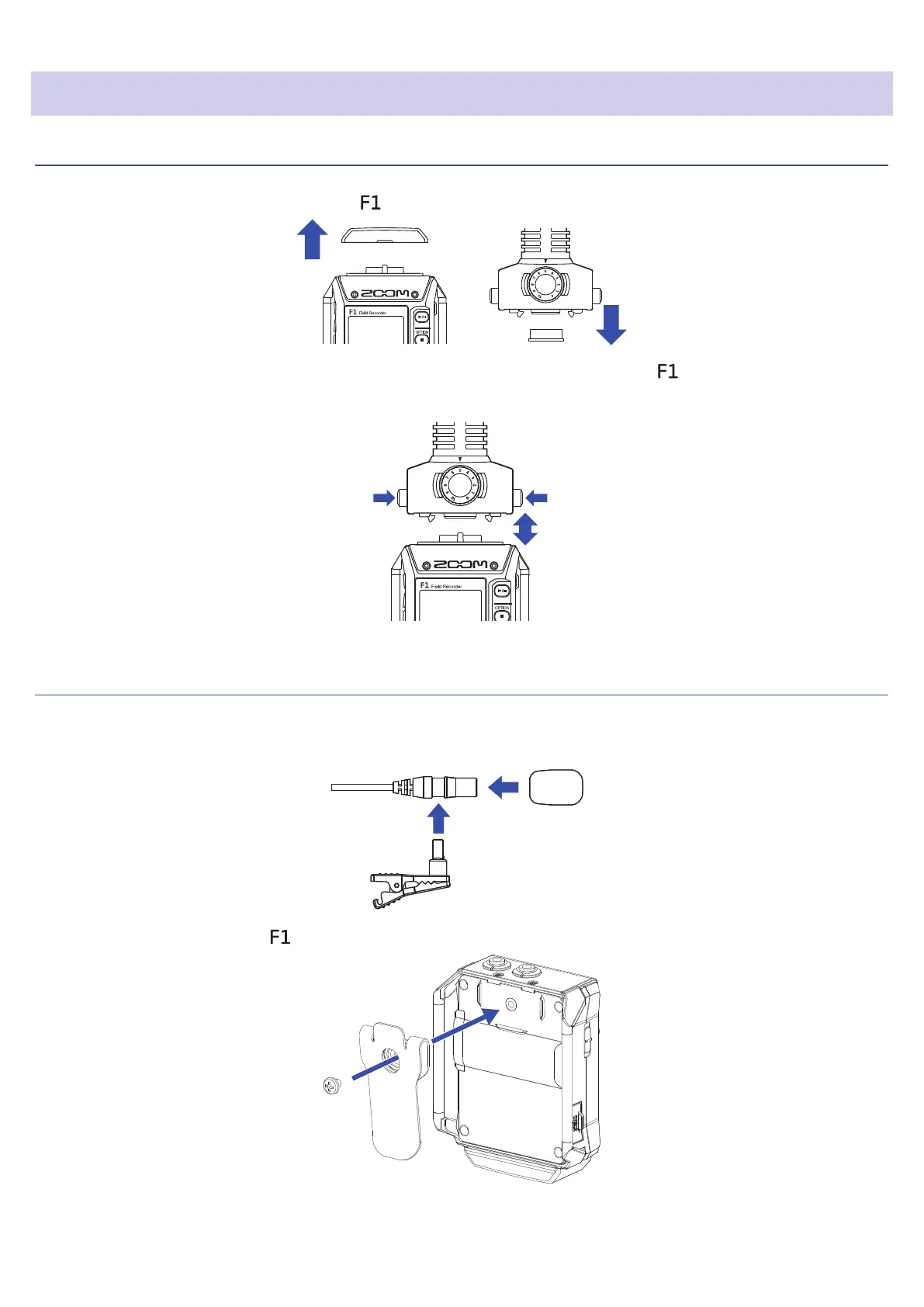
Remove the protective caps from the and the mic capsule.
2.
While pressing the buttons on the sides of the mic capsule, connect it to the , inserting it completely.
3.
To disconnect the mic capsule, pull it away from the unit while pressing the buttons on its sides.
Connecting lavalier mics
1.
Attach the windscreen and the clip to the lavalier mic.
Lavalier mic
Windscreen
Mic clip
2.
Attach the belt clip to the with the screw.
21



 To Next Page