Setting the playback mode
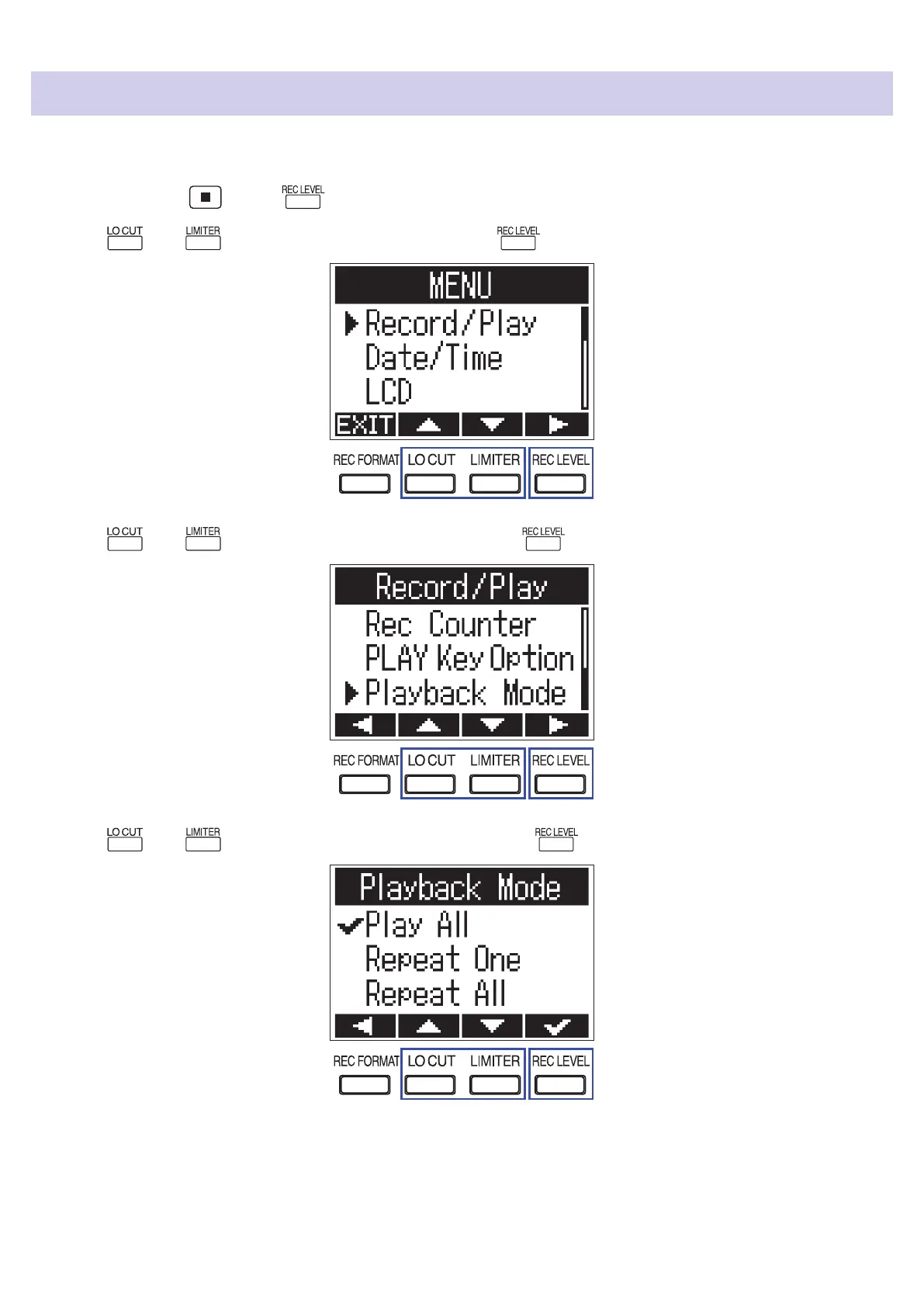
You can set the le playback mode to Play All, Repeat One, or Repeat All.
1.
While pressing , press to open the MENU screen.
2.
Use and to select "Record/Play", and press .
3.
Use and to select "Playback Mode", and press .
4.
Use and to select the playback mode, and press .
The following playback modes can be set.
37



 To Next Page