Adjusting the display contrast
1.
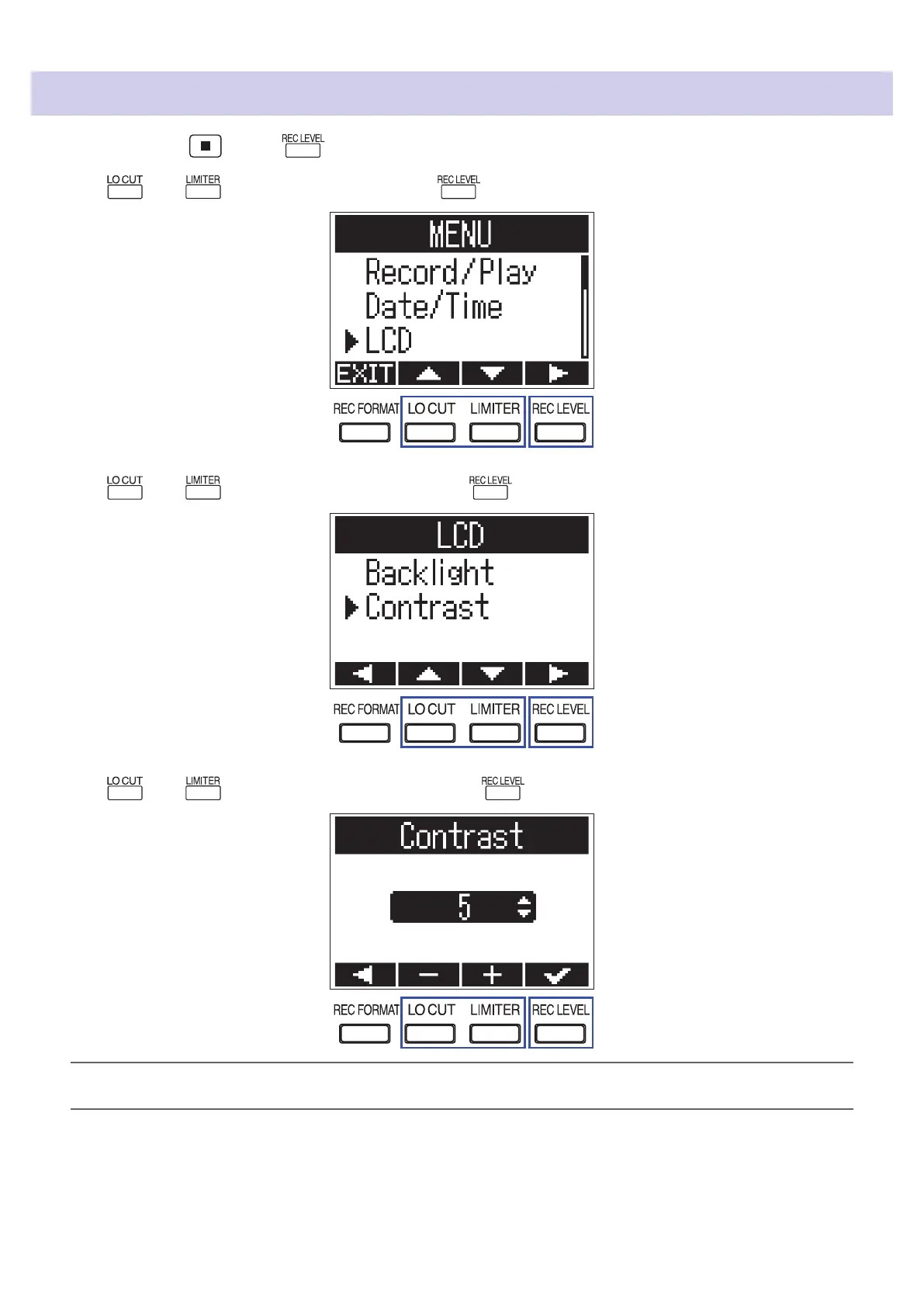
While pressing , press to open the MENU screen.
2.
Use and to select "LCD", and press .
3.
Use and to select "Contrast", and press .
4.
Use and to adjust the contrast, and press .
HINT
This can be set from 1 to 10.
58



 To Next Page