Restoring default setting values
You can restore all settings to their factory defaults.
1.
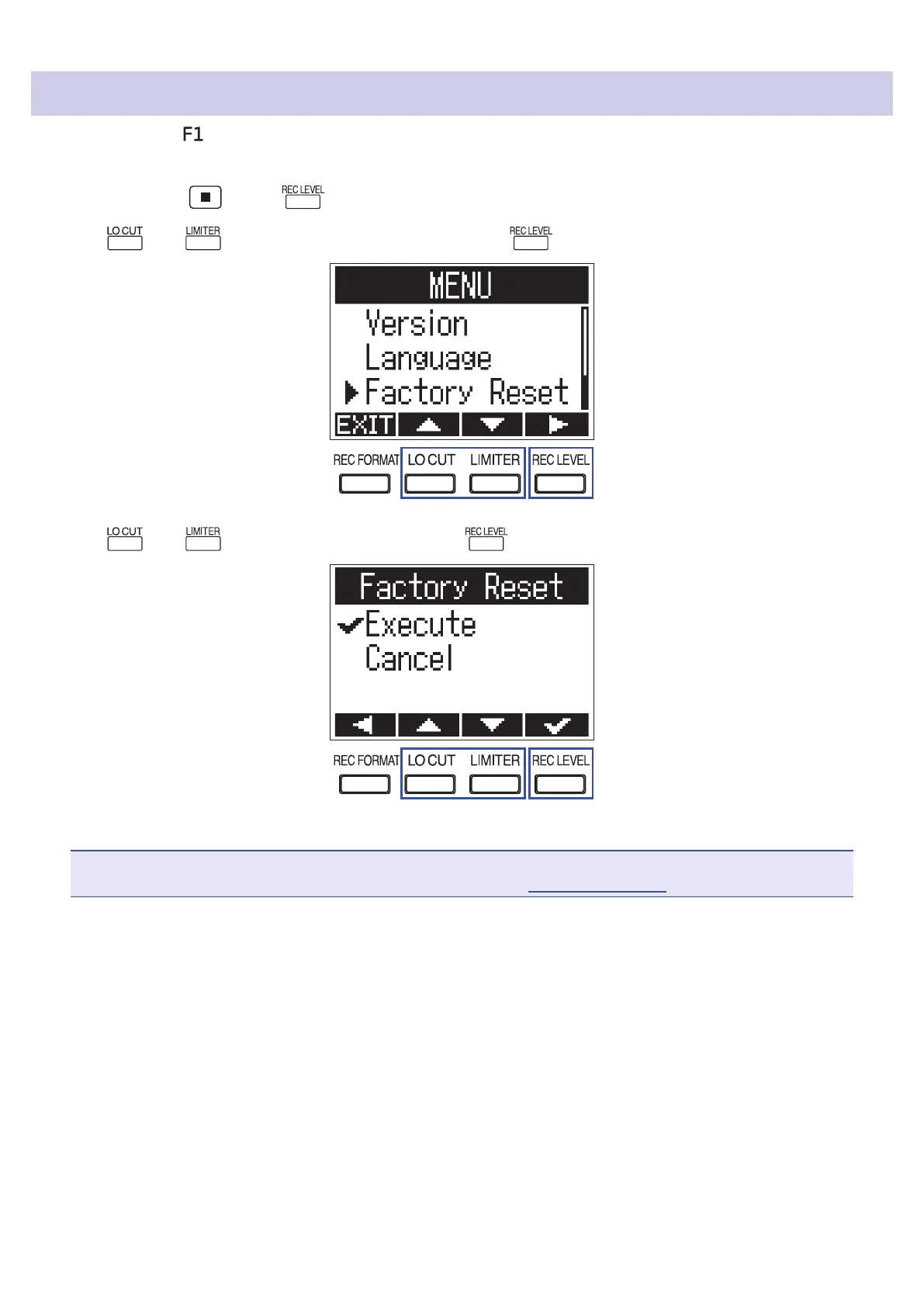
While pressing , press to open the MENU screen.
2.
Use and to select "Factory Reset", and press .
3.
Use and to select "Execute", and press .
After the settings are restored, the power will automatically turn o.
NOTE
Restoring factory defaults will delete any added language le. (
→
"Adding languages")
68



 To Next Page