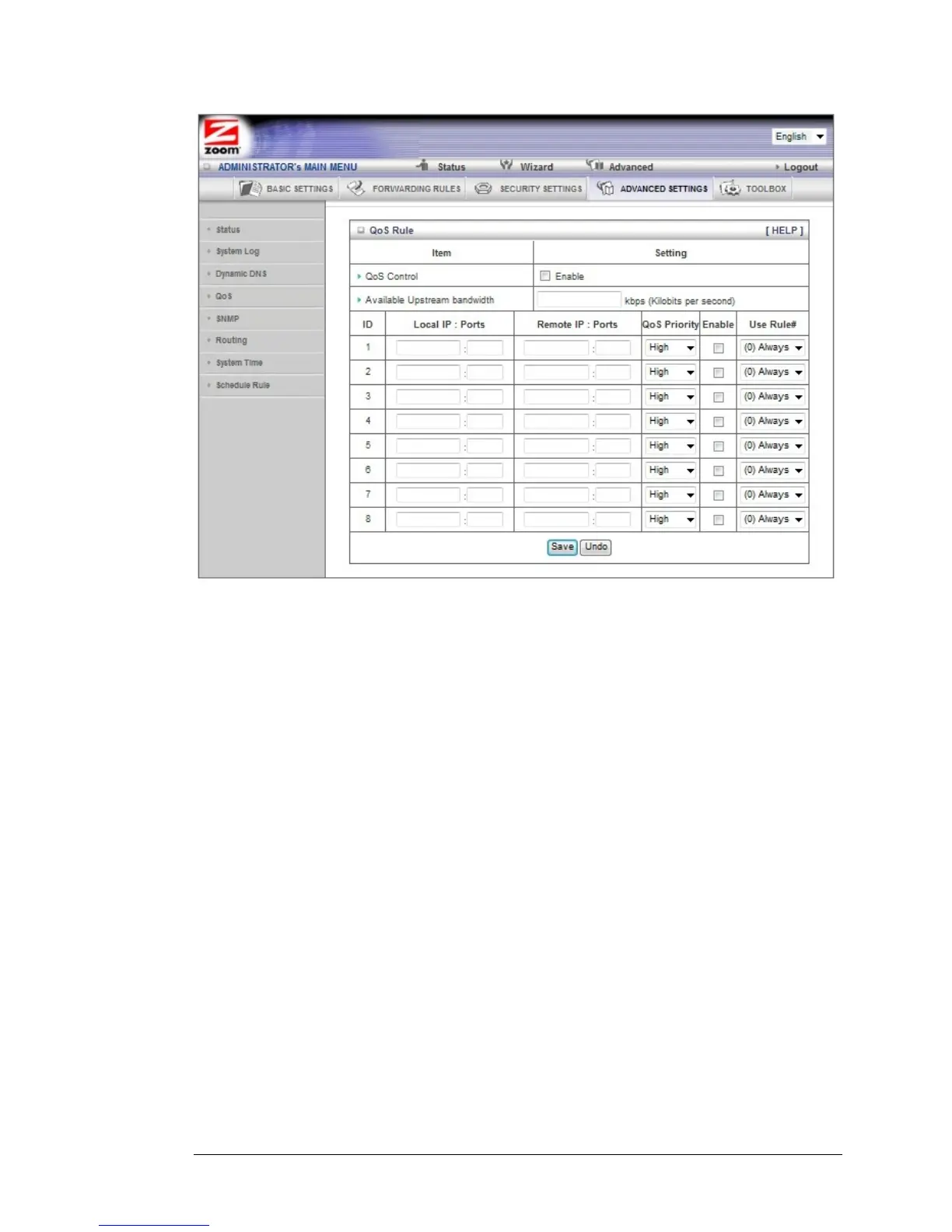
QoS Control
Click the Enable checkbox to enable QoS.
Available Upstream bandwidth
Set the upstream speed. The best way to find your throughput is to use one
of the free speed tests widely available on the Web. Some examples of sites
with good speed tests are www.speedtest.net and
www.speakeasy.net/speedtest. When you now your actual upstream
throughput, enter it in this field. The value should be in kilobits per second
(Kbps).
Local: IP
Define the local IP address of packets.
Local: Ports
Define the local port of packets.
Remote: IP
Define the remote IP address of packets.
Remote: Ports
Define the remote port of packets.
QoS Priority
Select a value from the dropdown menu to define the priority level for the
local and remote settings. Packets will be serviced based upon the priority
64 Wireless-N Router User Manual



 To Next Page