Notice
H 7016 provides many detailed options that user can define.
Caution
Must connect power adapter to unit first then connect power cord. If not, the unit will sound
a ‘beep’ when you connect
1. H7016 OUTLOOK
(1) Front design
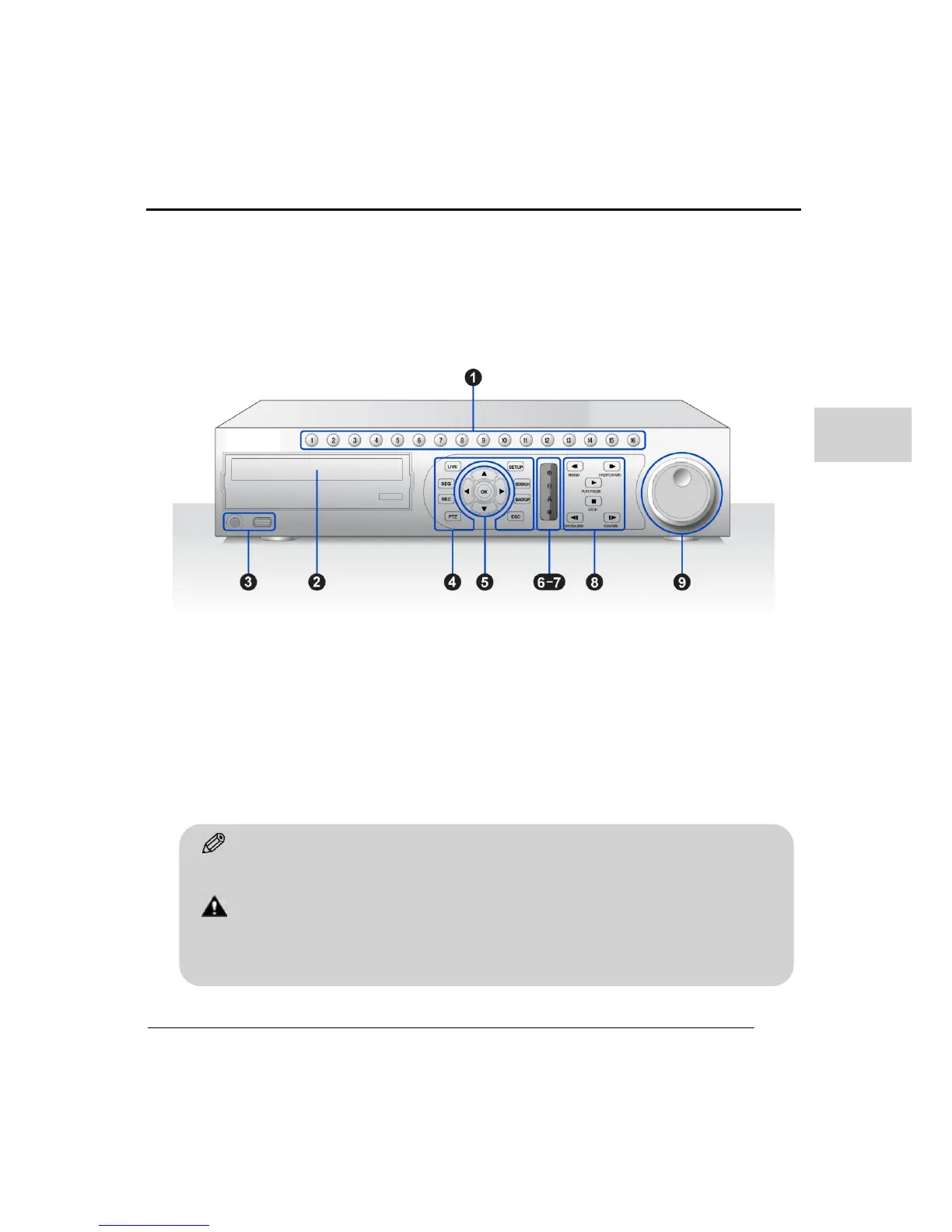
The below image shows the front case and indicates each part of the case.
1. Channel Number buttons
Use these buttons to select a channel or enter a number in the setup menu
• Channel select in Live/Search
• Enter a password when logging into the DVR
2. DVD-RW
Backup recorded data on to your DVD-RW (if installed) and playback the recordings with
the provided backup viewer.



 To Next Page