H7016 User manual
3-18
(8) SYSTEM LOG
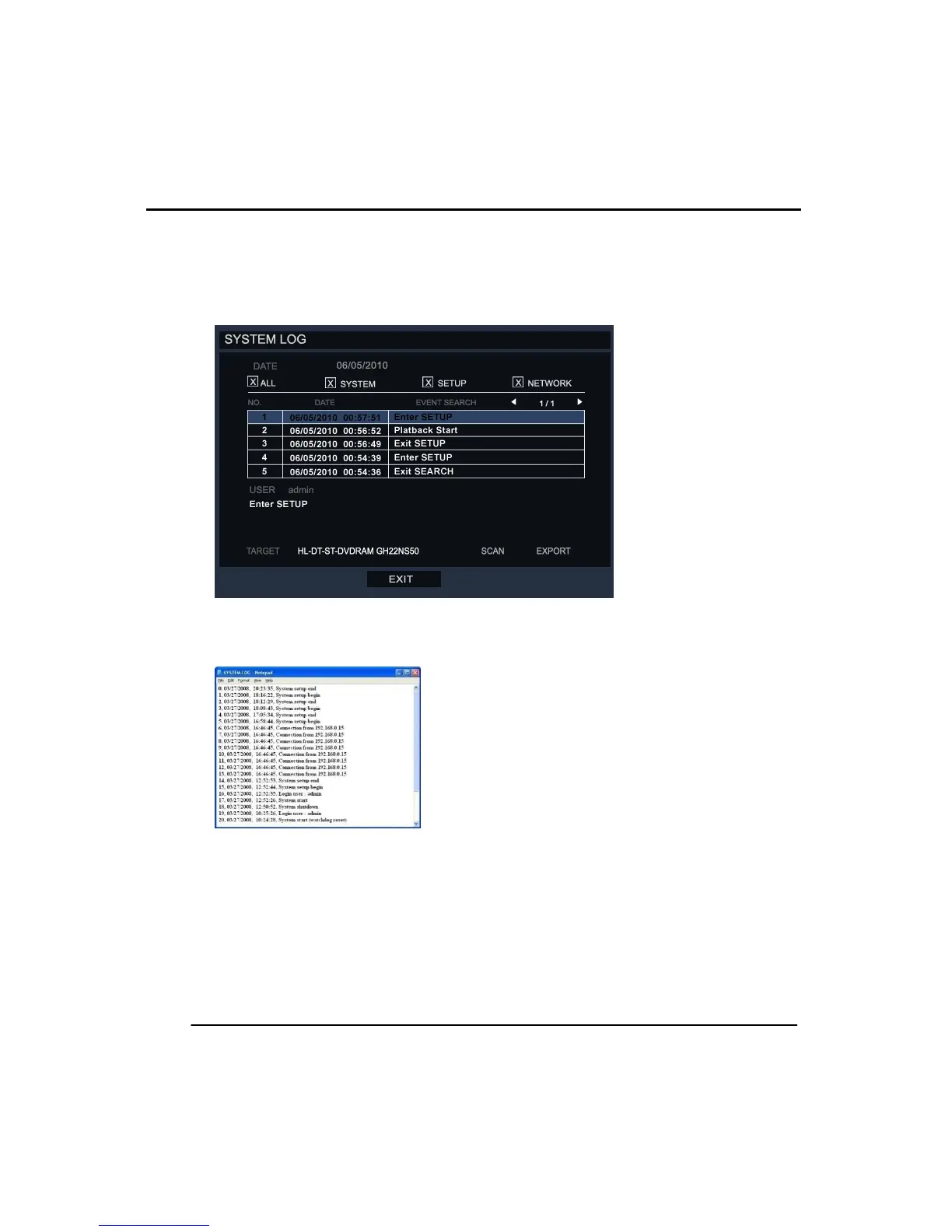
The system records detailed log information for the general operation of the DVR. User
can check the log by the SETUP>>INFORMATION >> SYSTEM LOG and export this
information as a text file to an external storage device.
Enter the system log menu to see all saved log information. Below is any example of
an exported log file, file name is ‘system.log’.
The system log is displayed as 5 lines per page. You can move to next or previous
page with ‘<’,’>’
System log has 3 types log which are as follows.
- Log by system
- Log by setup
- Log by network



 To Next Page