H7016 User Manual
4-10
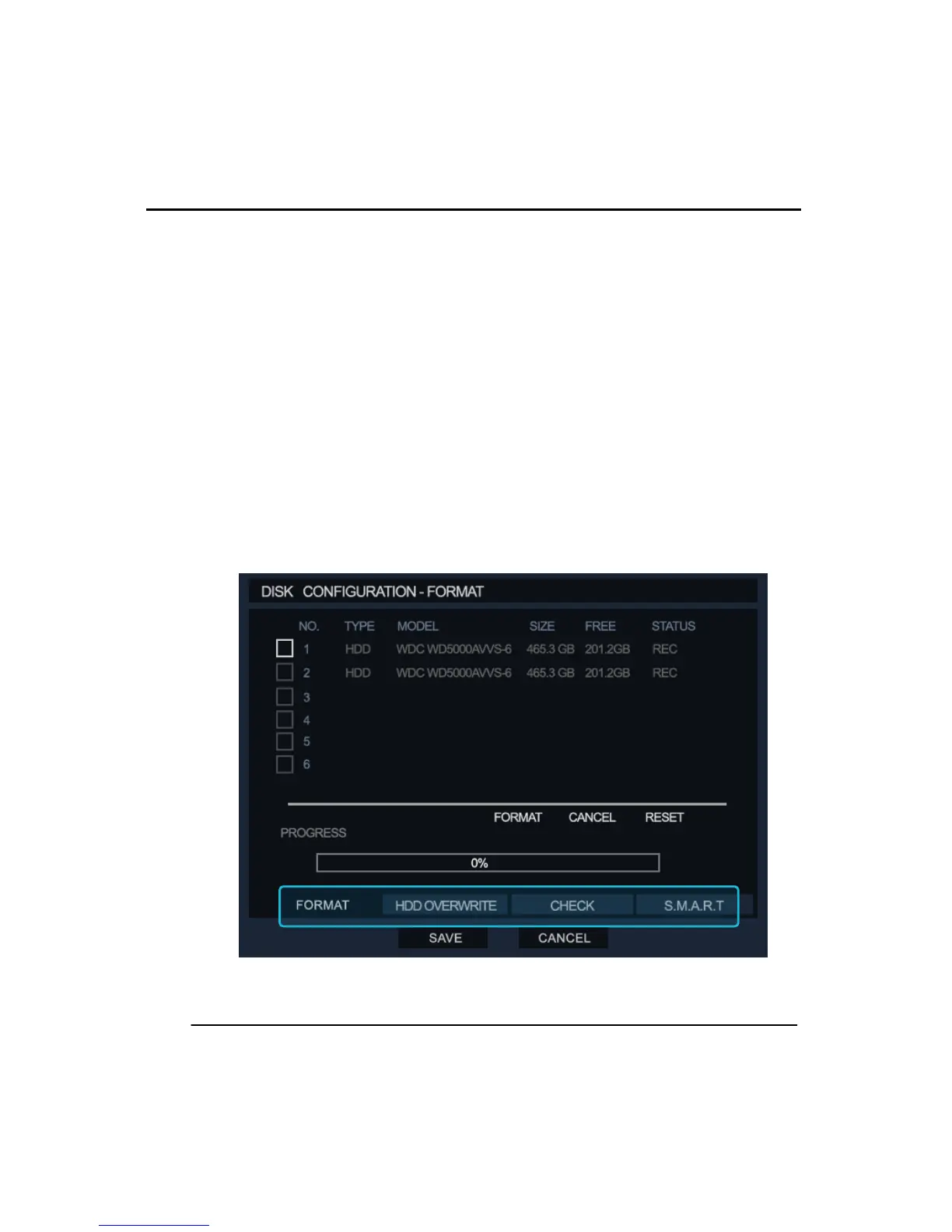
(2) DISK CONFIGURATION
This menu displays the information about the HDD installed on the DVR.
The user can define ‘overwrite’ function on/off when HDD is full and format HDD, check
S.M.A.R.T verification. The number of Built in HDD’s can vary according to its model.
① FORMAT
This menu allows the user to format selected HDD. Click on the box(es) required formatting
and click the format button.
② HDD OVERWRITE
In this menu the user can select the options associated with the overwriting the HDD.
③ CHECK
The user can check HDD and configure the Auto delete option, which will overwrite HDD
data after a specified time period.
④ S.M.A.R.T.
The S.M.A.R.T. feature detects any issues with the HDD in advance to HDD failure.



 To Next Page