H7016 User manual
3-12
4. SEARCH
(1) SIMPLE SEARCH
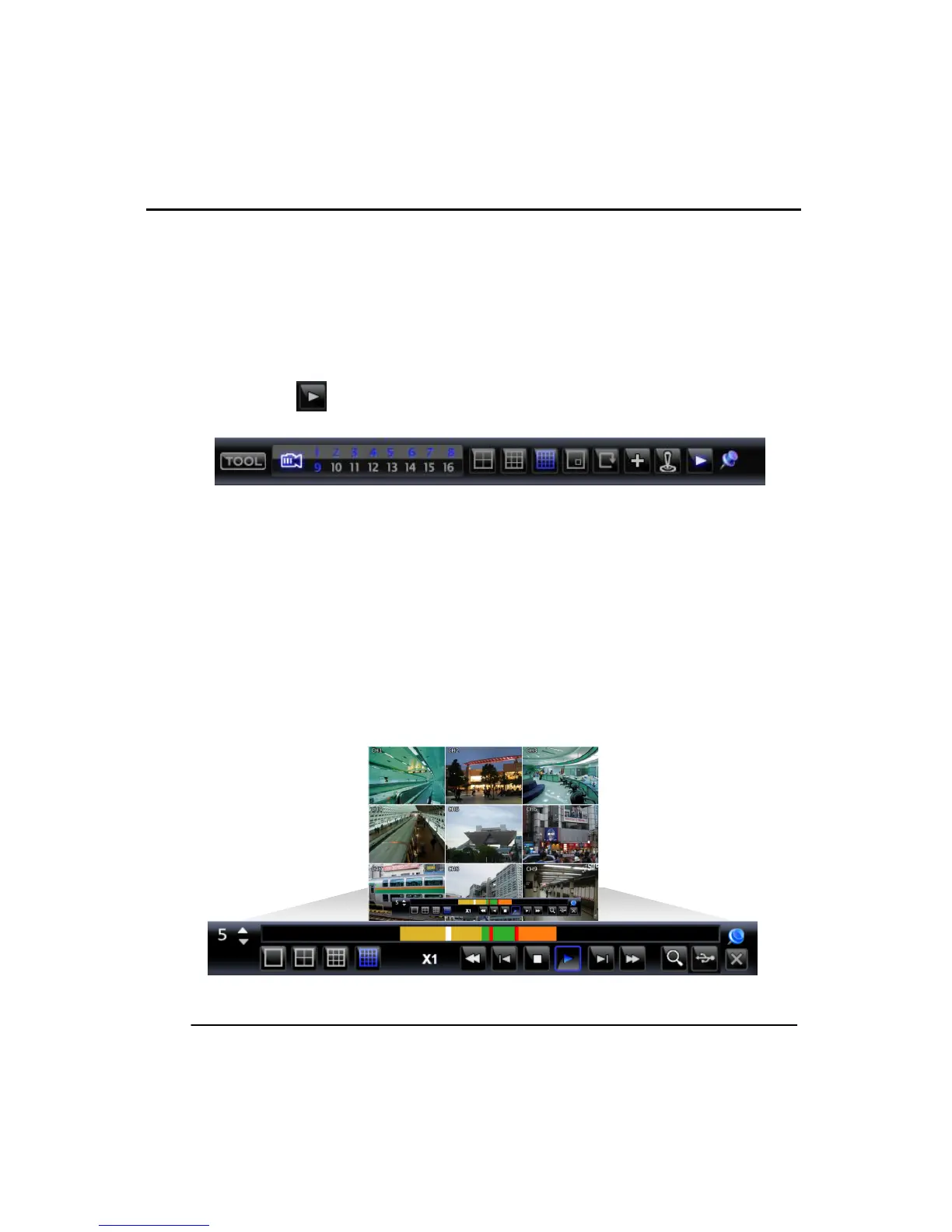
Pressing the ‘‖>’ button on the front panel will start the playback of the most recently
recorded file.
Use the buttons front panel or the JOGSHUTLE to control the playback. The user can
control Playback speed in forward and reverse directions with increments of
1,2,4,8,16,32x
The button on task bar menu also starts the playback from the most recent
recorded file.
The search mode provides the following search types -‘CALENDAR
SEARCH’,EVENT SEARCH, JUMP TO FIRST SAVED DATA, JUMP TO LAST SAVED
DATA, DAYLIGHT SAVING SEARCH.
The user can select a desired search time by clicking on the time bar. The white bar
represents the current search time and location being played back. The other colors
mean:
- Red : Instant recording
- Yellow : Continuous recording.
- Green: Motion detection
- Orange: Sensor recording



 To Next Page