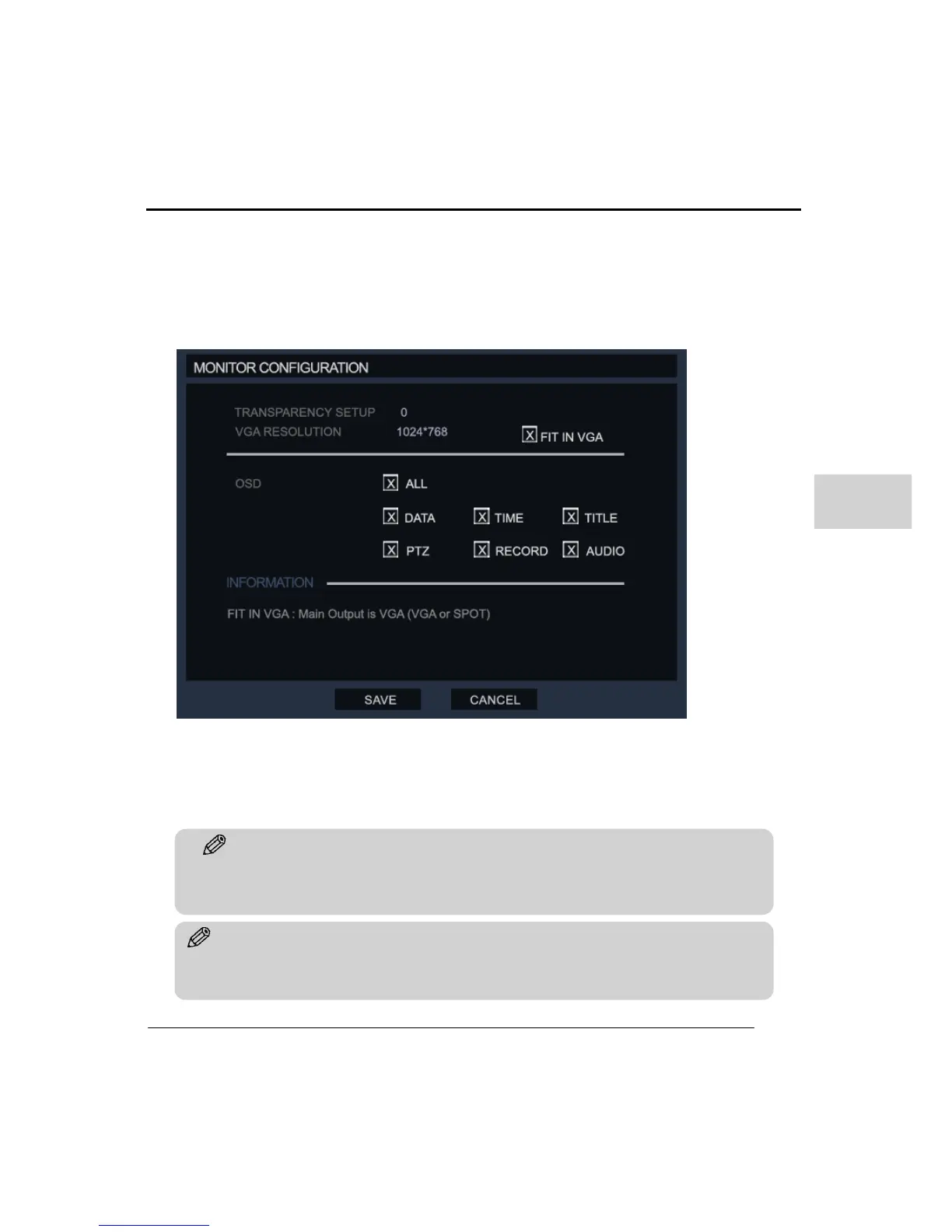
(4) MONITOR CONFIGURATION
Configure the monitor output and display settings.
Transparency Setup: Sets the transparency of the setup menu, so the user can still monitor
the live screen when in setup. ‘0’ means no transparency and this is selectable in a range of
0-30.
VGA resolution: Set the resolution to match the VGA monitor that is connected to the DVR
or use the ‘FIT-IN VGA’ option.
OSD: Select OSD details to be displayed on the monitor, the options are Date, Time, Title,
PTZ, Record (status), and Audio.
Tip
This system supports the following VGA resolutions 800x600, 1024x768, and 1280x1024.
Please check the monitor before use.



 To Next Page