EasyManua.ls Logo

360 Vision H7016 - Remote Controller

Default Icon
111 pages
Print Icon
To Next Page IconTo Next Page
To Previous Page IconTo Previous Page
Loading...
H7016 User Manual
2-12
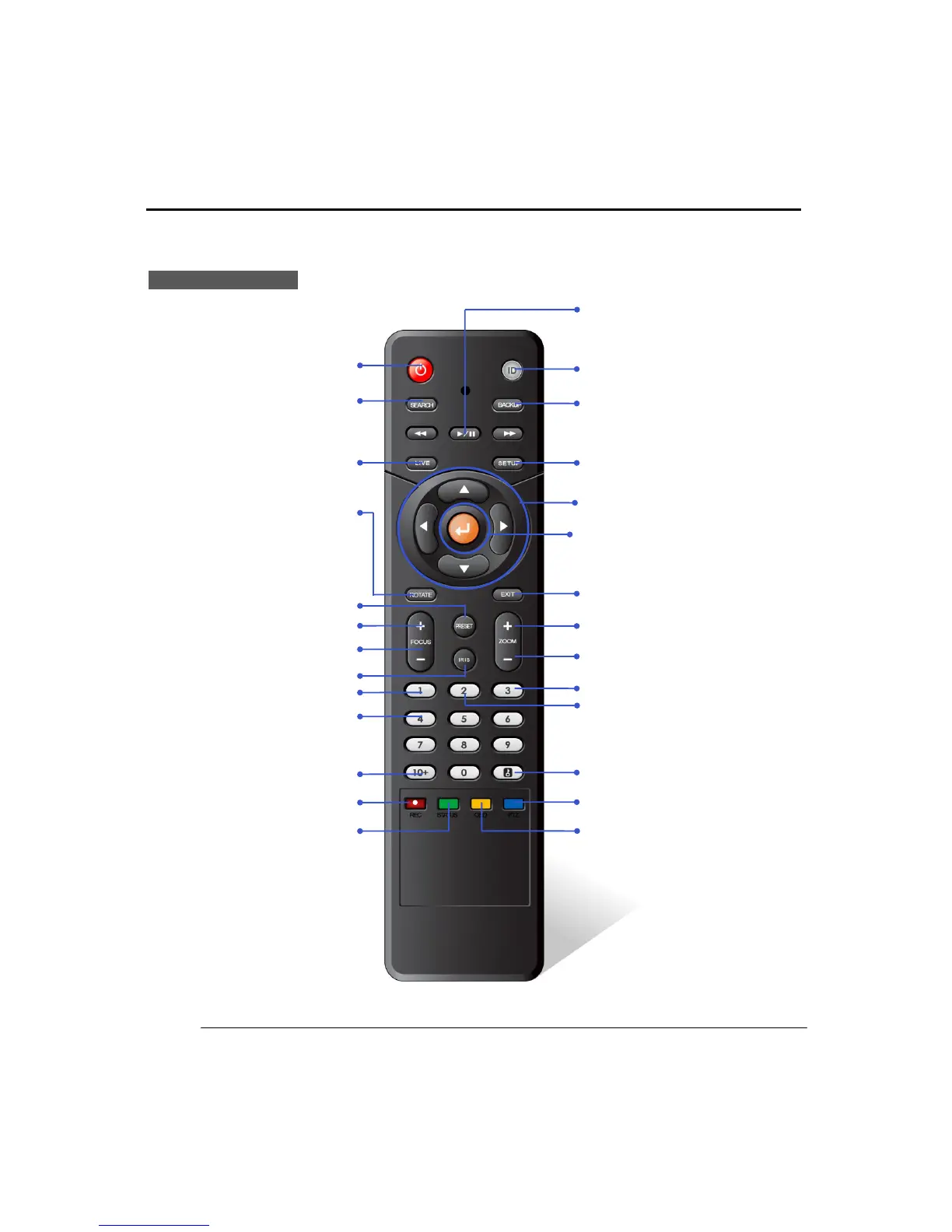
(3) REMOTE CONTROLLER
Live Display mode
ROTATE : Auto rotate in
single display mode
ID: Set Controller ID
POWER
SEARCH
BACKUP
PLAY/PAUSE
EXIT
SETUP
Navigation Key : Move menu in normal mode,
PTZ control in PTZ mode
ENTER : ENTER to select
ZOOM + : ZOOM In
ZOOM - : ZOOM Out
2 : Enter 2 to display channel 2
3 : Enter 3 to display channel 3
LOCK : LOCK : LOGOUT/LOGIN
REC : Instant Recording
STATUS : Shows system status
OSD : Display on/off OSD
PTZ : Select PTZ mode
+10 : press to enter channels
10 and above
Switch to LIVE
FOCUS out
1 : Enter 1 to display channel 1
4 : Enter 4 to display channel 4
PRESET
IRIS : IRIS mode in PTZ
FOCUS in

Related product manuals