H7016 User Manual
4-44
automatically.
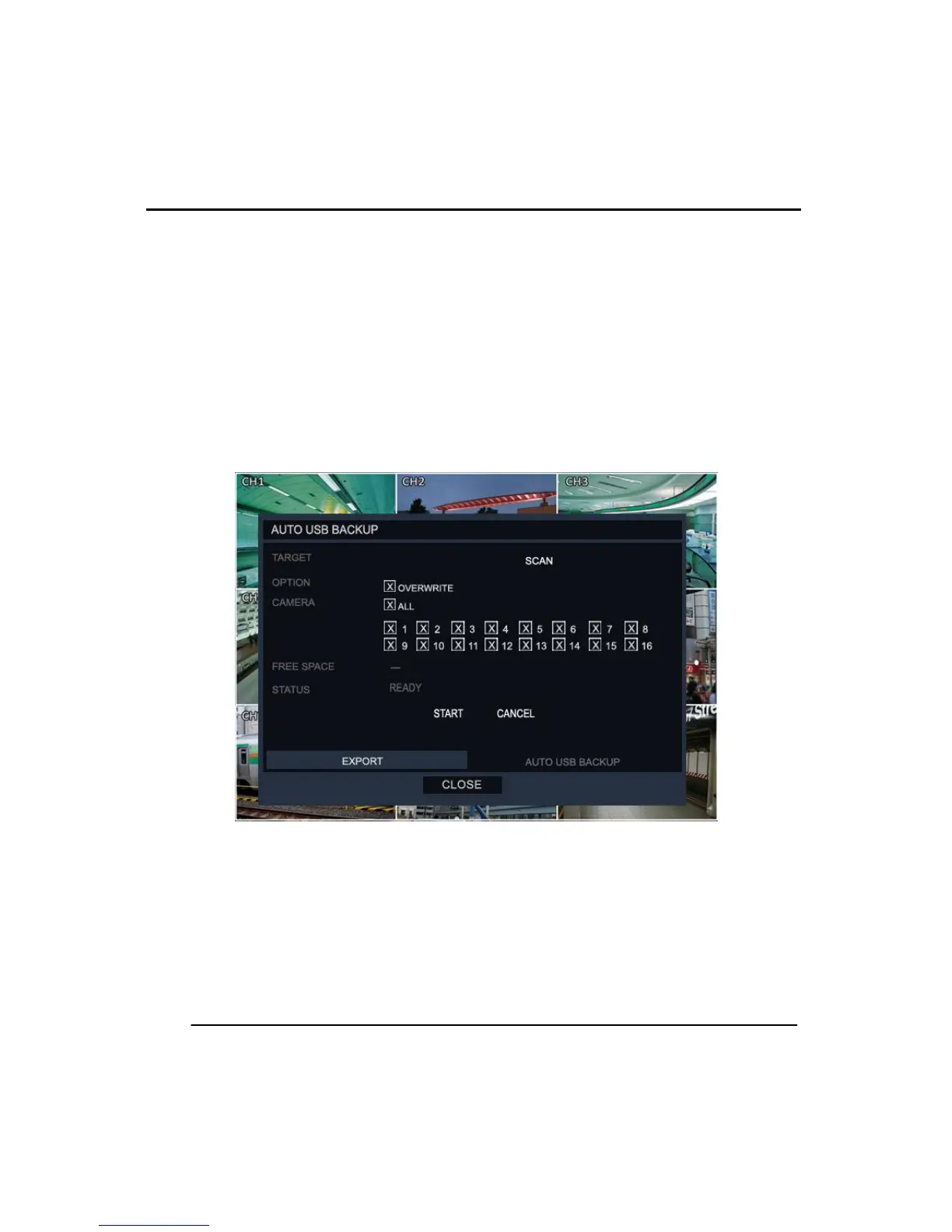
To make an Automatic backup onto USB :
1. Press ‘Backup’ button.
2. System displays the ‘Export’ page.
3. Click on the ‘AUTO USB BACKUP’ tab on the bottom right of the screen.
4. Click the ‘SCAN’ button and select the USB media to save.
5. Check ‘Overwrite’ if you plan to overwrite the existing data.
6. Select the channels to be used for the backup.
7. Click the ‘Start’ button
To stop the ‘Auto USB backup’ :
1. Click the ‘BACKUP’ button when in the live screen.
2. The System will show the ‘AUTO USB BACKUP’ display (as above)
3. Click the ‘Cancel’ button.
(3) BACKUPVIEWER
The backup viewer is used to view the saved backup data and can also be used to export



 To Next Page