(2) QUICK BACKUP IN PLAYBACK
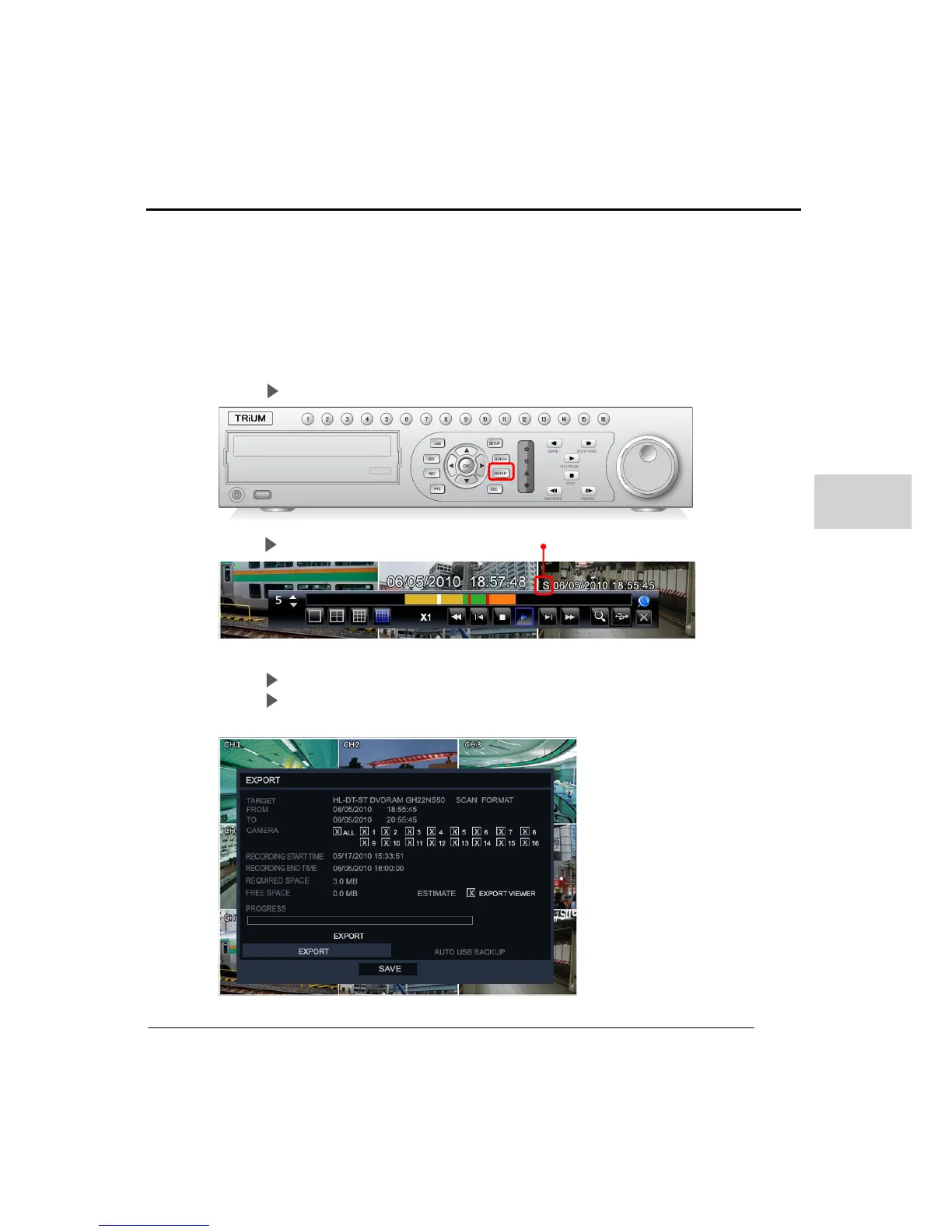
This feature enables the backup of data whilst in the playback menu. Click the backup
button on playback taskbar, front backup button sets the start time of backup and this
displayed on top of right above the task bar. After playing back the desired duration
click the backup’ button again, this sets ending time of this backup.
After setting the time the Export menu will appear from which the user can select a
device CD/USB/DVD which the data will be transferred.
Step1 Press backup button on front panel
Step2 Setting starting time
Step3 Press ‘Backup’ button again to set ending time.
Step4 Configure the device and channels to backup then click Export.



 To Next Page