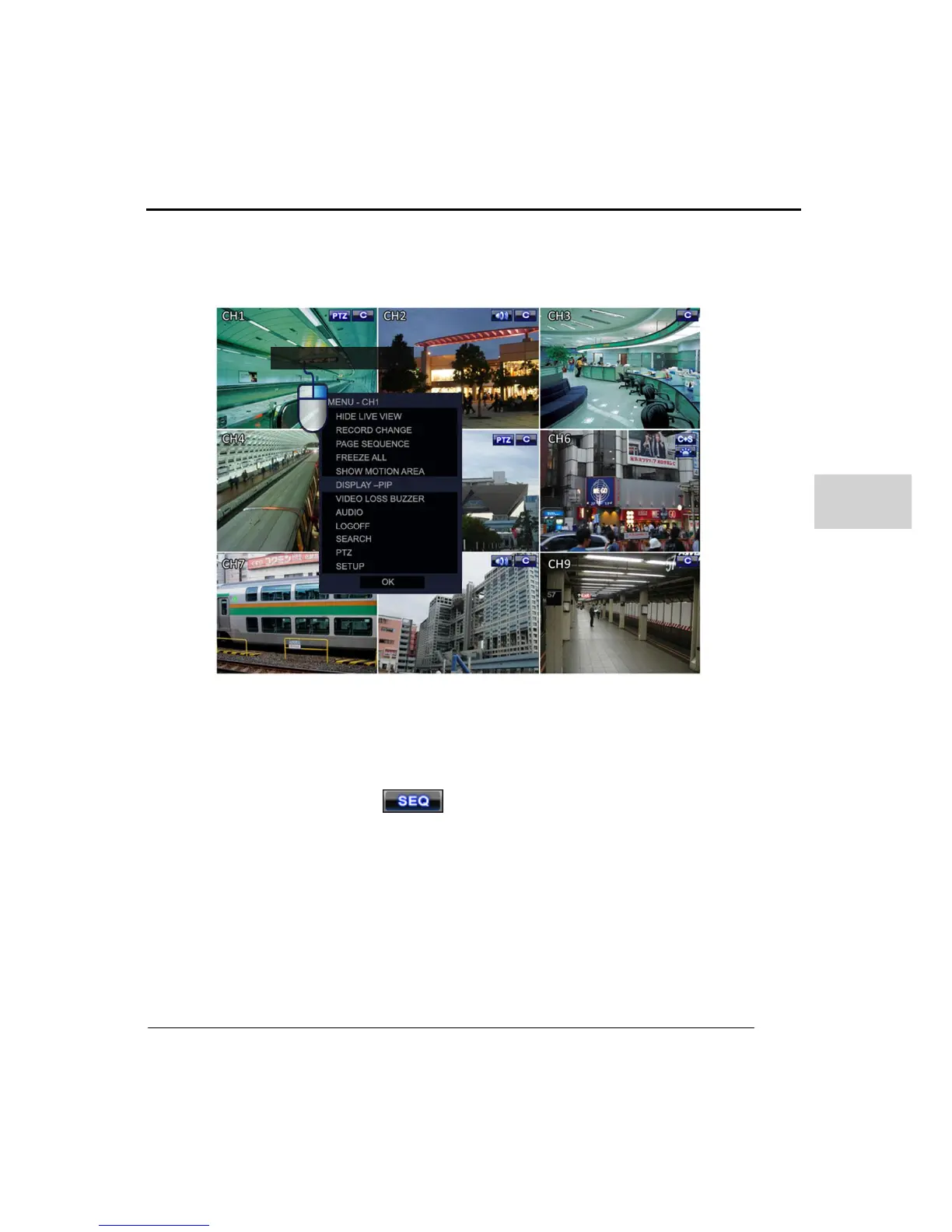
(3) POP UP MENU
Clicking on the right mouse button in the live screen will make the pop up menu
appear, as in following picture.
Popup Menu Options.
HIDE LIVE VIEW : Hide(Covert) selected live channel.
RECORD CHANGE : Change the selected channels recording setting directly.
Press ‘PAGE SEQUENCE : Click this option then the live display will sequence
through all channels and icon will be displayed on bottom of left. This
function only works when in single channel view not split screens.
FREEZE ALL : This will freeze the live display
SHOW MOTION AREA : This will show the areas where motion has occurred on a
selected channel in real-time.
DISPLAY –PIP : This will change the screen to PIP mode.
VIDEO LOSS BUZZER : Turn on/off the Video loss function on selected channel.
Video loss occurs whenever the video is lost from a channel then a beep sound will
come from the DVR buzzer.
AUDIO : This can be used to assign or release an audio input on the current selected



 To Next Page