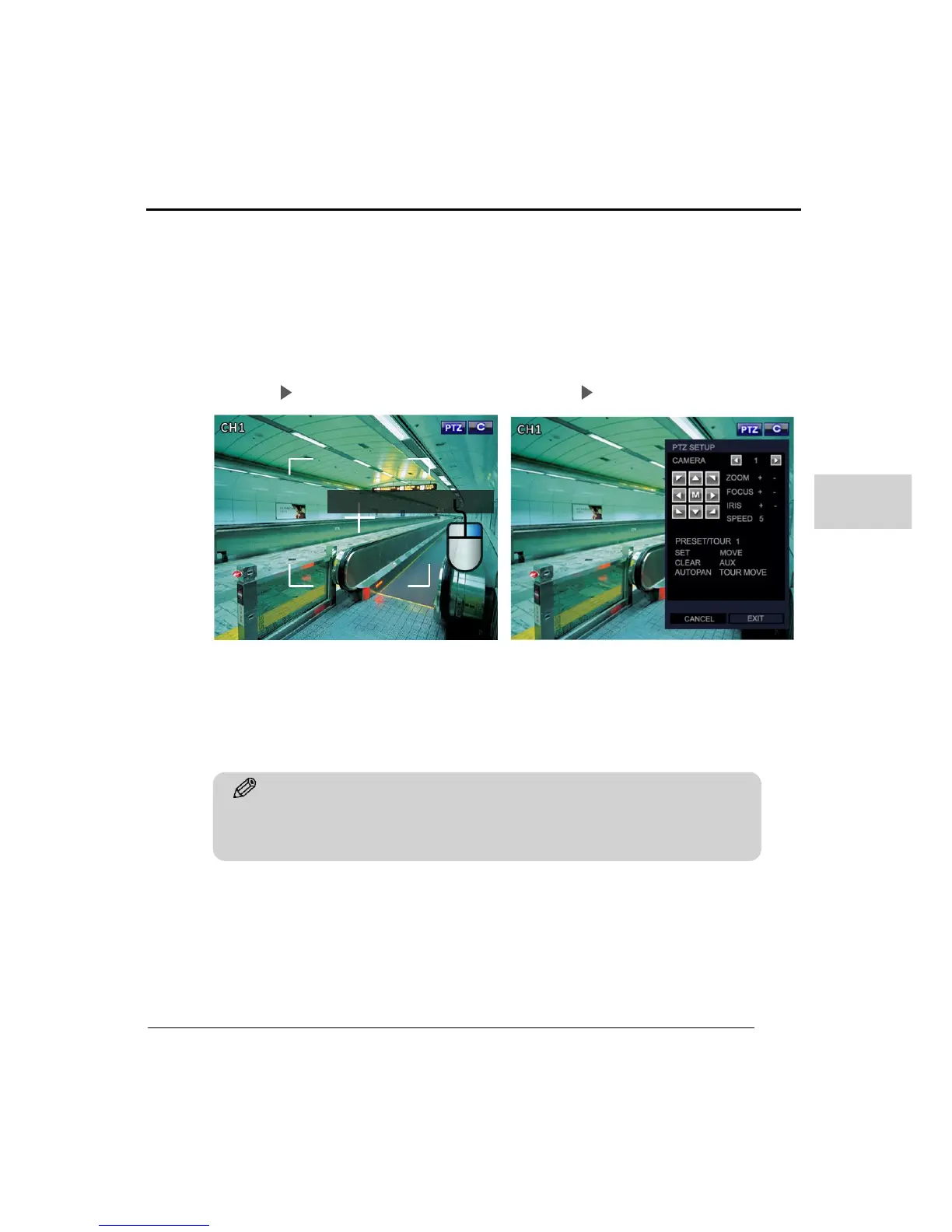
To use ZOOM/FOCUS/IRIS controls, click the right mouse button as shown in the
below picture. The PTZ setup menu will then be displayed with all the controls for the
PTZ.
With the ‘PRESET TOUR’ feature, you can make a PTZ camera move automatic by
preset positions. The User can select the ‘PRESET TOUR’ in the PTZ Setup and then
record a path for the PTZ camera to follow.
Step 01 Step 02



 To Next Page