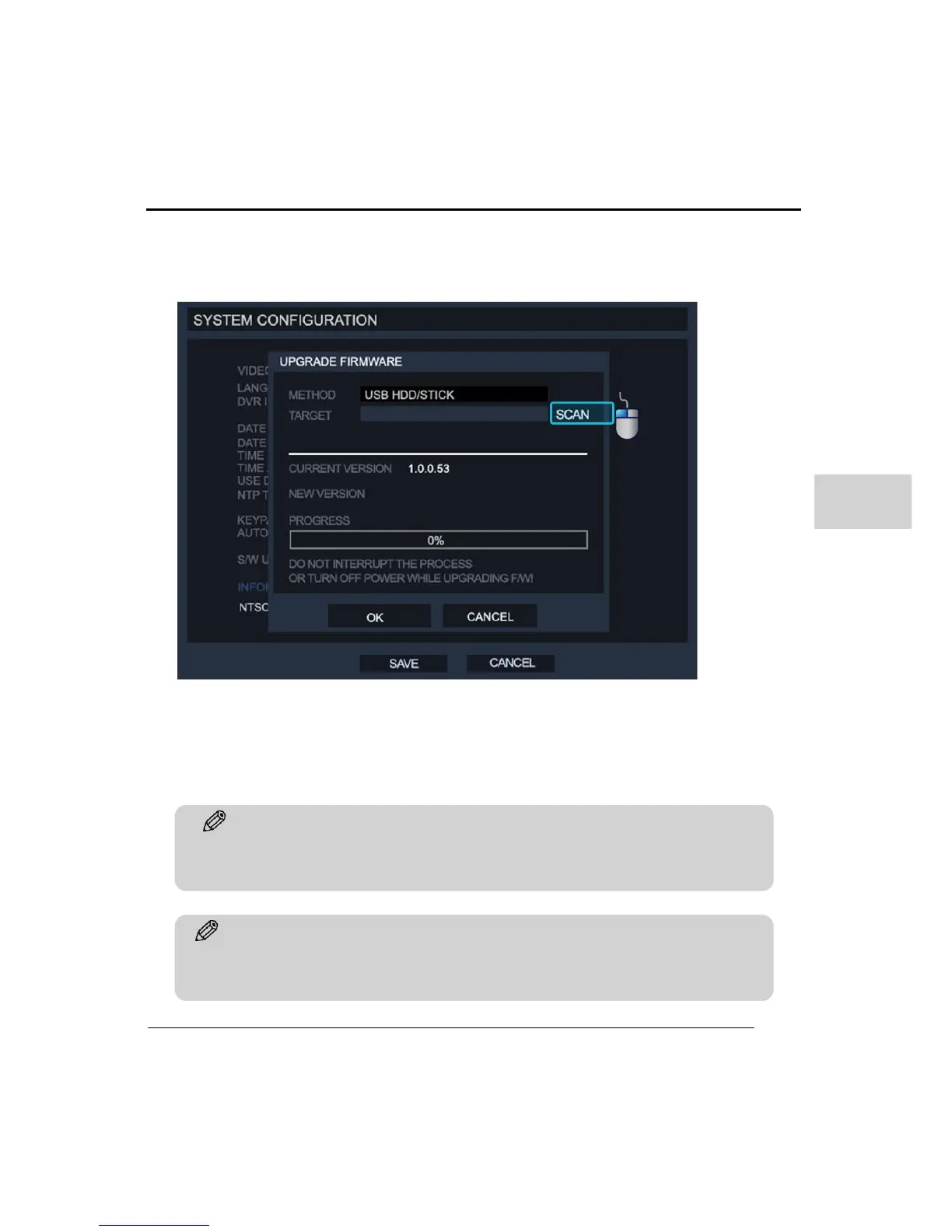
Clicking on the S/W Upgrade box allows the user to upgrade system. The ‘UPGRADE
FIRMWARE’ will appear and the user should select which device the software upgrade files
are located - DVD/CD/USB/FTP.
Upgrade with USB memory :
1. Insert USB memory to the USB port on the product
2. Click the ‘SCAN’ option and system displays recognized media name and new
version number.
3. After recognition of the update click the ‘OK’ button to proceed with upgrading.
Tip
After upgrading a HDD format is recommended. Some upgrades may improve the recording
data format and could cause wrong working on existing recording data format. Make sure to
backup any important information before making an upgrade



 To Next Page