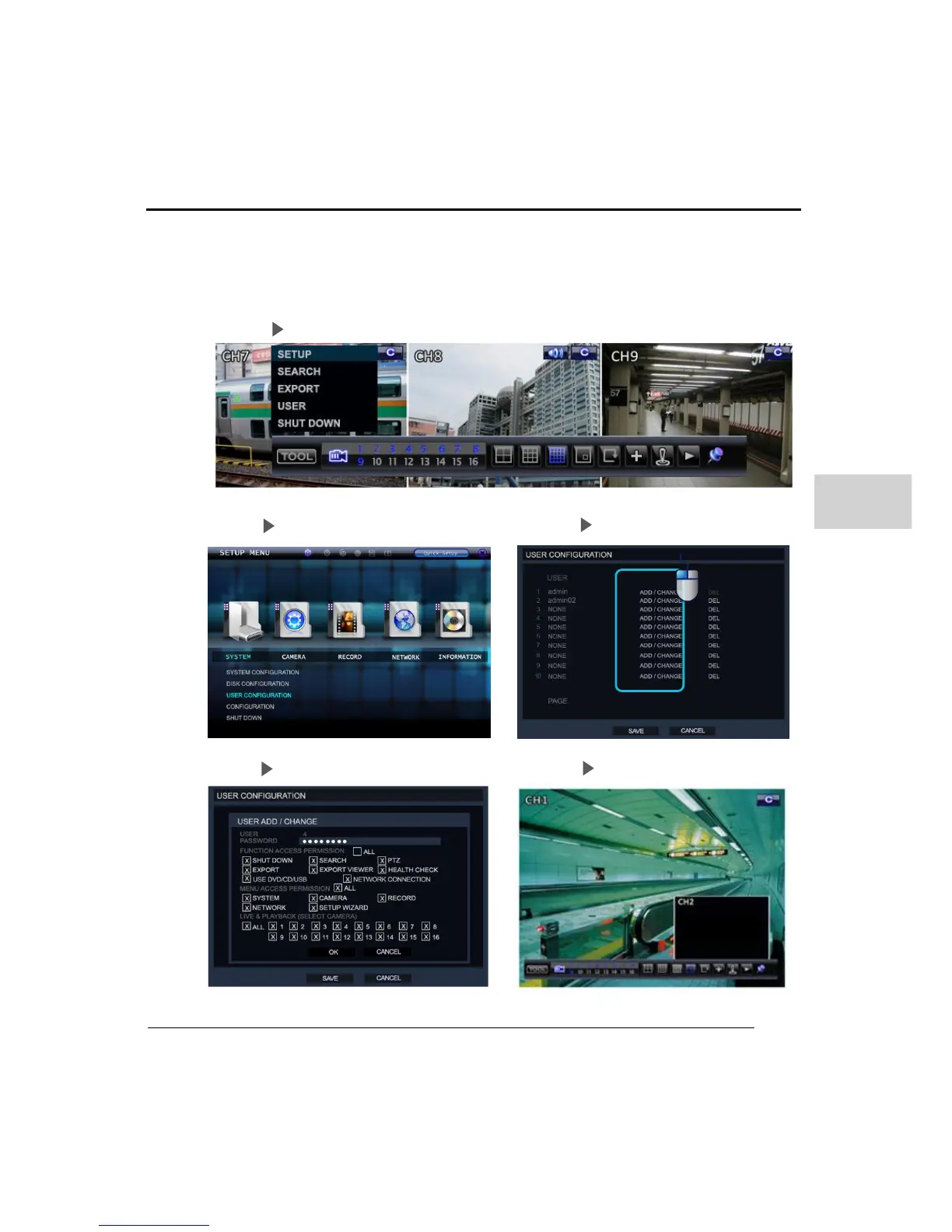
The Administrator’ can authorize or restrict the user’s permissions this included the
live display and search modes. If the user does not have permission or allowed access
to a channel it shows the ‘NO PERMISSION’ message.
Step 01 Enter the setup Menu
Step 02 Enter the system/User Configuration Menu Step 03 Left click on Add/Change
Step 04 Untick the permission box Step 05 Return to live screen



 To Next Page